67
Using the machine
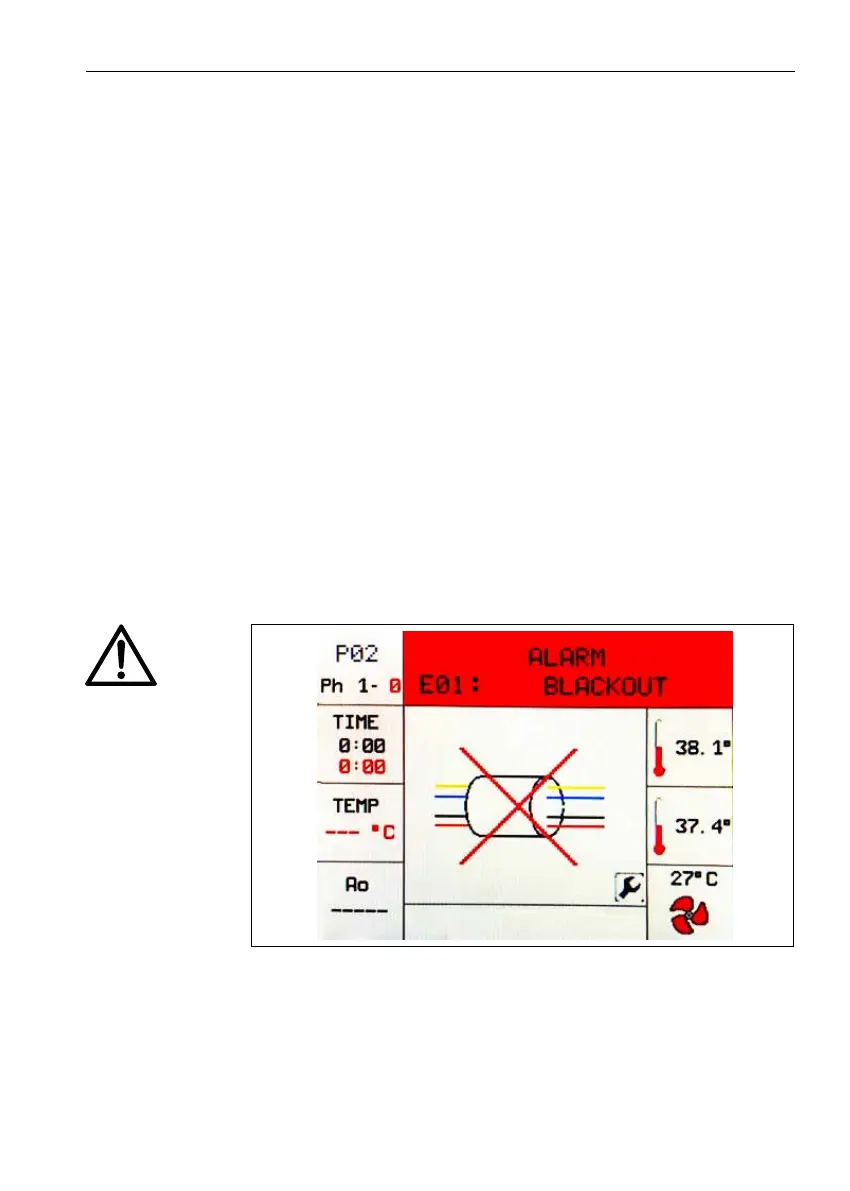
Fig. 17 - Example on display of an alarm message
If, for any reason, it is necessary to interrupt the cycle, simply
hold down the RESET key for a few seconds until an audible
alarm (buzzer) is heard and an alarm screen appears on the
display with the message: «WARNING. DISINFECTION CY-
CLE INTERRUPTED».
Once the problem is resolved, resume the cycle from the be-
ginning. If the problem cannot be solved, contact the technical
assistance.
6.6.3 Alarm messages
The machine is equipped with an alarm system that indicates
malfunctions detectable with an audible signal (buzzer) and with
a screen on the graphic display of the control panel.
The alarms, description and possible solution are listed below.
Atrsttheimageconcerningthealarmisdisplayed(for5sec-
onds); then the alarm description is displayed (for 10 seconds).
The image and text alternate until the alarm is reset.






 To Next Page