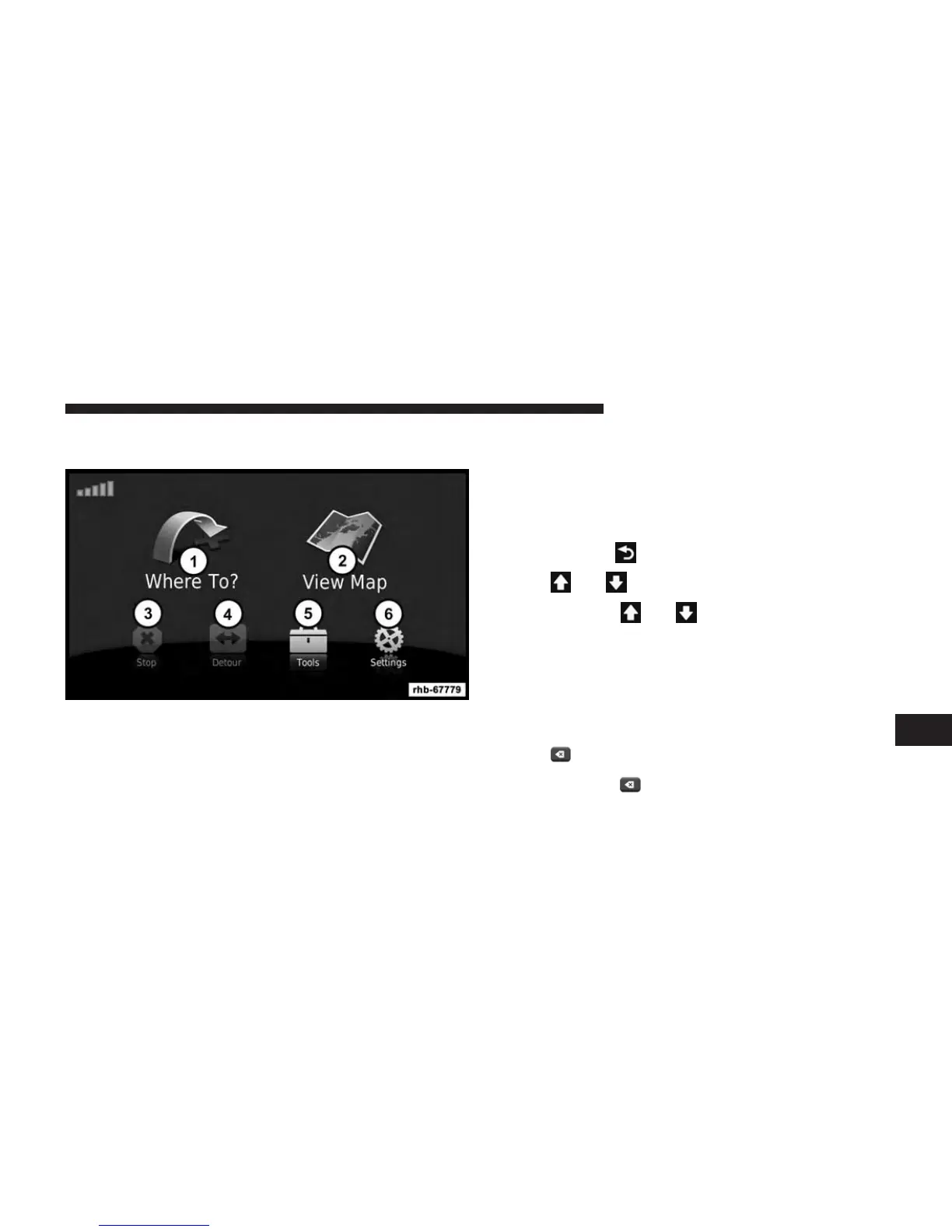
Main Menu
1. Touch to find a destination.
2. Touch to view the map.
3. Touch to stop a route.
4. Touch to detour a route.
5. Touch to open the menu of tools.
6. Touch to open the menu of settings.
Using The On-Screen Buttons
• Touch and hold to quickly return to the main menu.
• Touch
and to see more choices.
• Touch and hold and to scroll faster.
Using The On-screen Keyboard
• Touch a character on the keyboard to enter a letter or
number.
• Touch Space to add a space.
• Touch
to delete a character.
• Touch and hold to erase the entire entry.
8
NAVIGATION (Uconnect® 430N Only) 105



 To Next Page