- 70 -
FAN
Fan Only - When only ventilation needed.
COOL/HEAT
Activate Heating and Cooling automatically according to the difference between the “Set”
and “Actual” temperature.
COOL
Cooling for summer time. Up to 3 stages of cooling can be selected. Cooling stages will be
indicated by lines near the cooling icon.
HEAT
Heating for winter time. Up to 4 stages of heating can be selected. Heating stages will be
indicated by lines near the heating icon.
SPEED
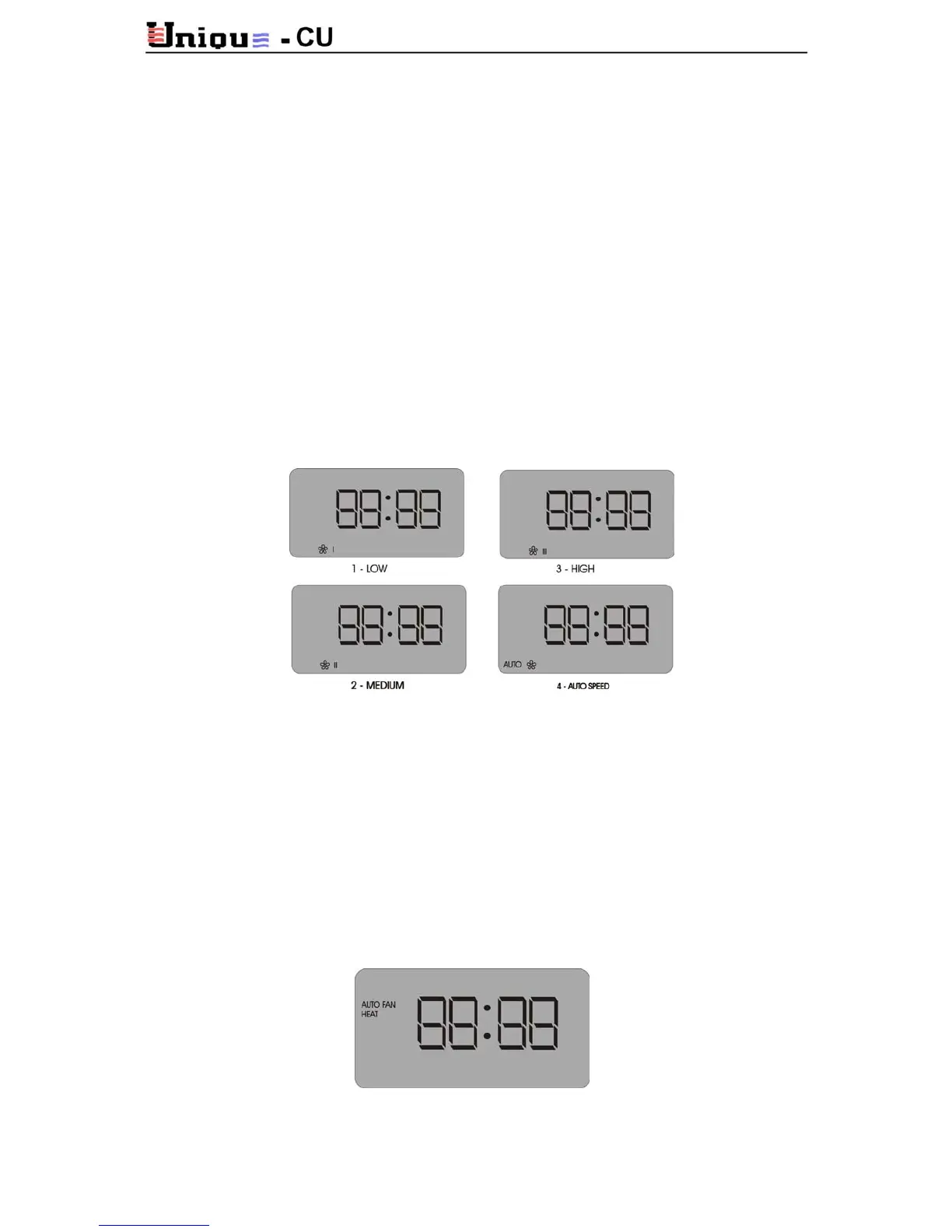
Fan speed selector: 1(Low speed), 2 (Medium speed), 3 (High speed) and 4 (Auto speed).
AUTO SPEED
The fan speed changes according to the temperature difference between “Set temperature”
and “Actual ambient temperature”
The greater is the difference between “set” and “actual” - the faster is the fan-speed.
AUTO FAN
In Auto fan mode the fan stops whenever the compressor does. This arrangement does not
only save electricity, but also avoid cool air when the heating stops. This mode is useful in the
winter. AUO FAN mode is displayed by “AUTO FAN” on the LCD screen.



 To Next Page