2.1.2 Assigning an IP Address
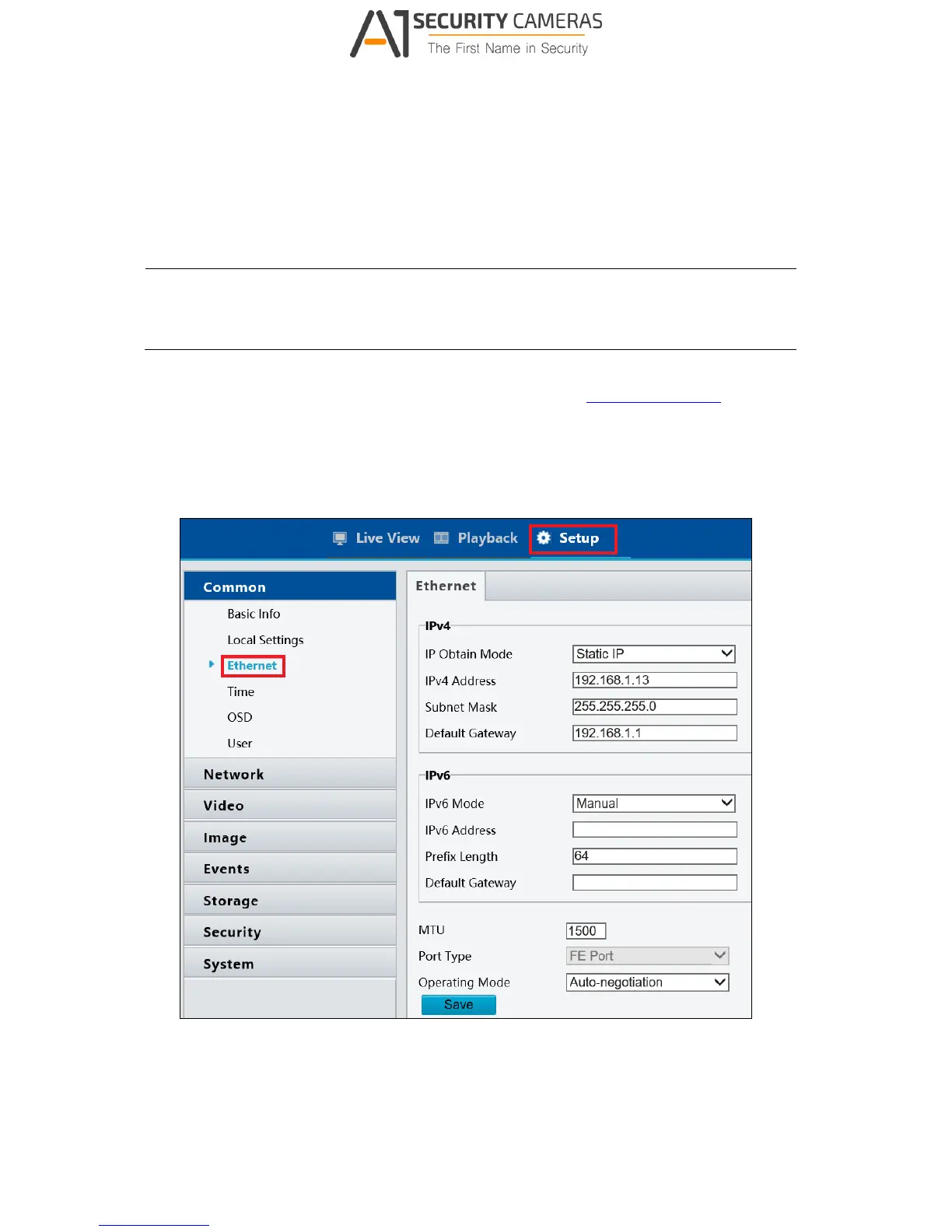
To assign a new static IP address, log in the Web interface to access the network setting
page.
Note: If your router does not support DHCP, the default IP address will be 192.168.0.10.
In this case, it is strongly suggested that you modify the IP address to avoid the IP
address conflict with other GV-IP devices on the same LAN.
1. Open your web browser, and type the default IP address http://192.168.0.10. A dialog
box appears.
2. Type the default username and password admin. Click Login.
3. Click Setup, select Common in the left menu and select Ethernet.
Figure 2-4
4. Select Static IP from the IP Obtain Mode drop-down list.



 To Next Page