3.4.2 OSD
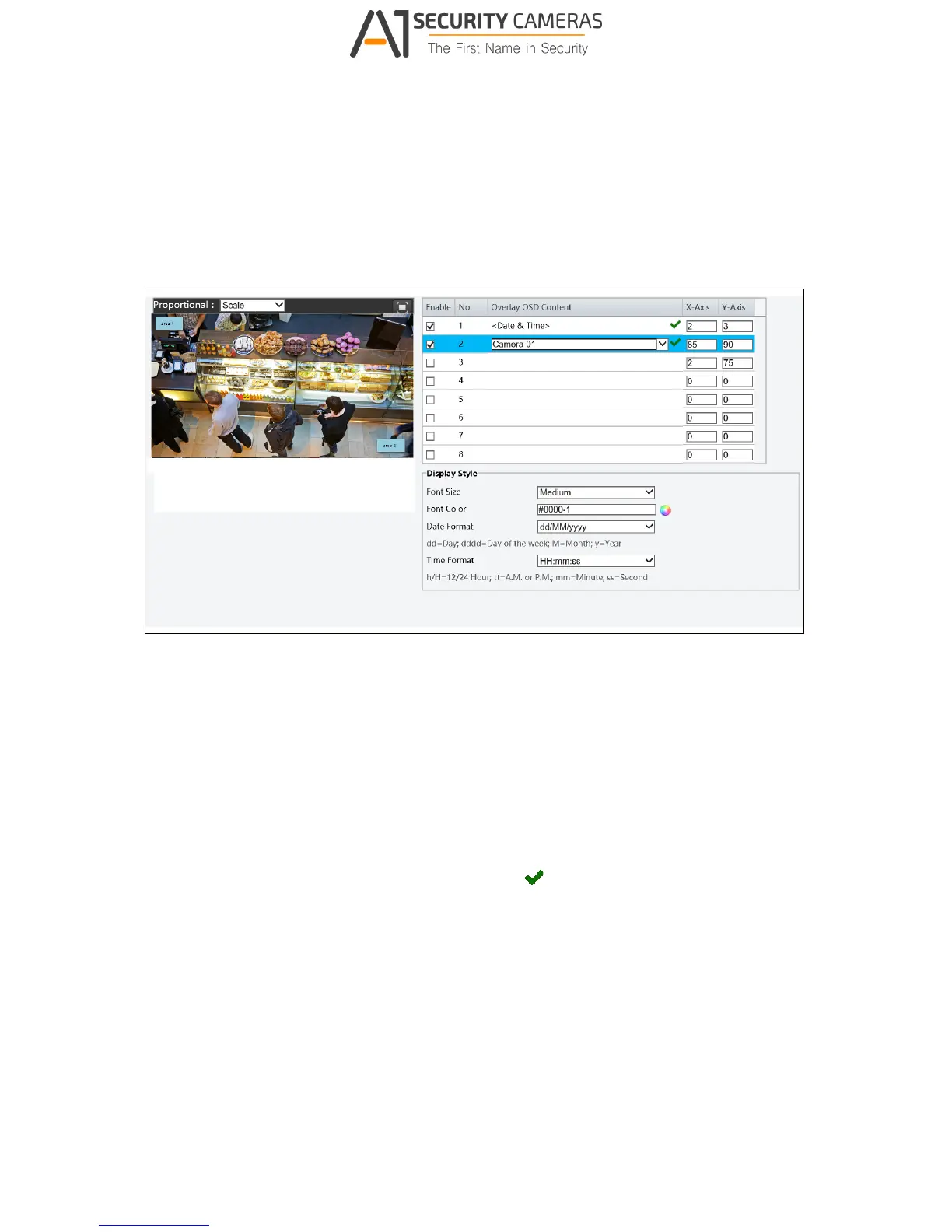
On Screen Display (OSD) is the text displayed on the screen with video images and may
include time and other customized contents.
Figure 3-22
1. Enable a No. to select an area #, and then click Overlay OSD Content to select the
content to display on screen.
2. Adjust the position of the Area 1/2/3 boxes on the live view either by dragging directly or
by specifying the coordinates under X-Axis / Y-Axis column.
3. Under Display Style, customize the text style and date/time format.
After you have set the position and OSD content, the
symbol appears in the Status
column, which means that the OSD is set successfully.



 To Next Page