3.8 System
This section allows you to set the camera time, and update the firmware.
3.8.1 Time
You can use the following methods to adjust the system time of your camera.
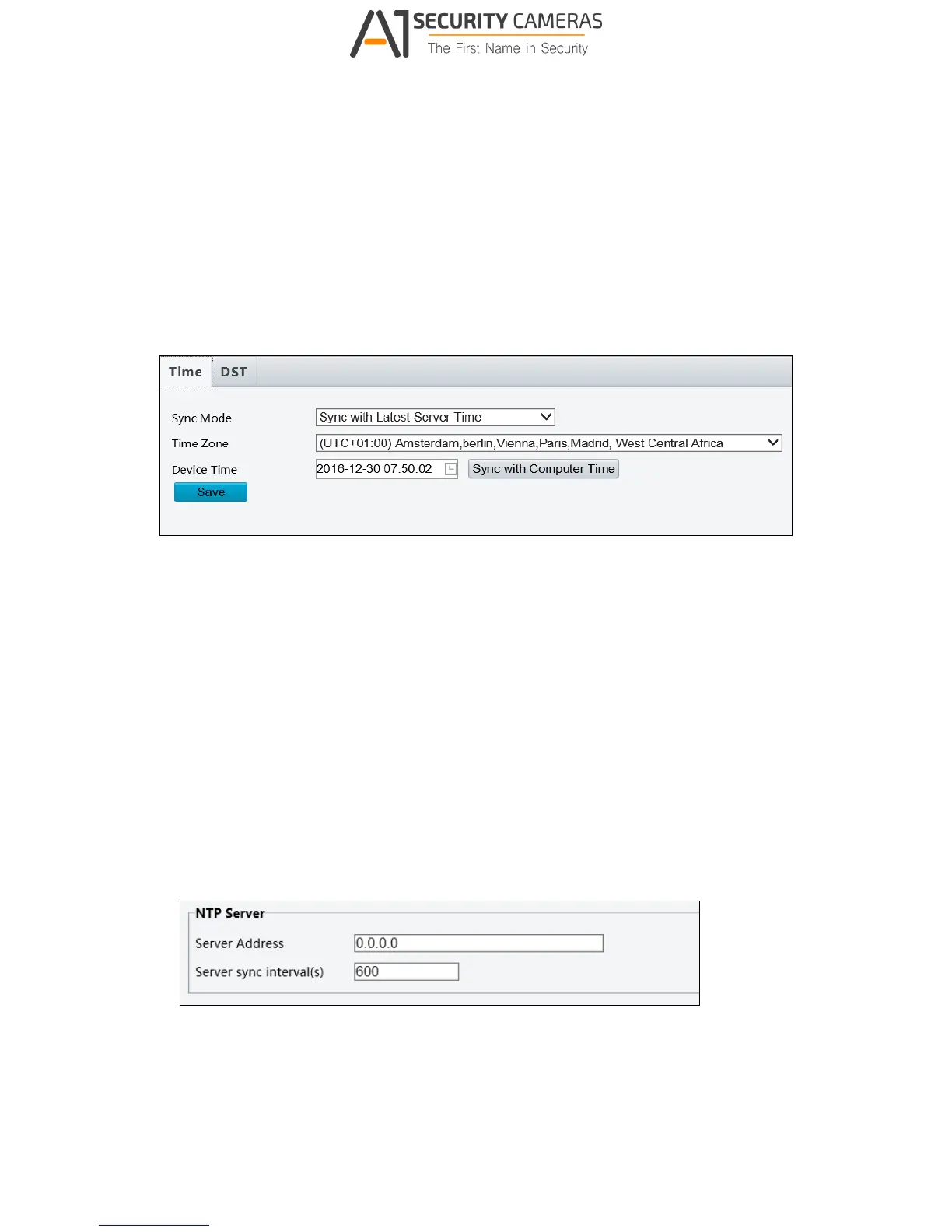
Figure 3-32
To manually set a time or synchronize with the computer time:
1. Select Sync with Latest Server Time from the Sync Mode drop-down list.
2. Select a Time Zone.
3. Next to Device Time, manually set the camera’s time or click Sync with Computer
Time to synchronize with the time of your PC.
4. Click Save.
To synchronize with a network time server:
1. Select Sync with NTP Server from the Sync Mode drop-down list to configure the NTP
Server settings.
Figure 3-33
2. Type the IP address of the network time server next to Server Address.
3. Change the number of Server sync Interval(s) if necessary.
4. Click Save.



 To Next Page