3.4 Image
This section introduces the Image Settings, On-screen Display, and Privacy Mask.
3.4.1 Image
This page allows you to adjust image settings such as brightness, exposure, IR illumination
and white balance.
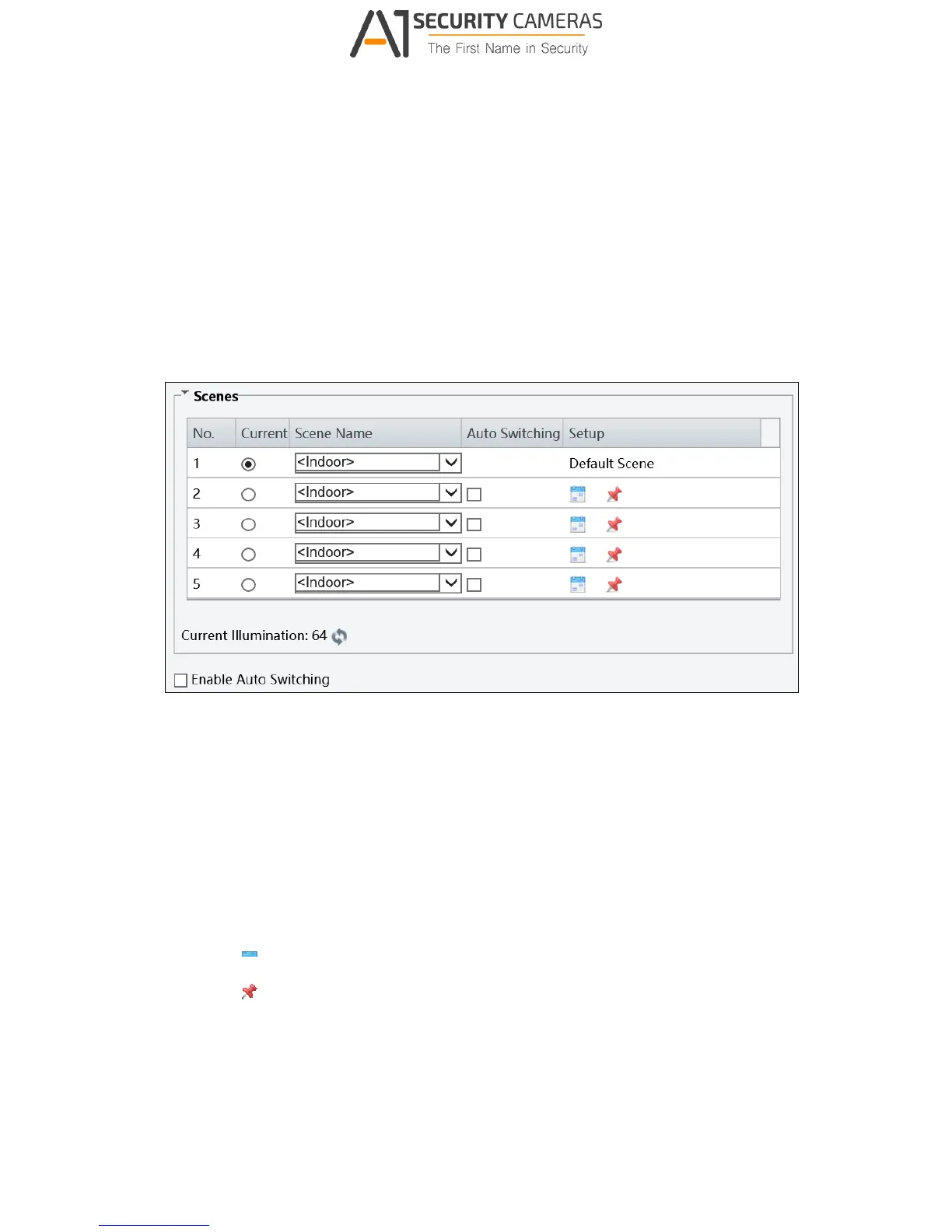
Figure 3-16
[Scene]
Current: Indicates the scene that is being used.
Screen Name: When you select a scene, the corresponding image parameters are
displayed. You can adjust image settings according to actual needs.
Auto Switching: Indicates whether to add a scene to the auto-switching list.
Setup:
Click to set a schedule for illumination.
Click to set a scene as the default scene.
Enable Auto Switching: Allow the camera to switch to the scene automatically when
the condition for switching to a non-default scene is met.



 To Next Page