6.1 Setting Up IP Cameras on GV-System
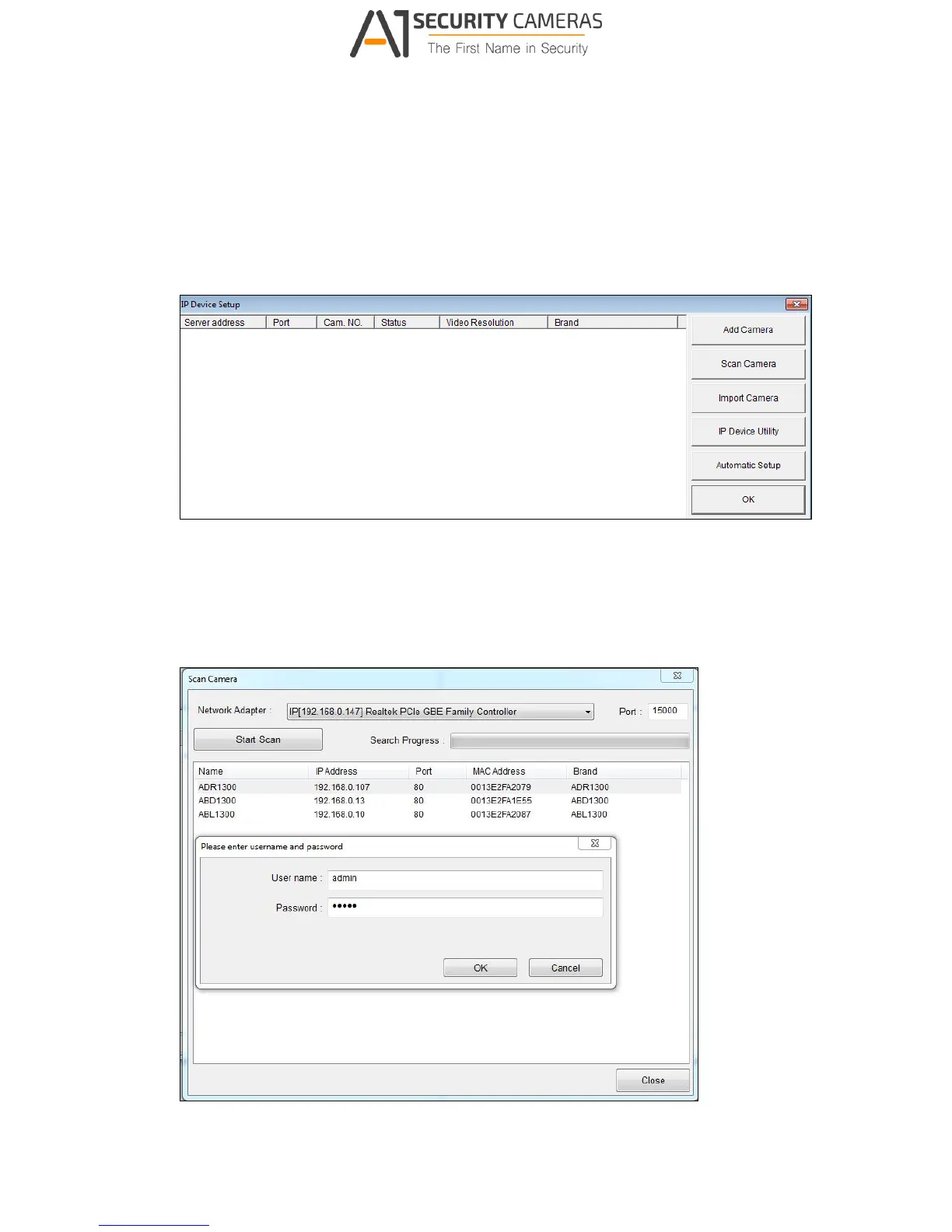
To set up the camera on the GV-System, follow these steps:
1. On the main screen, click the Configure button, select System Configure, select
Camera Install and click IP Camera Install. This dialog box appears.
Figure 6-1
2. To automatically set up the camera, click Scan Camera to detect any camera on the
LAN.
3. Double-click your camera and type the user name and password of the camera.
Figure 6-2



 To Next Page