3.2 Network
The network section allows you to configure the network settings, modify ports, configure
FTP server, and set up e-mail for notification.
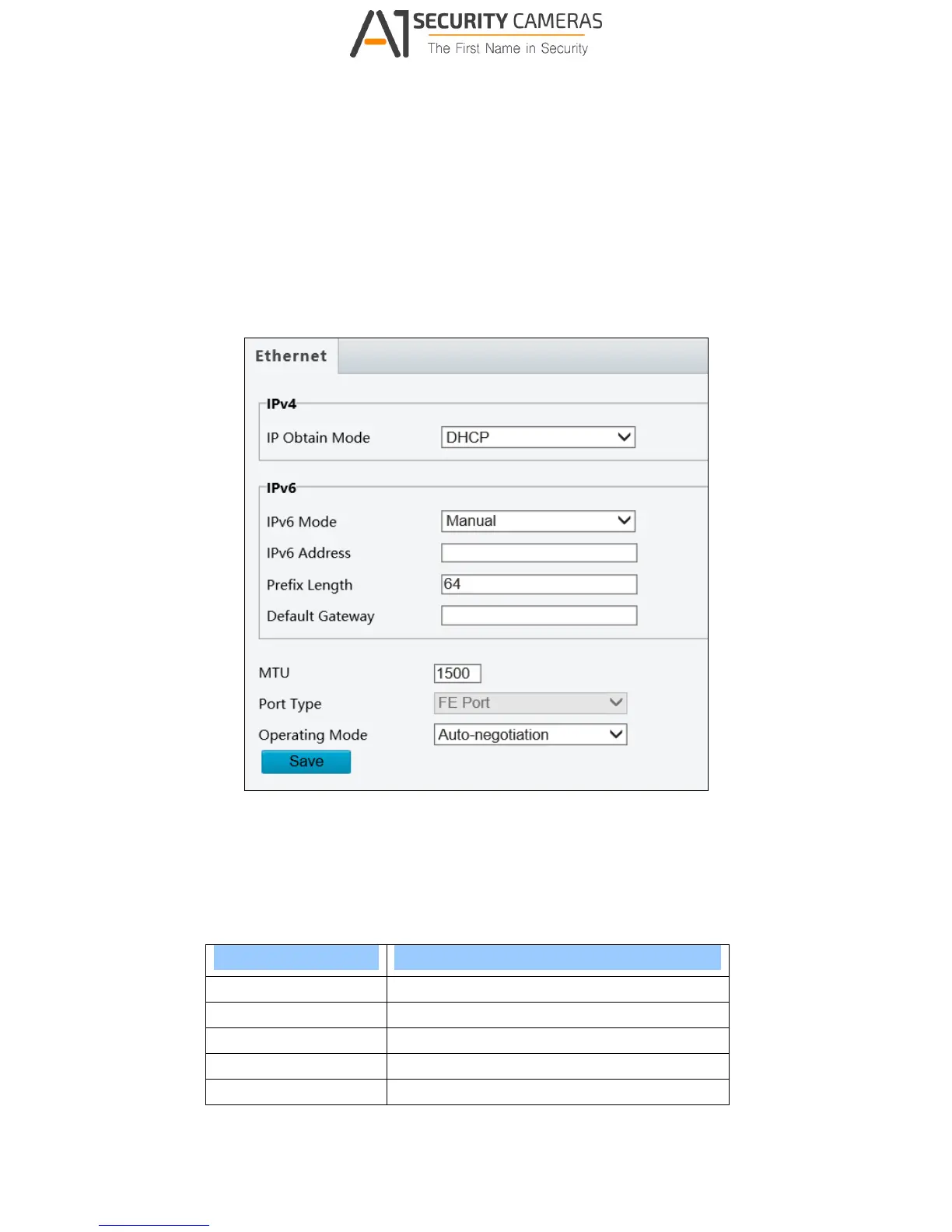
3.2.1 Network
Figure 3-4
IPv4: Select Static IP or DHCP according to your network environment.
Static IP address: Assign a static IP or fixed IP to the camera. Type the camera’s IP
address, Subnet Mask, Router/Gateway, Preferred DNS server and Alternate DNS
server.
Parameters Default
IP address 192.168.0.10
Subnet Mask 255.255.255.0
Router/Gateway 192.168.0.1
Preferred DNS server 8.8.8.8
Alternate DNS server 8.8.4.4



 To Next Page