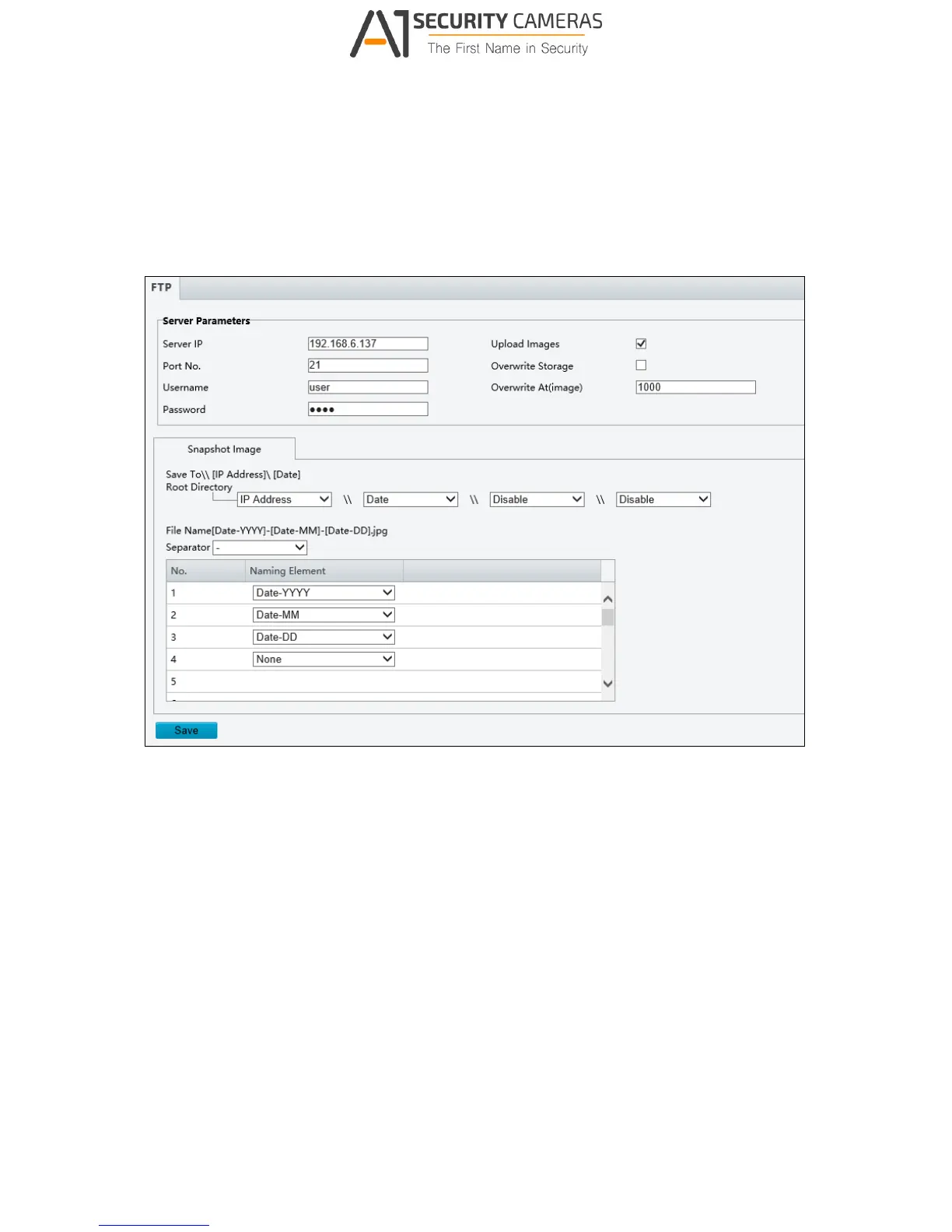
3.2.4 FTP
After the configuration of FTP, you will be able to upload snapshots from the camera to the
specified FTP server.
Figure 3-8
1. Type the Server IP address.
2. Change the Port No. of the FTP server if needed.
3. Type the Username and Password of the upload account.
4. Enable Upload Images.
5. There are two separate snapshot storage paths.
A. Selecting Overwrite Storage
(1) Select Overwrite Storage to overwrite the oldest images when the storage is
full. You can set the number of images in Overwrite At (Image). When the
defined image threshold is reached, the oldest images will be overwritten.



 To Next Page