3.6 Storage
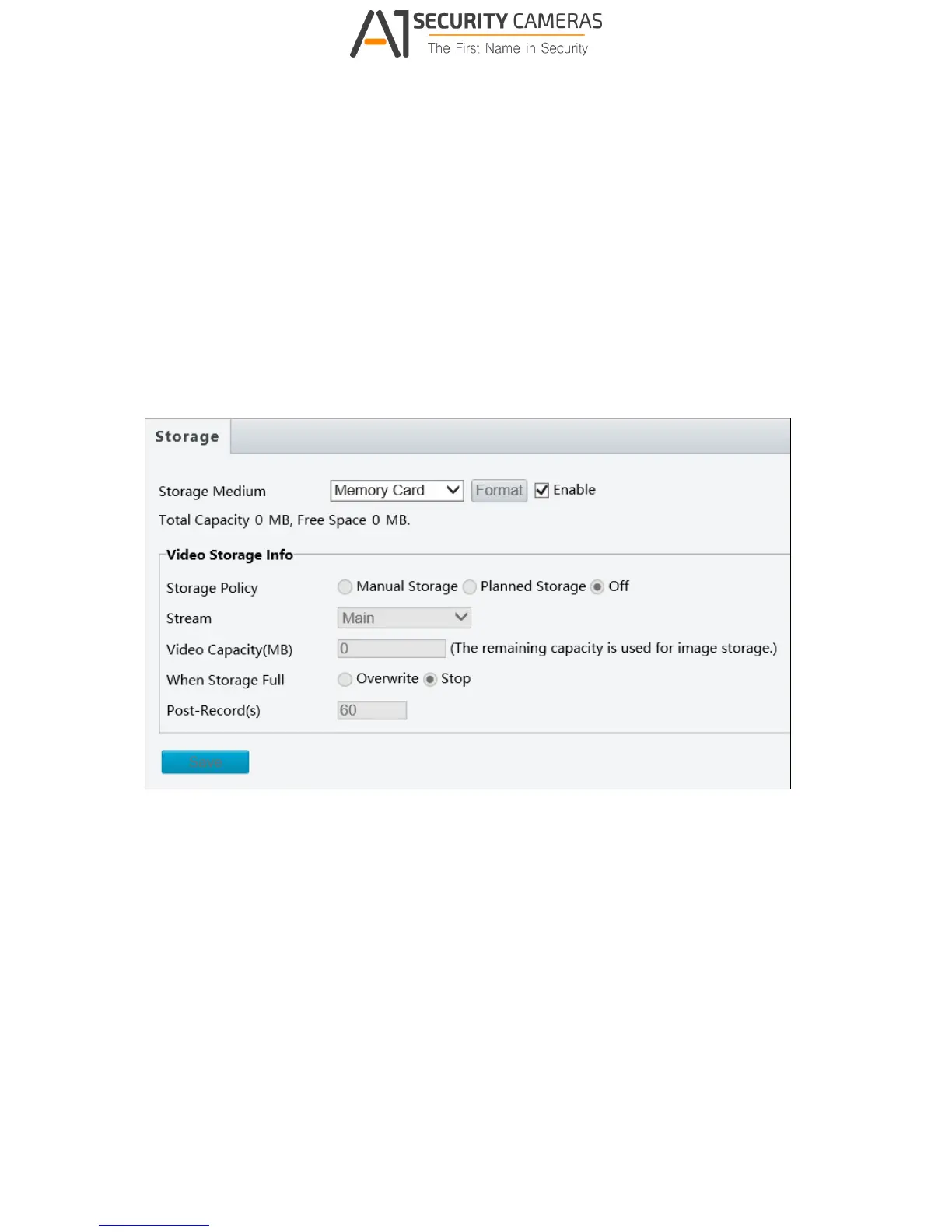
This section allows you to configure memory card settings.
3.6.1 Storage
Note this function is only for ADR1300.
After inserting a memory card to the camera, you need to format the memory card using the
Format button on this page.
Figure 3-26
The following storage settings are available.
Storage Medium: Click the Format button to format the memory card before you start
recording.
Storage Policy: Choose the Storage Policy from one of the three options.
Manual Storage: Manually start recording.
Planned Storage: Start recording by schedule. For detailed instructions, refer to
Enable Plan section, 3.5.1 Motion Detection.
Off: Stop recording.
Stream: Select the stream you want to use for recording.



 To Next Page