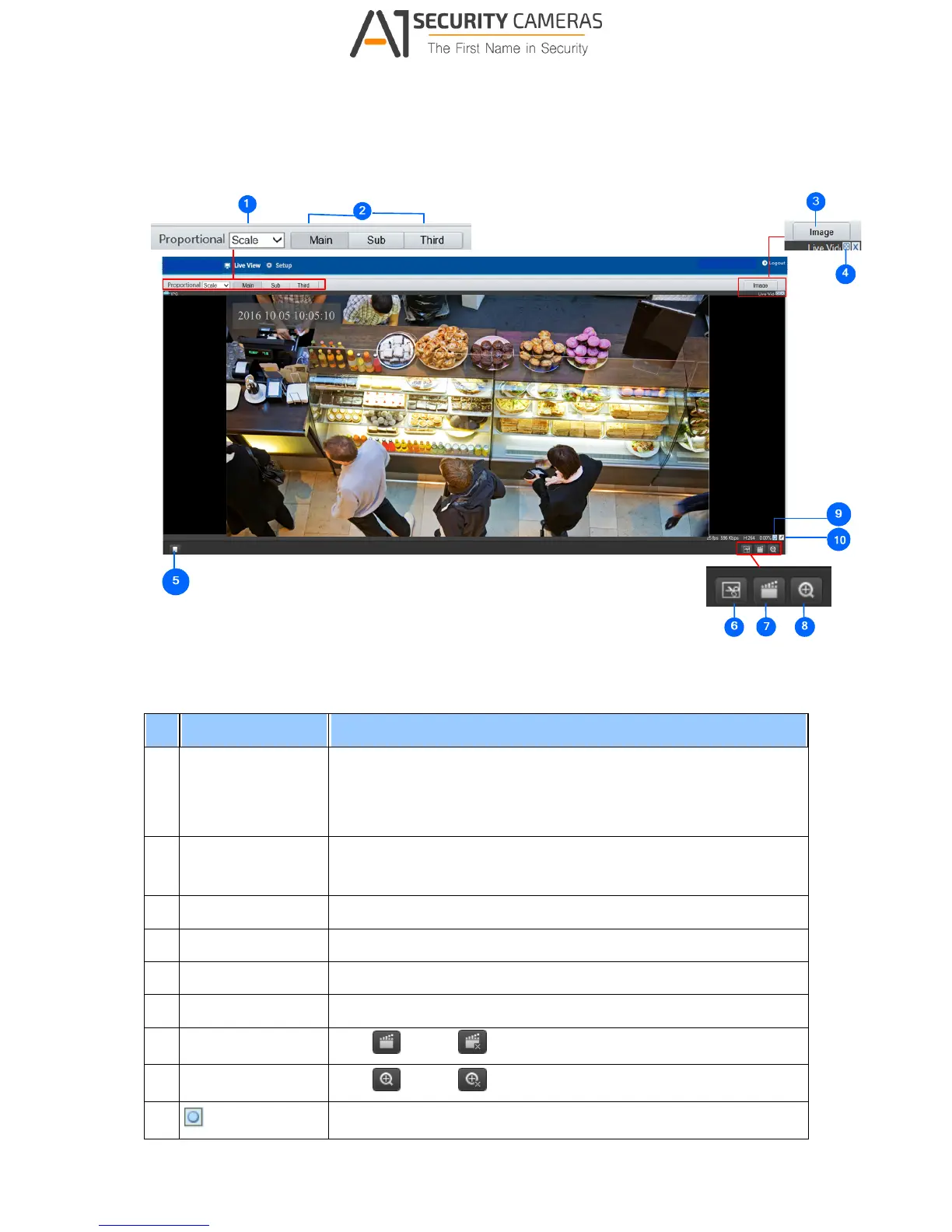
2.2.1 The Live View Window
Figure 2-6
No. Name Function
1 Proportional
Set the display ratio of the image.
Scale: display images by 16:9.
Stretch: display images by window size.
Original: display images in its original size.
2 Live Stream
Select a live video stream: main stream, sub stream or third
stream.
3 Image Open the image setting page. – See 3.4.1 Image.
4 Full Screen Mode Display in full screen mode.
5 Play/Stop Play or stop live video.
6 Snapshot Take a snapshot of the current image displayed on the PC.
7 Local Recording Start or stop local recording.
8 Digital Zoom Start or stop digital zoom. -- See 2.2.1.1 Digital Zoom.
9
Reset the packet loss rate to zero.



 To Next Page