5.1.2 Using the GV-IP Device Utility
You can upgrade the camera firmware using the GV-IP Device Utility. Note the computer
used to upgrade firmware must be under the same network of the camera.
1. Download GV-IP Device Utility from http://www.geovision.com.tw/english/5_8.asp
Then
follow the onscreen instructions to install the program.
2. Double-click the GV IP Device Utility icon created on your desktop.
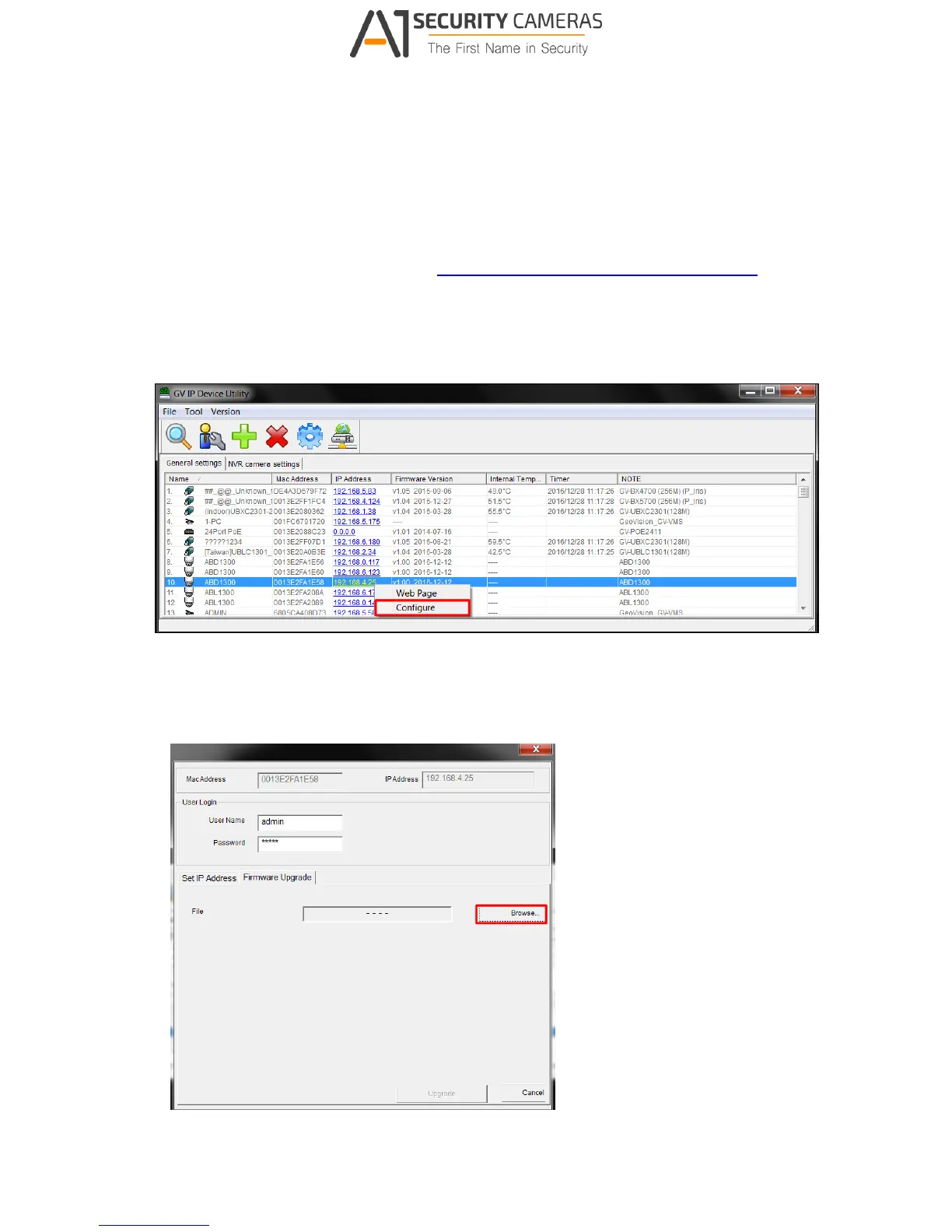
3. Click the camera in the list and select Configure.
Figure 5-2
4. Type the camera’s user name and password to log in.
5. Click the Firmware Upgrade tab. This dialog box appears.
Figure 5-3



 To Next Page