3.3.2 Snapshot
Using the Snapshot function, when an alarm is triggered, the camera will automatically
upload the captured snapshots to the FTP server or send snapshots to the specified e-mail
address.
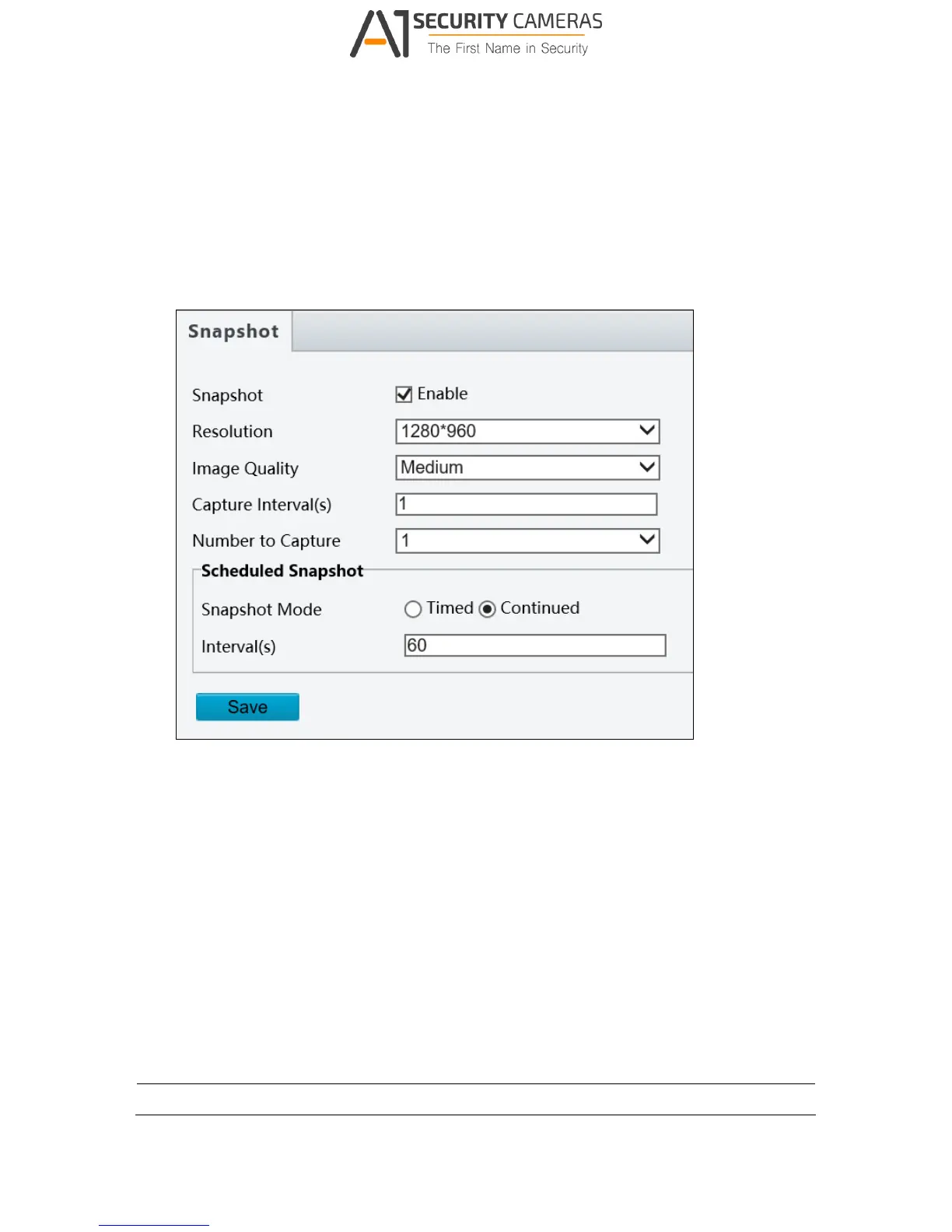
Figure 3-13
1. Enable Snapshot.
2. Select Resolution.
3. Choose the Image Quality.
4. Choose the Number (of snapshot) to Capture upon alarm trigger.
5. Select Timed Mode or Continued Mode to set up the Scheduled Snapshot.
6. If you select Timed mode, click + to specify a time to take a snapshot.
7. If you select Continued mode, type the interval in seconds to take a snapshot.
8. Click Save.
Note: Capture Interval(s) is not functional.



 To Next Page