3.2.5 E-mail
After the configuration of E-mail, you will be able to send messages to the specified E-mail
address when alarms are triggered.
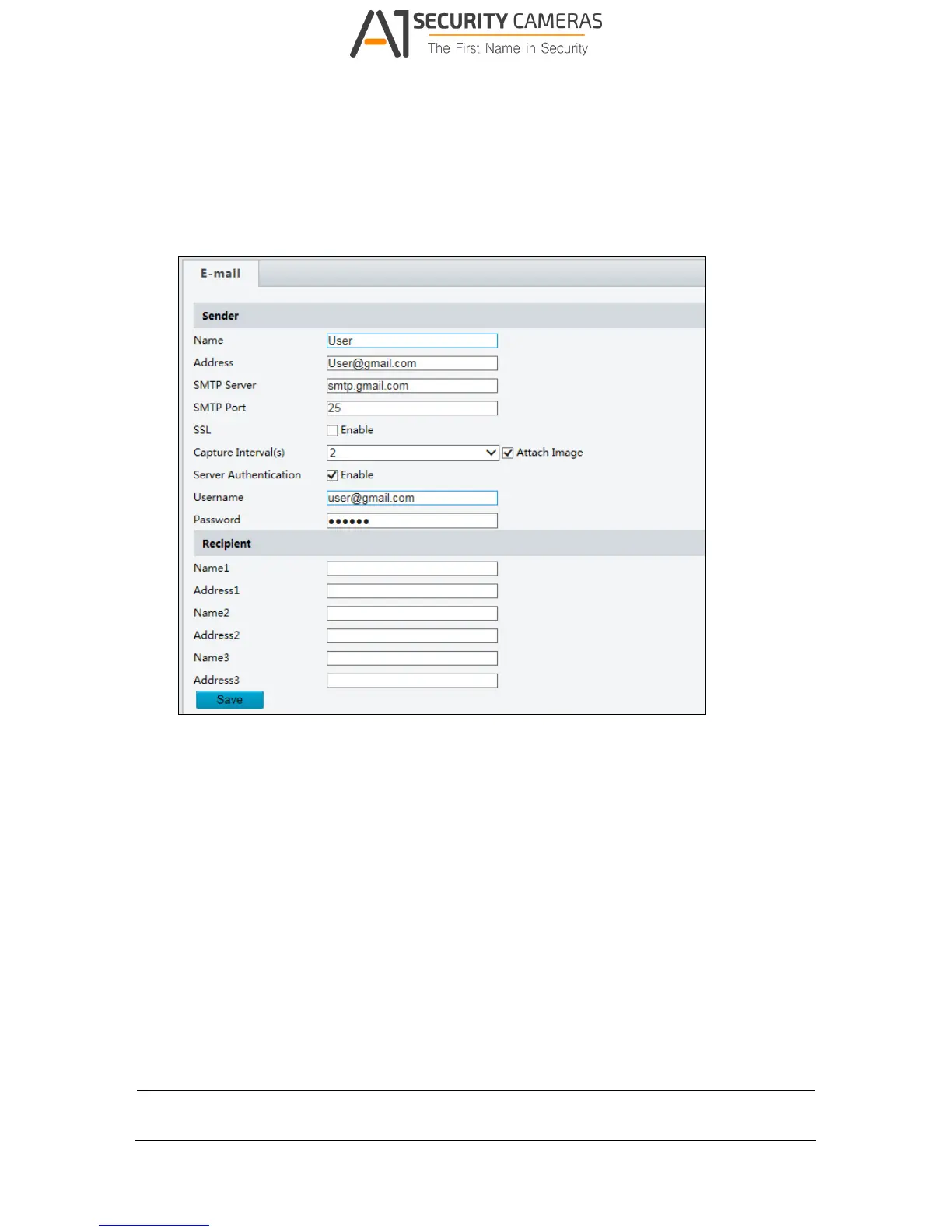
Figure 3-11
[Sender]
1. Type the Name and Address of the sender.
2. Type the SMTP Server.
3. Type the SMTP Port number.
4. To send the e-mail through SSL encryption, enable SSL.
5. Enable Attach Image to include 3 instant snapshots as attachment in the e-mail
according to the Capture Interval specified.
6. If the SMTP Server needs authentication, enable Server Authentication and type a valid
username and password to log in the SMTP server.
[Recipient] Type the name and e-mail address of the recipient.
Note: To send snapshots to the specified E-mail address, make sure to enable Capture in
Video. For more detailed instructions, refer to 3.3.2 Snapshot.



 To Next Page