3.8.2 Maintenance
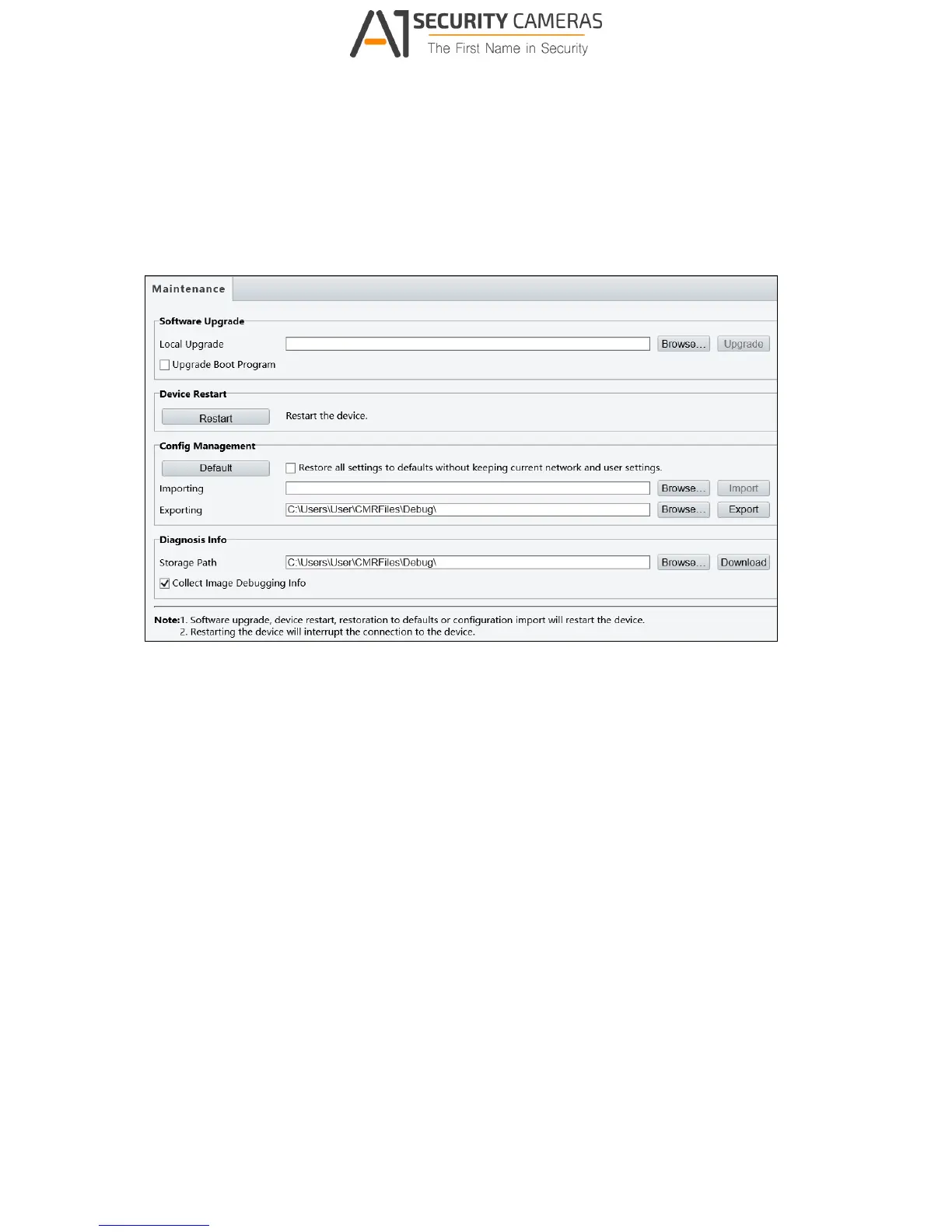
This section allows you to upgrade firmware, restart the camera, and backup/import camera
configurations.
Figure 3-35
[Software Upgrade]
For detailed instructions, refer to 5.1 Upgrading System Firmware and 5.1.1 Using the Web
Interface.
[Device Restart] Click Restart to restart the device after you confirm the operation.
[Config Management] Export the current configurations of the camera and save them to the
PC or an external storage medium. You can also quickly restore configurations by importing
backup configurations stored on the PC or an external storage medium back to the camera.
[Diagnosis Info] Includes logs and system configurations. You can export diagnostic
information to your PC. Click Browse to select the destination folder, and then click
Download to save the diagnostic information to the specified folder.


 To Next Page