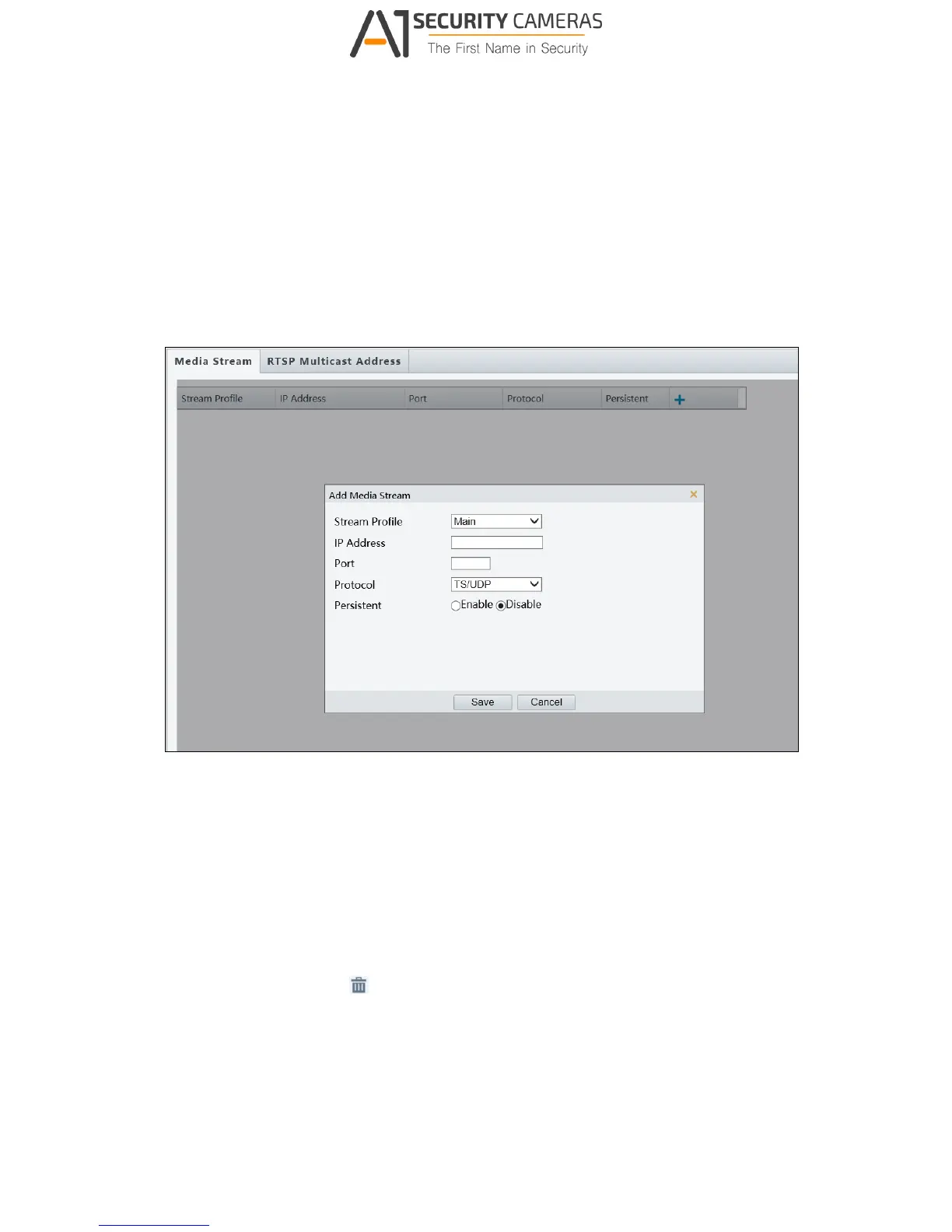
3.3.3 Media Stream
Media Stream
By configuring media stream, you can set the camera to transmit code streams by UDP or
TCP protocol to a specified IP address and port number. The settings can be saved and take
effects after the camera is restarted.
Figure 3-14
1. Click + and then select a type in the Stream Profile.
2. Type the IP Address and Port number of the unicast or multicast group for the decoding
device that receives video streams from the camera.
3. If you want the device to establish the media stream that has been configured before
automatically after the restart, select Enable for Persistent.
4. To delete a stream, click
5. Click Submit to complete the settings.
.



 To Next Page