5.1.1 Using the Web Interface
Log into the Web interface and follow the steps below to update the firmware.
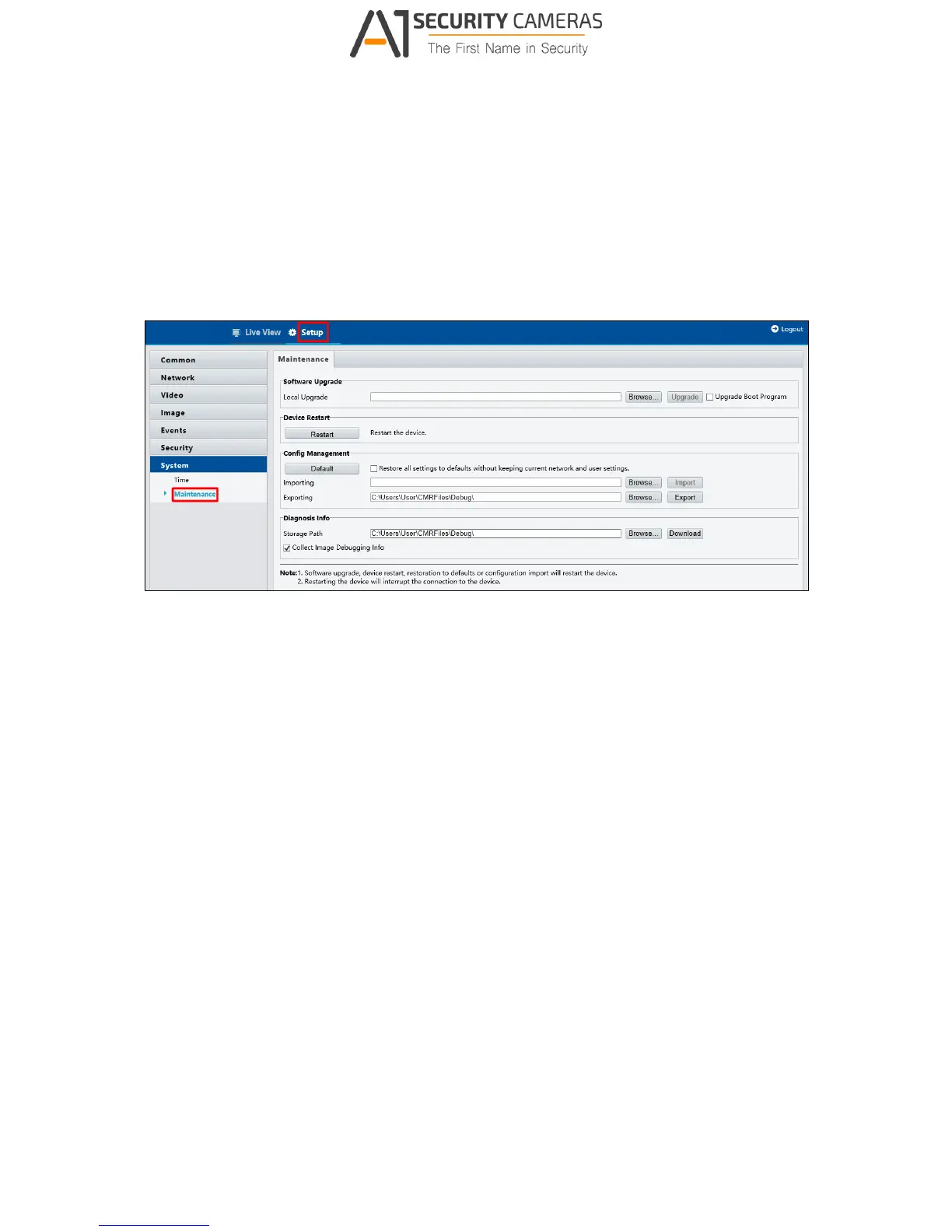
1. At the top, click Setup.
2. In the left menu, select System and select Maintenance. This page appears.
Figure 5-1
3. Click the Browse button to locate the firmware file (.zip) saved at your local computer.
4. Optionally select Upgrade Boot Program to reboot the camera after a successful
upgrade.
5. Click the Upgrade button to process the upgrade.



 To Next Page