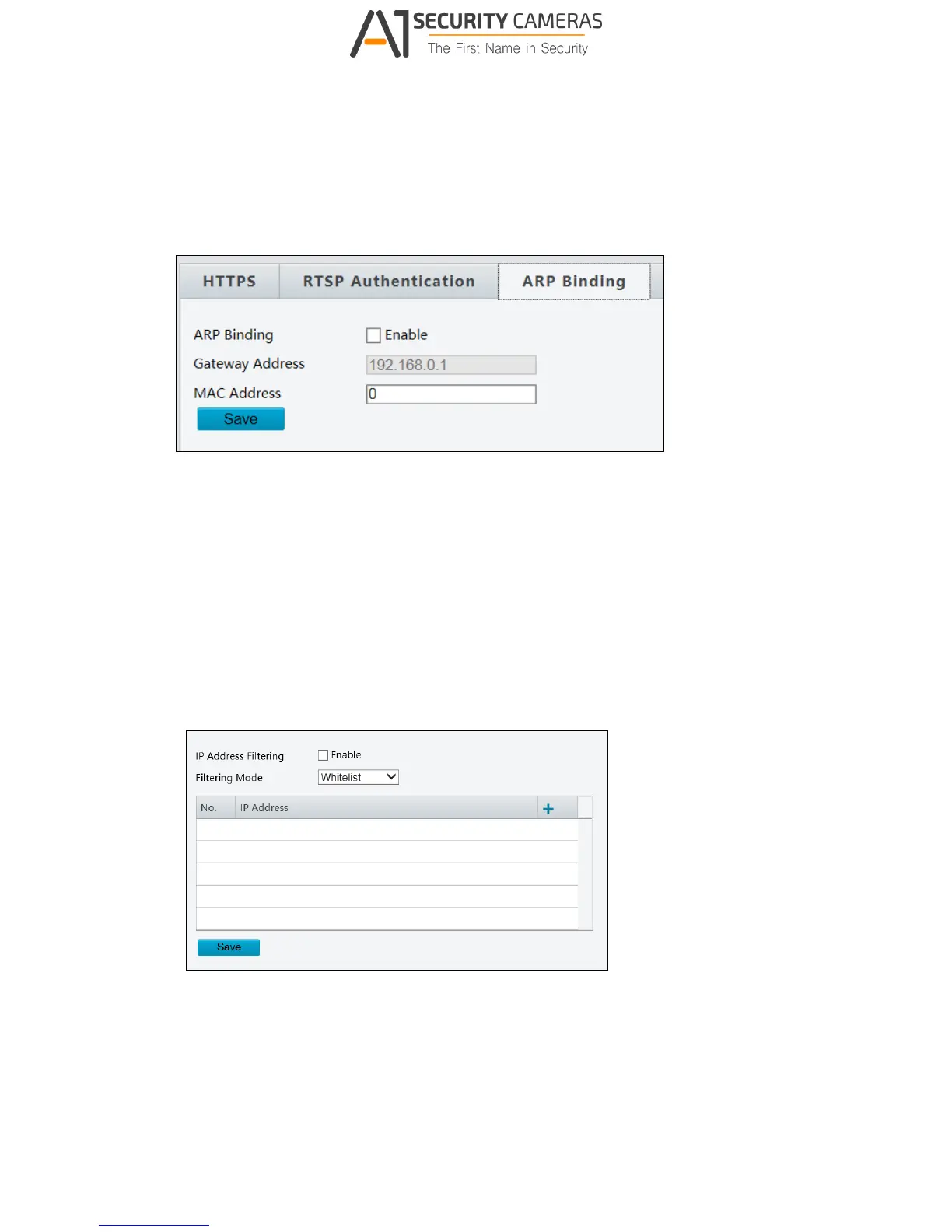
ARP Binding
This function can protect the camera from ARP attacks. When the camera visits an IP of
another network segment via a gateway, it can only communicate with the MAC address
binding to the gateway address in the same segment.
Figure 3-30
1. Enable ARP Binding.
2. Type MAC Address.
3. Click Save.
IP Address Filtering
You can allow or deny the access from the specified IP address to your camera.
Figure 3-31
1. Enable IP Address Filtering.
2. Choose a Filtering Mode: Allow Access or Deny Access.
3. Click + to add an IP address.
4. Click Save.



 To Next Page