USR-DR404 user manual www.usriot.com
Jinan USR IOT Technology Limited www.usriot.com
2.2.3. AP+STA
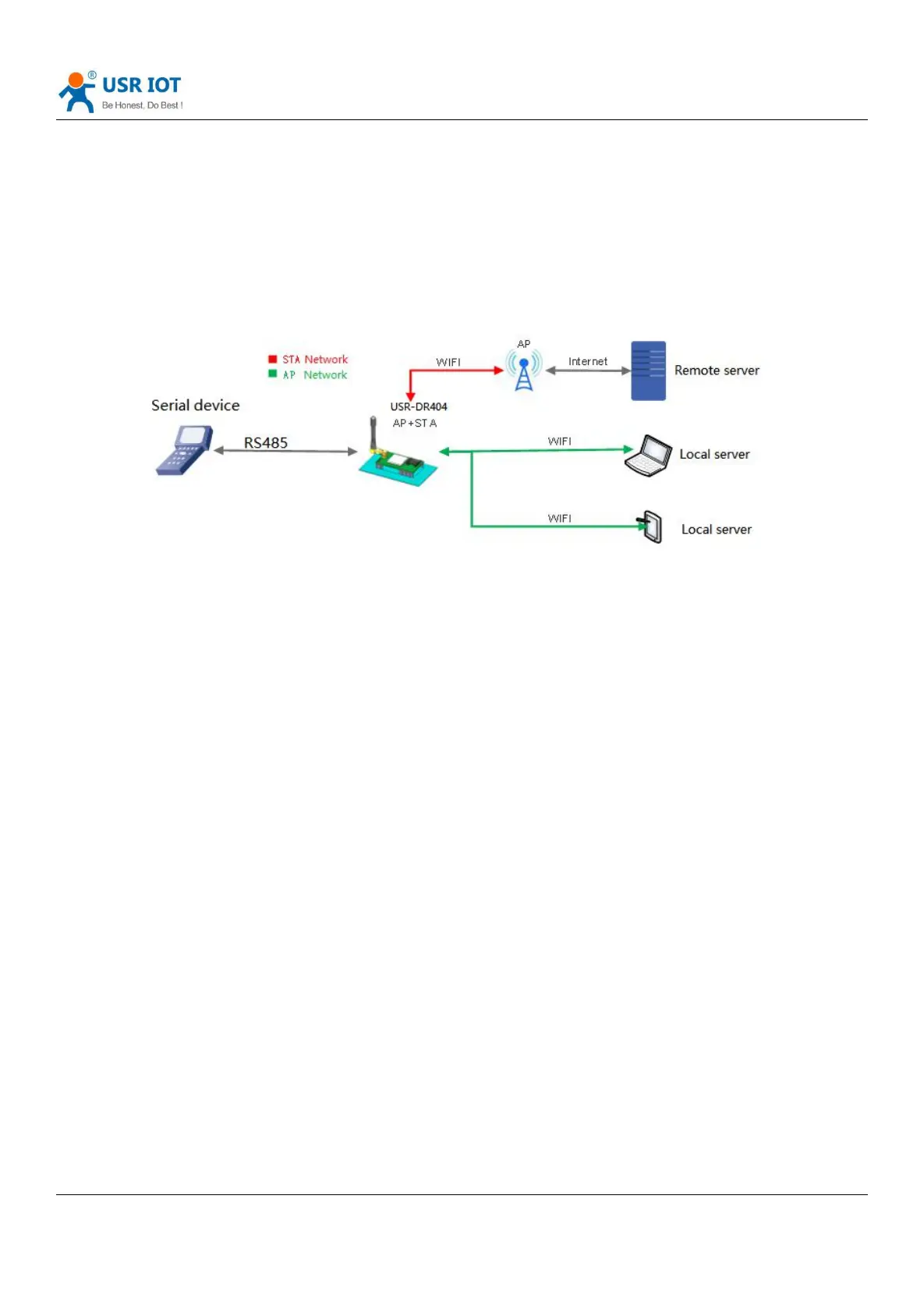
USR-DR404 can support one AP and one STA meanwhile. Enable the AP+STA function, STA and AP interface can be
used meanwhile, STA interface connected to the router, and then connected to the server in the internet via TCPB; AP
interface can be connected by the phone/ pad (TCPA). So the TCP server, phone /pad can control the device connected to
the DR404 and configure the parameters for the DR404. As below:
Diagram 5 AP+ STA mode
WIFI serial server parameter settings are as follows:
(1) Enable AP + STA function of WIFI serial server
AT+FAPSTA=on
(2) Parameters take effect after resetting the module
AT+RELD
(3) Set the WIFI serial server to STA mode, the WIFI serial server AP interface is still valid
AT+WMODE=STA
(4) Set the SSID, encryption mode, and password of the route to be connected (for example, the SSID of the route is:
USR-WIFI-TEST, the encryption mode id WPA2PSK, AES, and the password is www.usr.cn). As follows:
AT+WSSSID=USR-WIFI-TEST
AT+WSKEY=WPA2PSK,AES,www.usr.cn
(5) Set socket A, socket B
Socket A setting example:
AT+NETP=TCP,Server,8899,10.10.100.100
Set the IP and port of the server to be connected.
Socket B setting example:
AT+TCPADDB=192.168.1.100
AT+TCPPTB=18899
(6) Restart
AT+Z
Note:



 To Next Page