USR-DR404 user manual www.usriot.com
Jinan USR IOT Technology Limited www.usriot.com
(5)Set the SSID and password of the route to be connected
For example: AT+WSSSID=USR-WIFI-TEST
AT+WSKEY=WPA2PSK,AES,www.usr.cn
(6)Set LAN parameters of serial server, IP address (DHCP gateway) and subnet mask
AT+LANN=192.168.1.10,,255.255.255.0
(7) Restart.
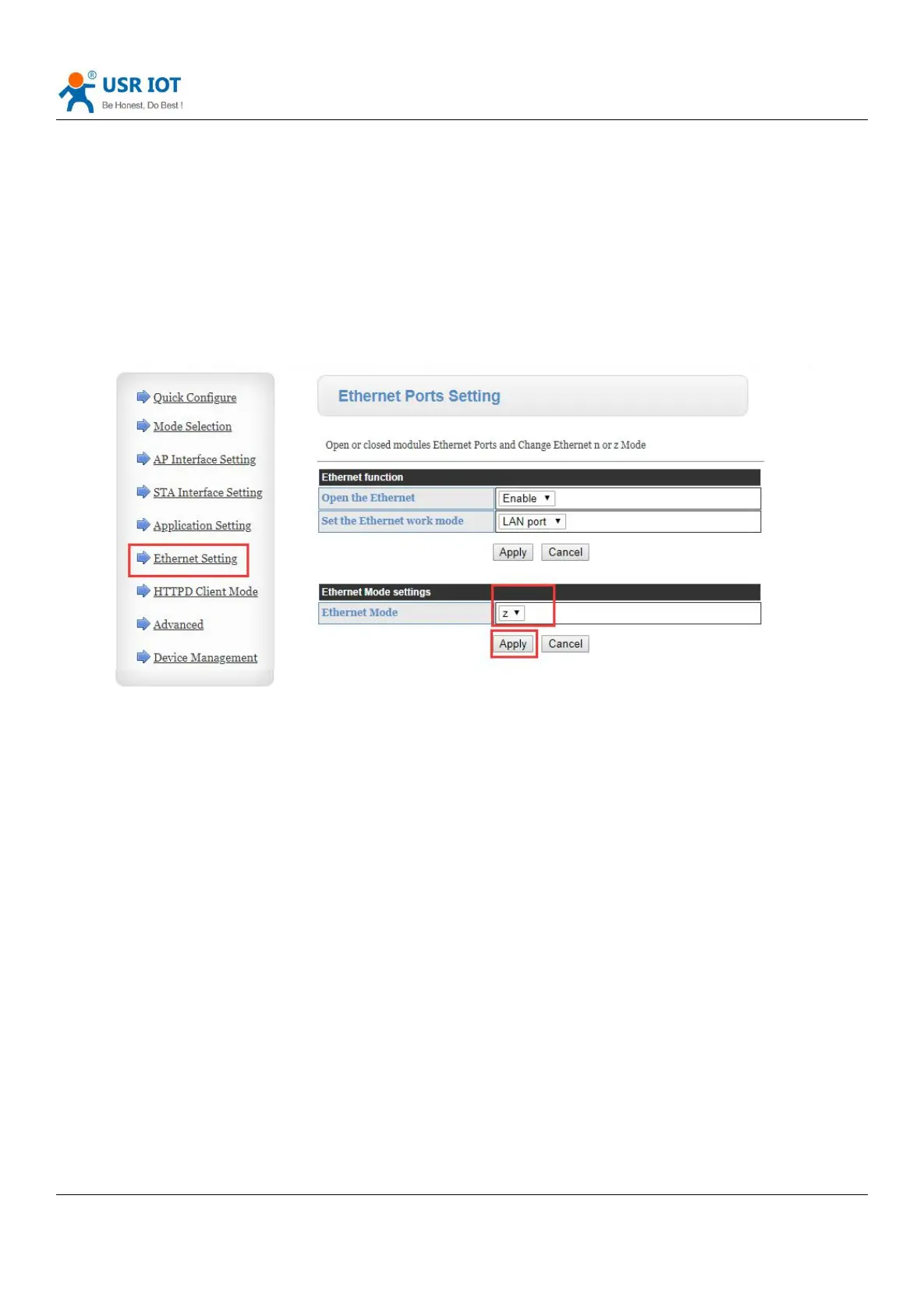
Web page setting: Log in to the built-in web page of DR404, enter the page of Ethernet setting, and set the Ethernet Mode
to ”z” in the Ethernet mode settings.
As shown below:
Diagram 13 Ethernet Mode Setting
Click “Apply”, then restart the module to take affect.
3. Product function
3.1. Work mode
USR-DR404 serial server has five working modes: transparent mode, serial command mode, HTTPD Client mode,
Modbus TCP <=> Modbus RTU mode, AT command mode. Except for the AT command mode, the switching between the
other modes can be set through the USR-DR404 built-in web page (please refer to the relevant section of "Mode Selection"
in this manual) or the AT command (please refer to the "AT + TMODE" section);
The first three modes can send “+++” and “a” successively through the serial port. USR-DR404 will return the
confirmation codes“a” and“+ ok”in order to switch to the AT command mode. AT + ENTM can return USR-DR404 from
AT command mode to the original working mode. For details, please refer to the related chapter of “Serial AT Command”.



 To Next Page