USR-DR404 user manual www.usriot.com
Jinan USR IOT Technology Limited www.usriot.com
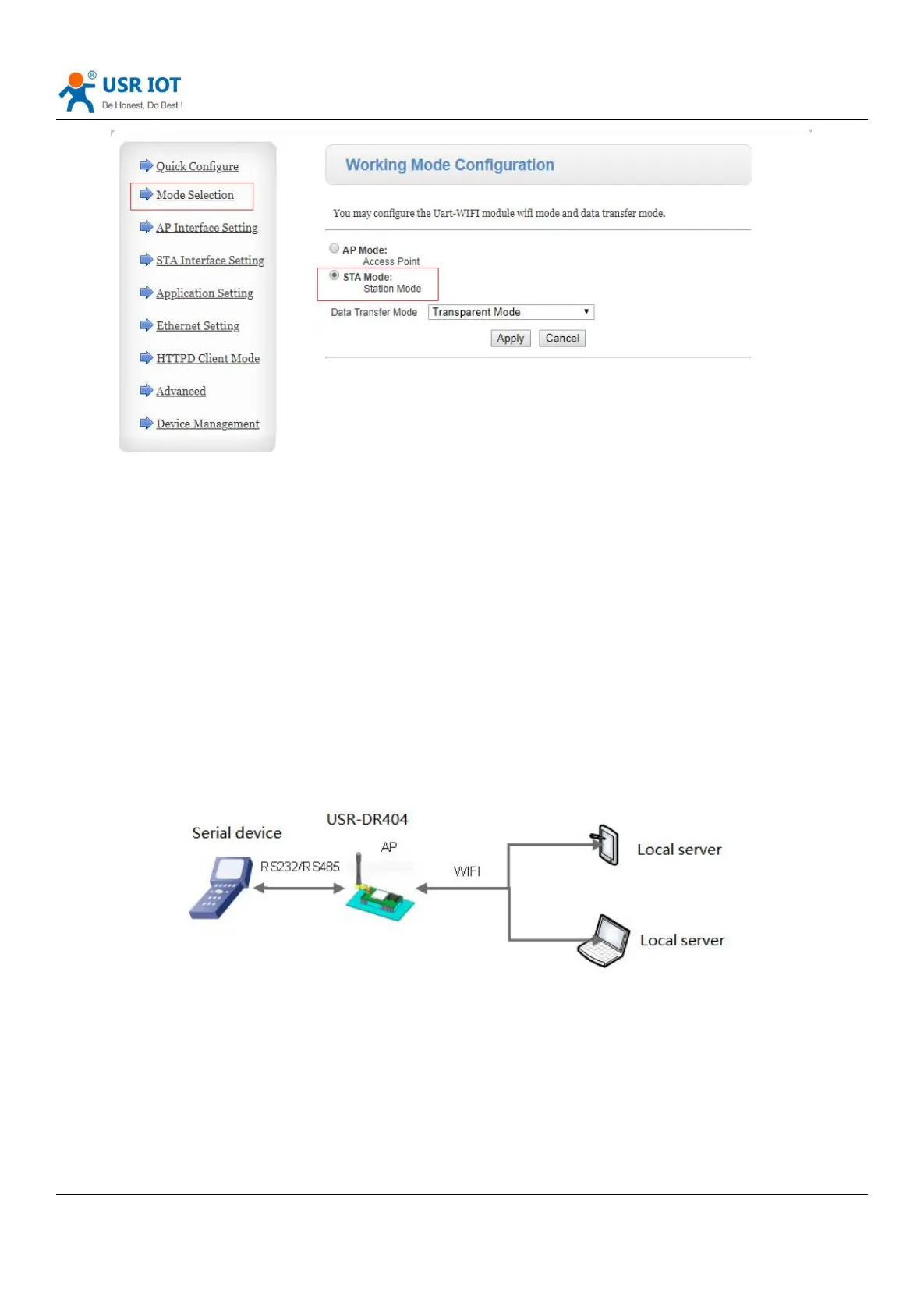
Diagram 2 Set WiFi mode in web page
Click “Apply”, enter “Device Management”interface, restart.
AP+STA function, can be set by AT command or customized as the factory default.
2.2. Wireless networking application
2.2.1. Wireless networking application(AP)
WIFI can do as a AP, other serial port device and PC as a STA can connect the WIFI, also it can connected to user
device via RS485, as fellows:
Diagram 3 AP mode
The WIFI serial server works in AP mode. The above applications can be set using the following AT commands:
(1) Set the WIFI server to AP mode
AT+WMODE=AP



 To Next Page