USR-DR404 user manual www.usriot.com
Jinan USR IOT Technology Limited www.usriot.com
4.1.1. Open the Management Webpage
Connecting the DR404 with the wireless net card of the PC, SSID is USR-DR404_xxxx. Enter the browser, fill the
10.10.100.254 (default IP address) and enter. Then fill the username and password( both are: admin) and enter the
webpage.
Management webpage supports English, setting on the top right.
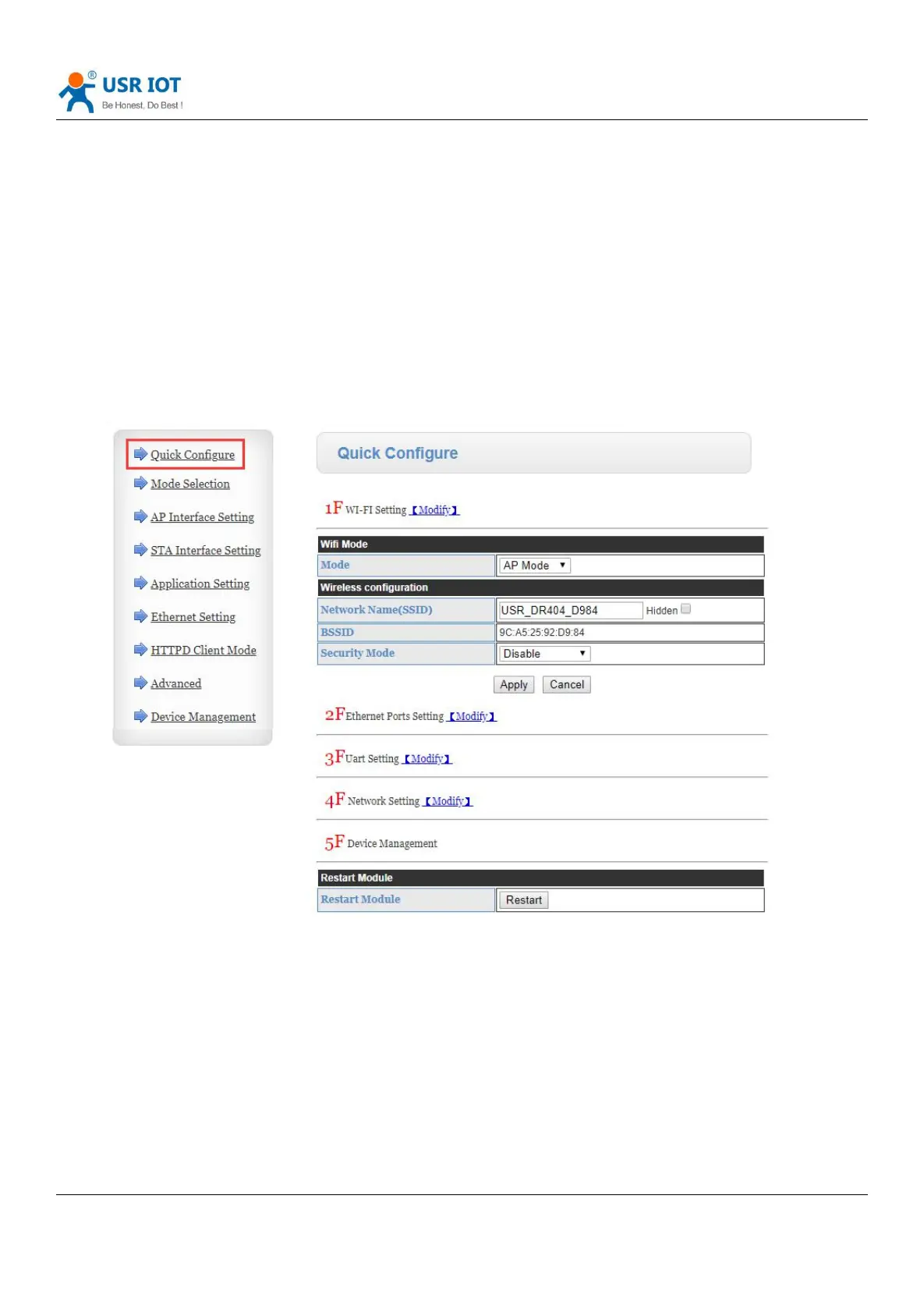
There are nine webpage in it, including: quick configure, mode selection, AP interface setting, STA interface setting,
Application setting, Ethernet setting, HTTPD client mode, Advance and Device management.
4.1.2. Quick Configure
Diagram 34 Quick Configure
This webpage shows a way to quickly configure the USR-DR404 for user. Configure the parameters and restart to make
the DR404 work normal. Of course, please click the respond webpage to configure.



 To Next Page