USR-DR404 user manual www.usriot.com
Jinan USR IOT Technology Limited www.usriot.com
When the AP + STA function is enabled, the STA port needs to be connected to another router. Otherwise, the STA
port will continuously scan the router, which will affect the AP port during scanning, such as data loss. If the user
determines that the STA cannot connect to the AP at this time, you can use the command to stop the scanning of the STA
port:
AT+STTC=on/off
“on” means to scan the router, “off” means not to scan, this command will not save after restart.
AT+FSTTC=on/off
This command can be saved, takes affect after restart.
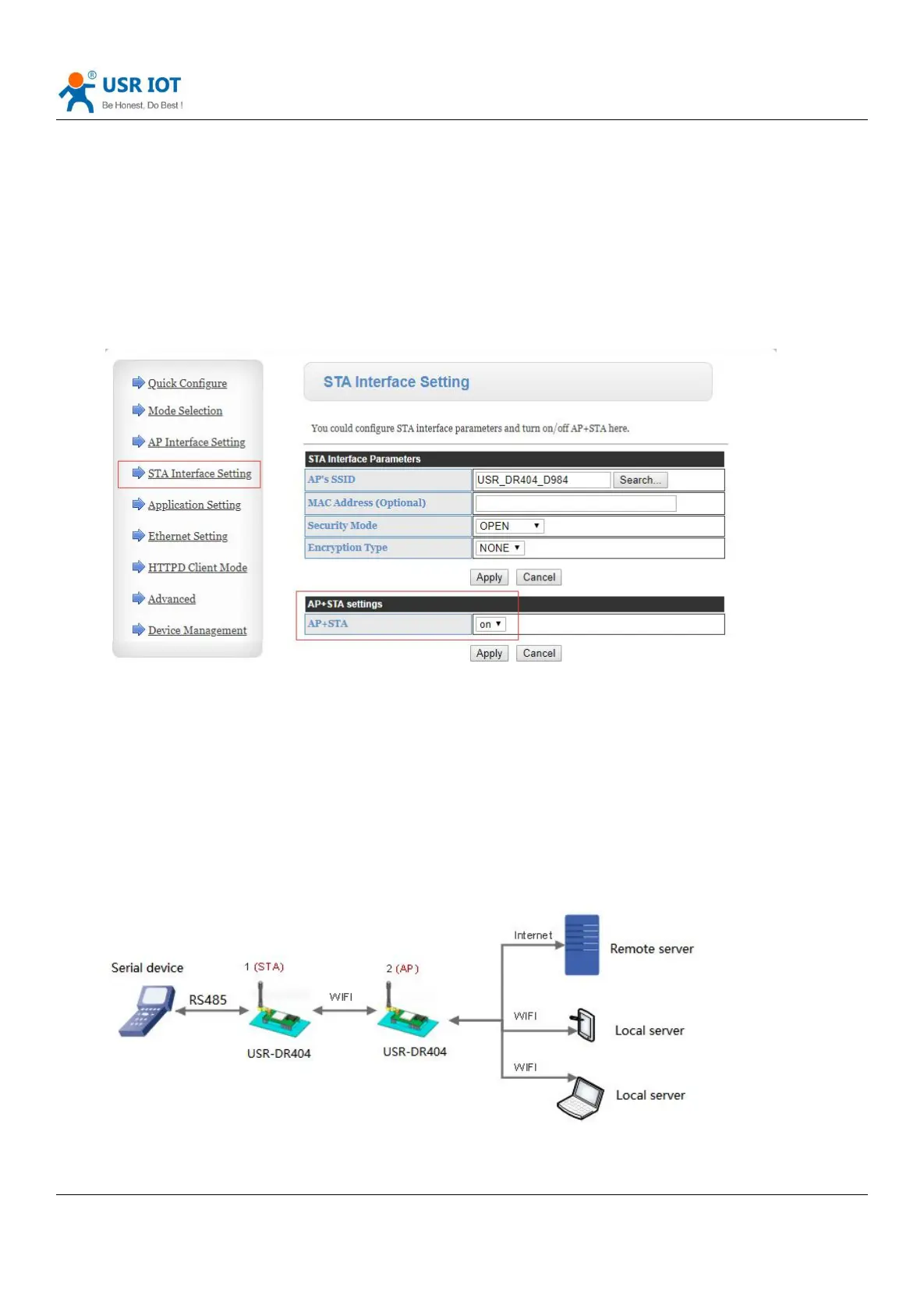
Web page settings: Login to built-in web pages, enter “STA Interface Setting”, enable AP+STA function.
After clicking “Apply”,restart to take affect.
2.2.4. Wireless Networking Applications (AP,STA)
USR-DR404 can be configured to be a STA and a AP , in theory support 2 wireless interface, one STA and one AP,
other STA will connected to the network via this AP.
Diagram 6 Wireless Networking Application



 To Next Page