USR-DR404 user manual www.usriot.com
Jinan USR IOT Technology Limited www.usriot.com
(2) The parameters of the WIFI serial server in AP mode can be set according to needs or use the default
parameters. For example:
AT+WAP=11BGN,USR-DR404-TEST,Auto(Optional)
AT+WAKEY=WPA2PSK,AES,12345678(Optional)
(3) Restart
AT+Z
Note:
1. All AT command settings need to enter the AT command mode (for details, please refer to the section “4.3.1.
Serial AT Commands”)
2. After restarting the device, the parameter settings take effect. To refresh the original configuration information in
memory and restart the operation.
2.2.2. STA Mode
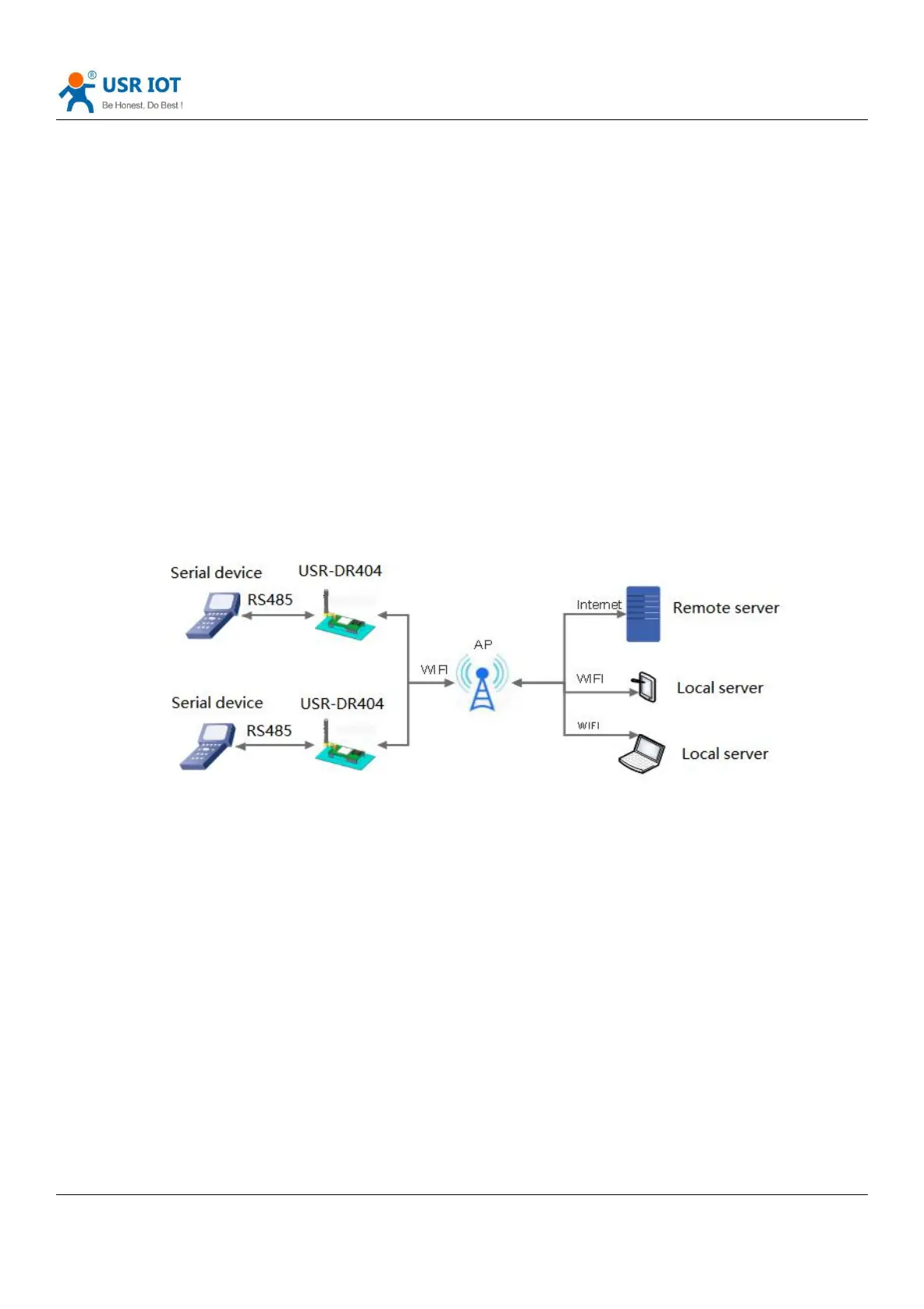
USR-DR404 do as STA and connect to other APs to form a wireless network, all STA take the AP as wireless networking
centre, mutual communication between STAs is completed through AP forwarding, as below:
Diagram 4 STA mode
WIFI serial server parameter settings are as follows:
(1) Set the working mode of WIFI serial server:
AT+WMODE=STA
(2) Set the SSID, encryption mode, and password of the router to be connected (for example, the SSID of the route is:
USR-WIFI-TEST, the encryption mode is WPA2PSK, AES, and the password is www.usr.cn). As follows:
AT+WSSSID=USR-WIFI-TEST
AT+WSKEY=WPA2PSK,AES,www.usr.cn
(3) Restart
AT+Z



 To Next Page