USR-DR404 user manual www.usriot.com
Jinan USR IOT Technology Limited www.usriot.com
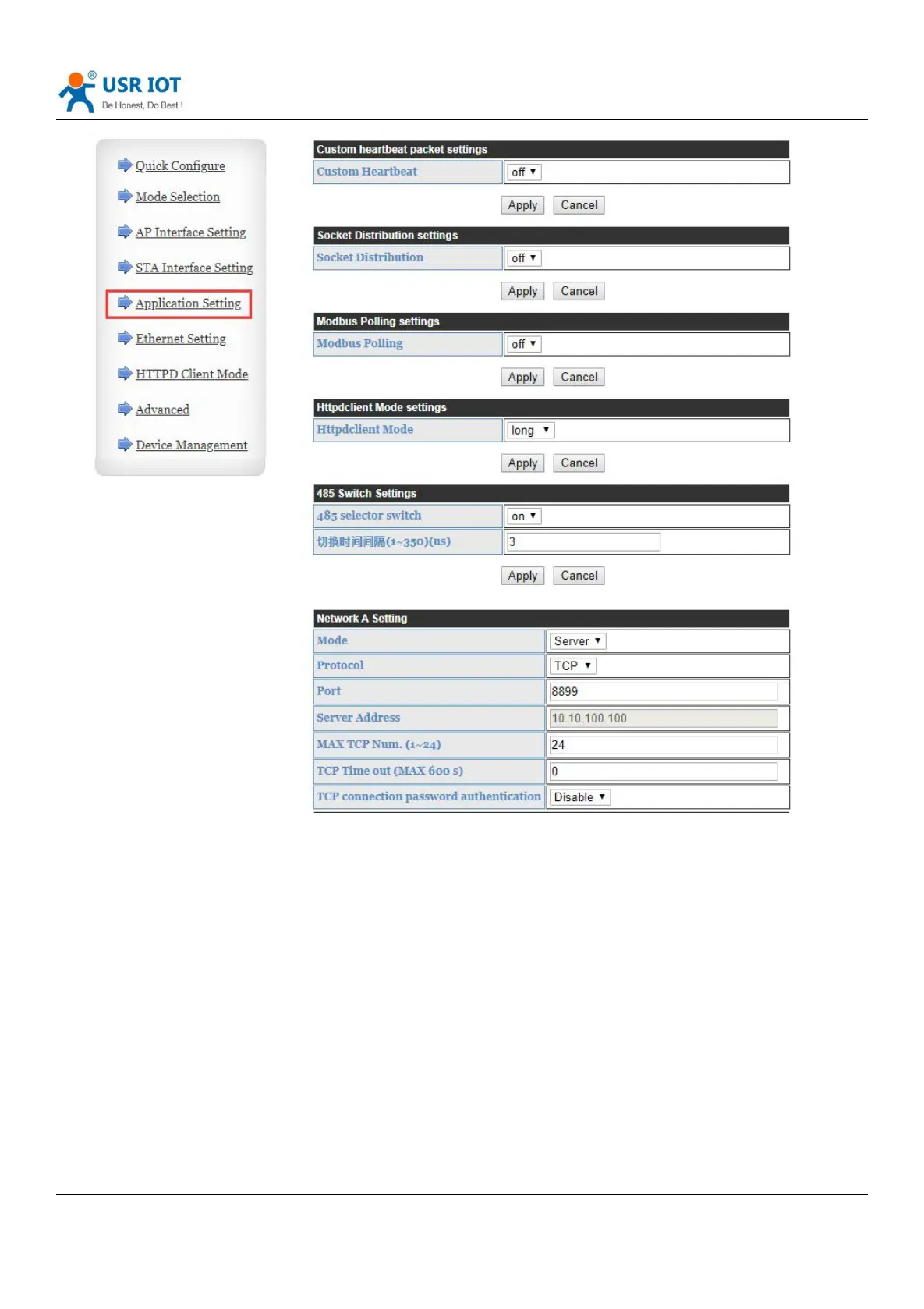
Diagram 39 Other settings
Description:
Network setting: 4 modes can be set on the network side as TCP server, TCP client, UDP server and UDP client.
When USR-DR404 is configured as a UDP server, USR-DR404 will remember the last UDP client and communicate with
the last UDP client. The UDP Client mode only communicates with the target IP and port. When set to TCP Server, there is
no need to enter an IP address. For other settings, you need to fill in the IP address of the other party to be connected.
Enter the protocol port number at the port. The port numbers at both ends of the communication must be the same.
Socket B communicates with the server as a TCP Client and a UDP Client.
TCP connection password authentication: it only works under TCP server mode, verify the password of the TCP client
which will be connected to DR404.
Note:working in the TCP server mode, when enable it, the first data send by the TCP client to the server is password
and enter, the default password is “admin” so the first data should be:0x61 0x64 0x6D 0x69 0x6E 0x0D 0x0A(HEX).



 To Next Page