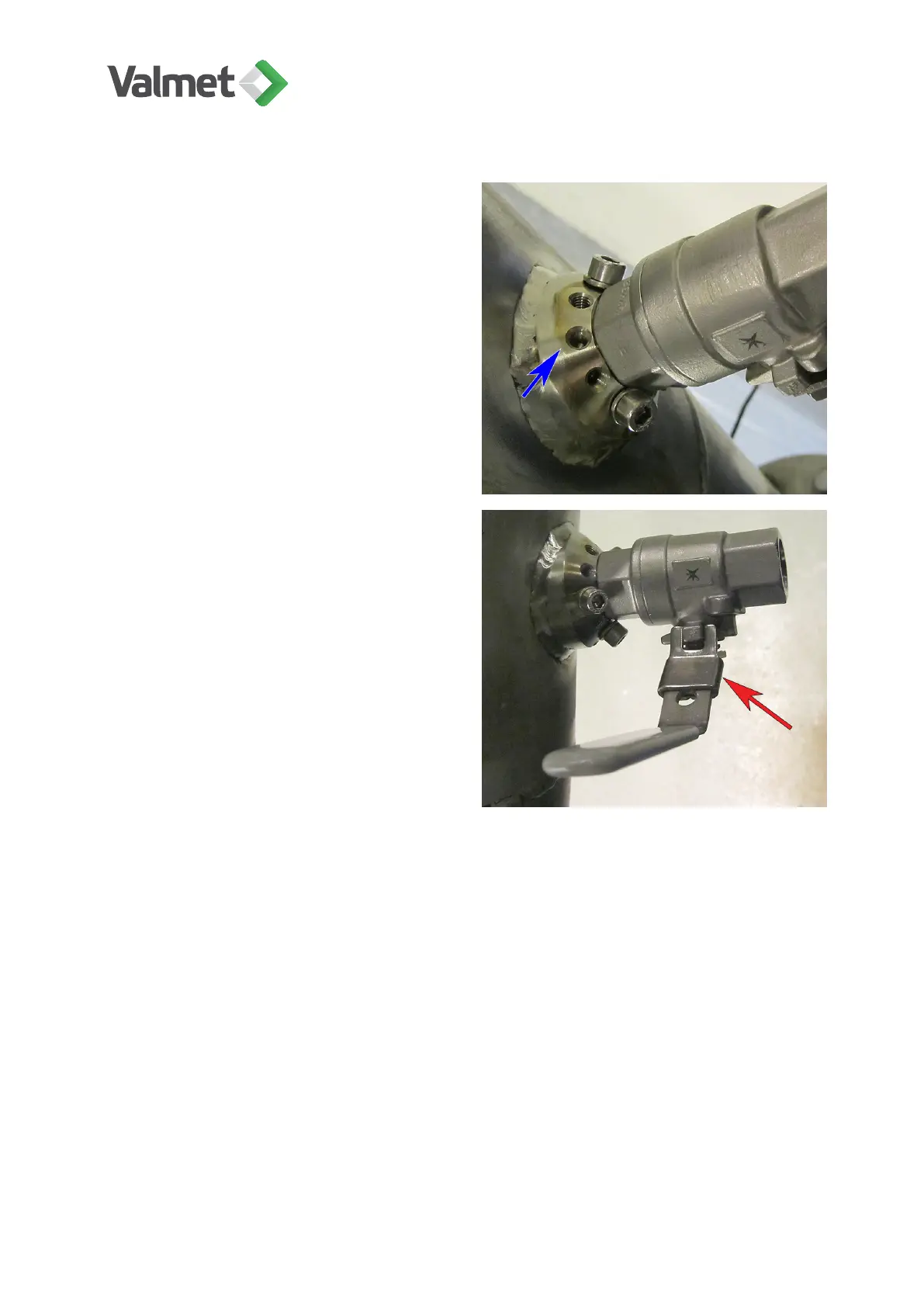
6. Secure the ball valve to the coupling
with the locking screws and washers (3
pcs) to make sure that it will not be loos-
ened by vibration, knocks etc. Position
the screws and washers on the flat sec-
tions of the hexagonal section; for exam-
ple the hole indicated with an arrow in the
picture is not a good choice.
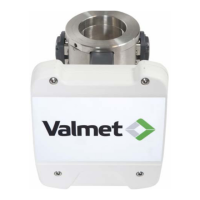
7. Close the ball valve. The locking
mechanism (indicated with an arrow)
prevents accidental opening and closing
of the valve.
5.4
Adjusting sensor insertion depth
As default the insertion depth is adjusted for screened pulps, so that the sensor tip is
inserted well into the pulp flow.
When measuring unscreened or unhomogeneous pulps, the sensor tip may catch
foreign objects contained in the flow. Such applications include OCC pulpers,
measurement points before coarse screens, broke pulpers under a paper machine, etc.
In these installations the sensor depth must be adjusted so that it protrudes only a little
into the pipeline:
Installing the sensor | 17 (48)
K20798 V1.1 EN - 1 - 12/2019



 To Next Page