6 Installing the TCU
6.1 TCU
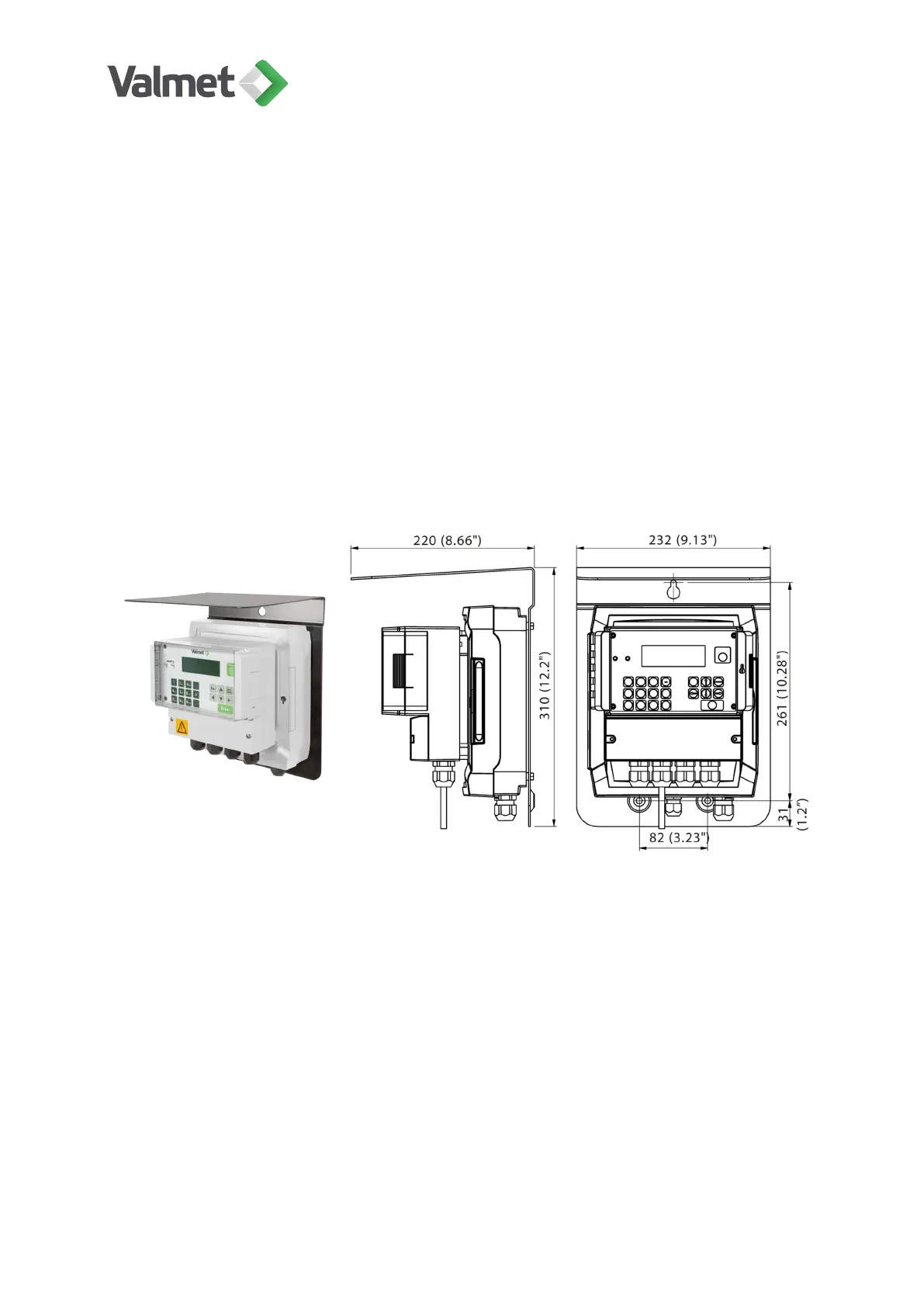
The Optical TCU (Central Unit + sensor electronics box) is delivered attached to a
protective cover. Attach it to a wall with three mounting screws, in an easily accessible
place. When choosing a place for the TCU, remember that the length of the optical fiber
cable is either 5 m (16 ft) or 10 m (33 ft).
Sensor electronics box is mounted behind the TCU. The cable between TCU and
sensor electronics is 0.7 m (2.3 ft) long. If the TCU and sensor electronics box must be
installed separately, a 10 m (33 ft) extension cable is available as option. Maximum total
cable length is 30 m (100 ft).
Installing the TCU | 21 (48)
K20798 V1.1 EN - 1 - 12/2019



 To Next Page