Two-point calibration
Two-point calibration uses the same calculation formula as single-point calibration, and
coefficients A and B are calculated from the selected laboratory points. Two calibration
points are needed.
IMPORTANT: In two-point and multi-point calibration the difference between the
consistency points must be at least 25 % when calculated from the lowest point.
This helps to ensure that any errors in sampling or consistency analysis will not have a
noticeable effect on the slope of the curve. The device will alert the operator if the points
selected for calibration differ from each other by less than 25 %.
Multi-point calibration
The data set used for multi-point calibration should cover a wide range of ash and
consistency variations. Only samples for which a laboratory consistency result exists
can be used for calibration. Multi-point calibration requires at least 5 samples, and one
of the samples must differ from the rest by at least 25%.
10.4 Creating a recipe
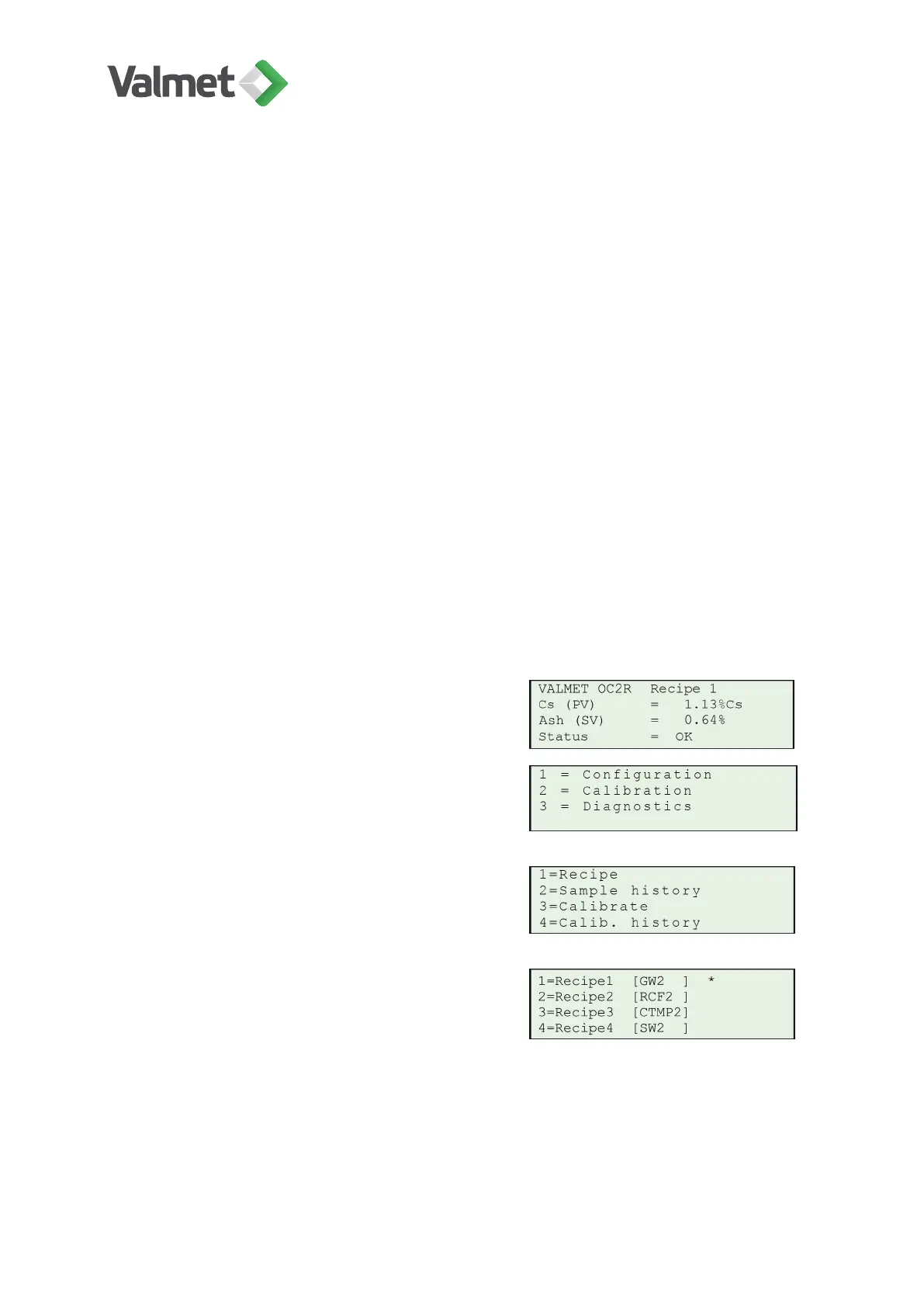
In the Main result display press Esc.
Select 2 Calibration.
Select 1 Recipe.
Select a recipe, 1–4. In this example recipe 1 is
in use.
Press Edit/Save to start editing.
Calibration | 35 (48)
K20798 V1.1 EN - 1 - 12/2019



 To Next Page