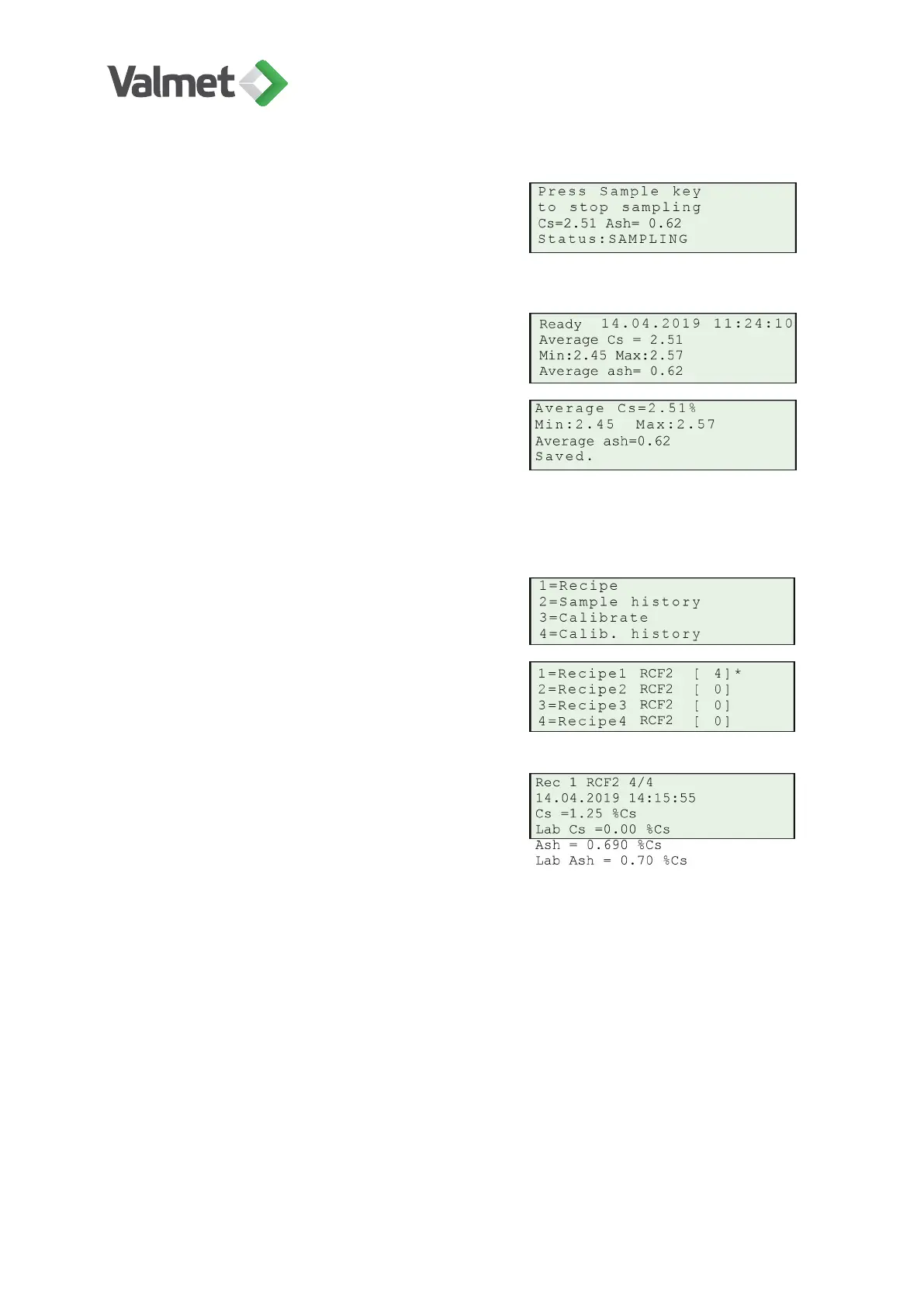
When the sample has been taken, press again
Sample. The display will show the Average Cs
and the minimum & maximum consistencies
during sampling.
Press Enter to save the results, or Esc to re-
ject the sample.
After saving the results with Enter, exit from
sampling mode with Esc.
10.6
Entering lab. values
Press 2 Sample history to enter the consisten-
cy value determined in the laboratory.
Select the correct recipe. The number [0] indi-
cates how many samples have been stored in
the recipe. The currently active recipe is indi-
cated by an asterisk ( * ) at the end of the line.
Use the arrows up/down to scroll the sample
data in the display. If more than one sample
has been stored, use the right/left arrows to
scroll between samples.
The number indicates which of the saved samples is being shown. Press Edit/Save and
type the laboratory Cs result in the field Lab Cs. Press Edit/Save to save. Press Esc to
exit from the display.
Calibration | 37 (48)
K20798 V1.1 EN - 1 - 12/2019



 To Next Page