8.1 Operating with TCU
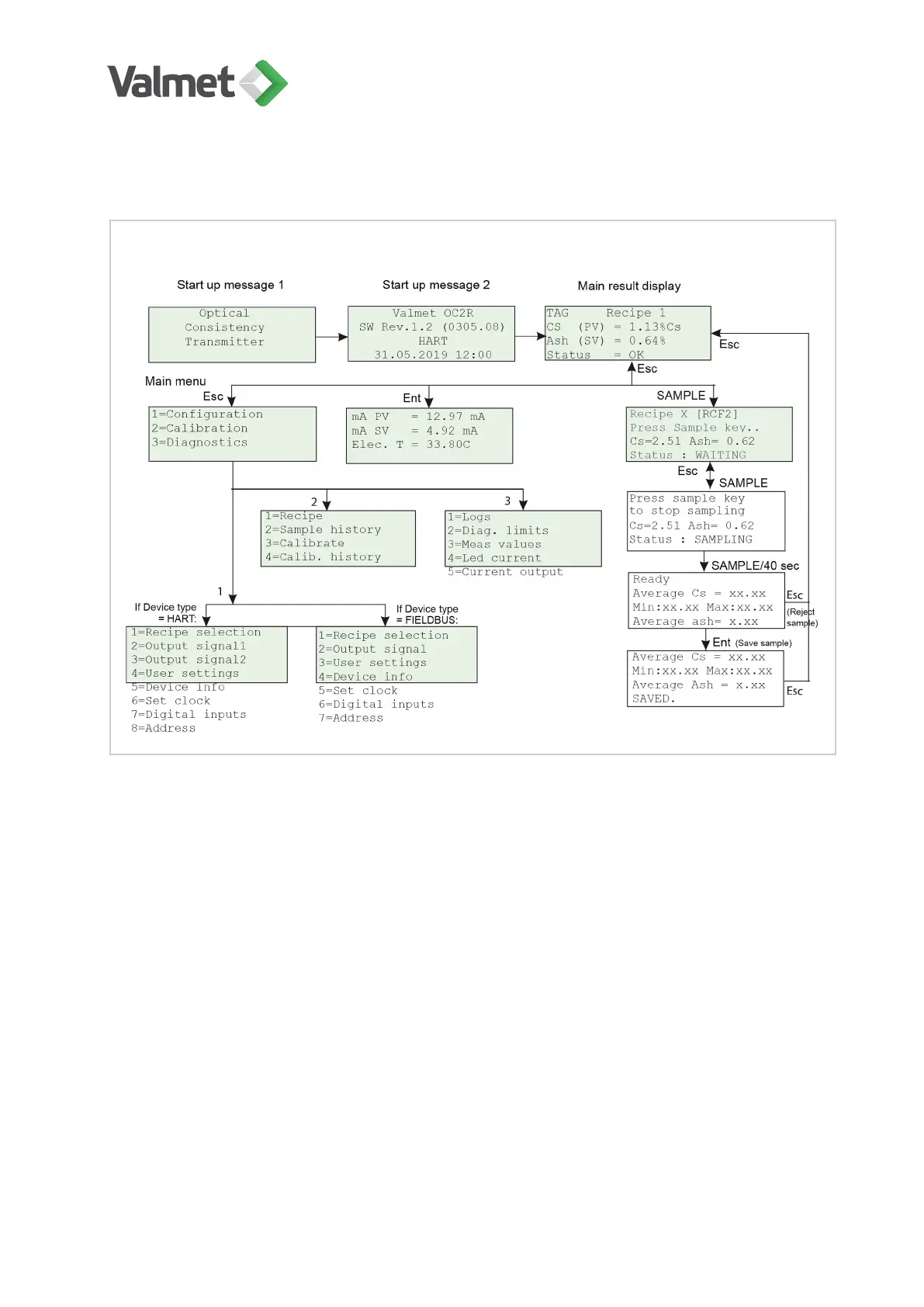
Main menus of the TCU:
Main result display is the default view after power-up. When you press Enter the extra
result display will appear. Press again Enter to return to the main result display. Press
Esc in either of the result displays to access the Main menu.
Sample button: start and stop sampling. Calibration menu is accessed from TCU main
menu.
To access a menu function or submenu, press the number key indicated before the
name of the function/ submenu. Press Esc to return to the previous level.
All TCU functions can be accessed from the operations menu. You can always return to
Main result display by pressing Esc several times.
Operating | 26 (48)
K20798 V1.1 EN - 1 - 12/2019



 To Next Page