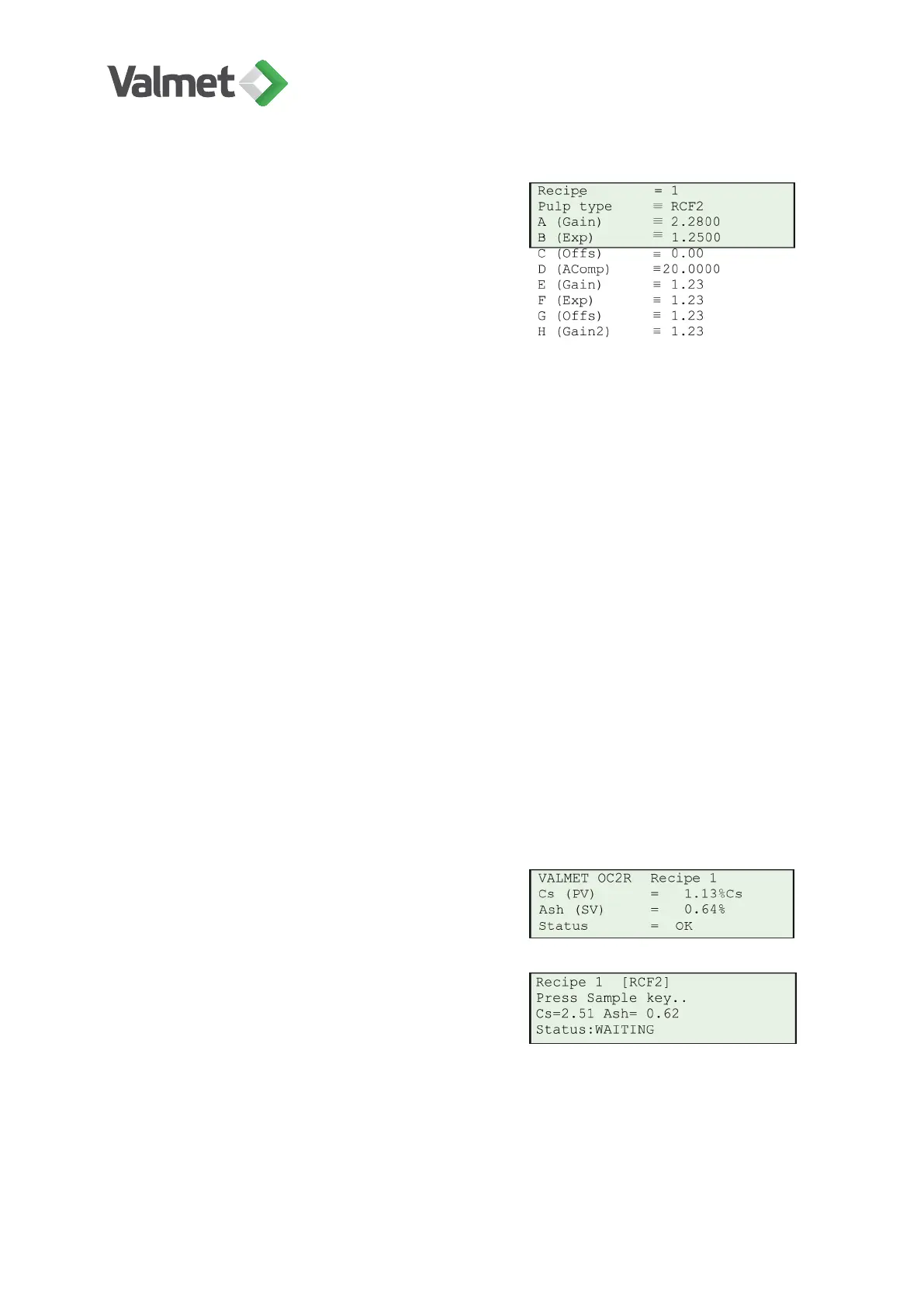
Pulp type: Use the arrow keys to select the
correct pulp type; choose the one that is clos-
est to your process. In normal calibration this is
the only setting required.
The device contains predefined calibration curves for the most common pulp types.
These curves have been determined experimentally in Valmet Automation's laboratory.
Alternatives:
• GW2: Groundwood or pressure groundwood.
• TMP2: Thermomechanical pulp.
• CTMP2: Chemi-thermomechanical pulp.
• SW2: Bleached softwood chemical pulp, for example pine.
• HW2: Bleached hardwood chemical pulp, for example birch, eucalyptus, bagasse
and other agro fibers.
• RCF2: Recycled pulp.
• Other2: Other pulp types.
When the settings are done press Edit/Save to save them, and then return to the main
menu with Esc.
10.5 Sampling for laboratory analysis
In the Main result display press Sample.
When you see the display on the right, press
again Sample and the device begins to save
the measurement results. At the same time col-
lect a sample from the process for the laborato-
ry.
Calibration | 36 (48)
K20798 V1.1 EN - 1 - 12/2019



 To Next Page