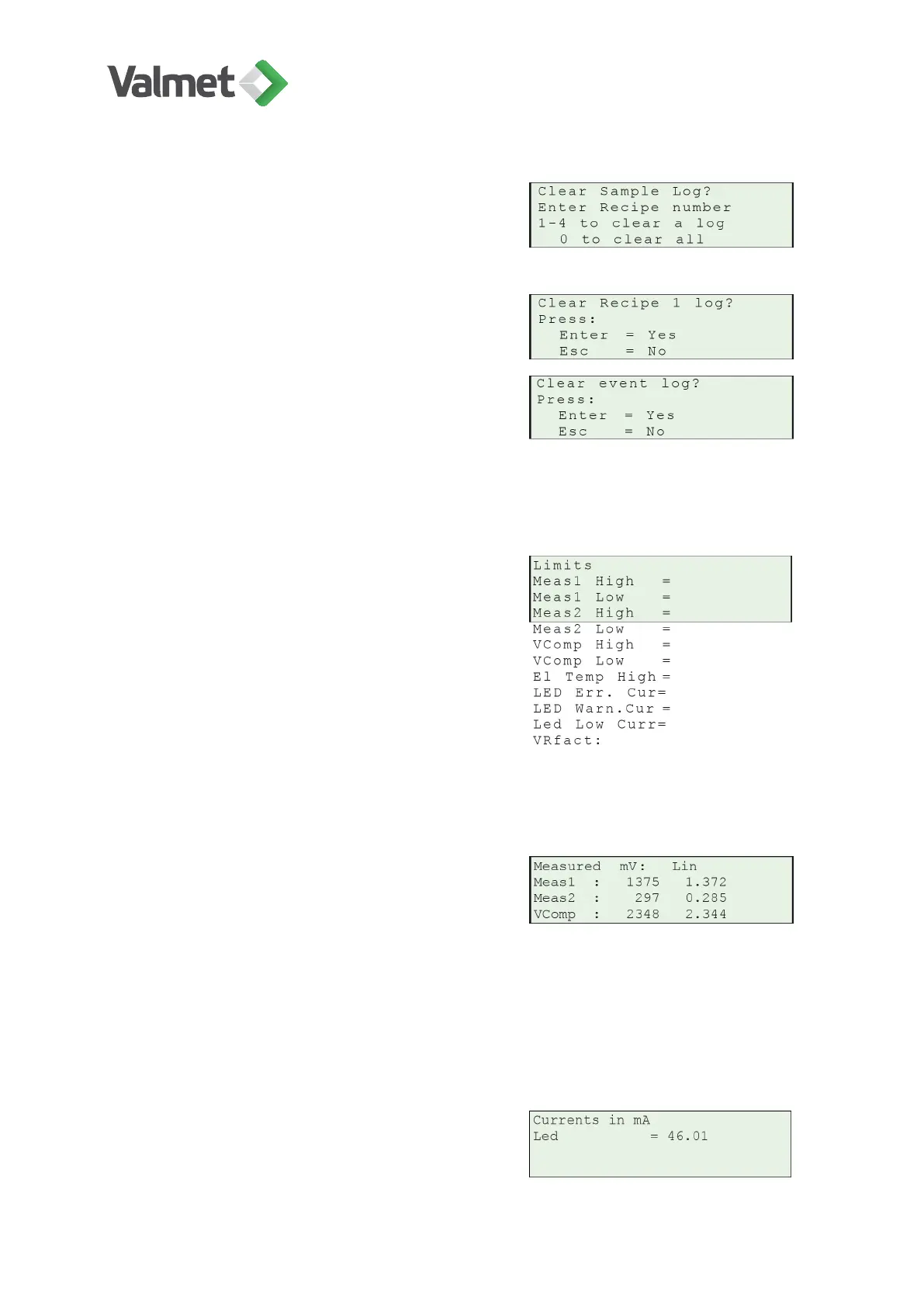
Clear sample/calib logs: In these displays
you can clear one receipe-specific sample/cali-
bration log at a time by pressing 1–4 keys or
clear sample logs of all receipes by pressing 0.
Accept clearing with Enter or cancel it with
Esc.
Clear event log: In this display you can clear
the event log by pressing Enter. Pressing Esc
cancels the function.
11.2
Diag. limits
In this display you can set alarm limits for the
self-diagnostics measurements (measurement
values, compensations channel signal, elec-
tronics temperature, and LED current).
VRfact: Factory tuned parameter for reference
channel; cannot be edited by end user.
11.3
Meas. values
This display shows the measured sample re-
sults (mV) and linearized values for the differ-
ent measurement signals.
Measured mV: Meas1 , Meas2, VComp, ...measured raw values (mV).
Lin: Meas1 , Meas2, VComp, ... linearized (calculated) values.
11.4
Led
This display shows the control current to the
LED.
Diagnostics | 42 (48)
K20798 V1.1 EN - 1 - 12/2019



 To Next Page