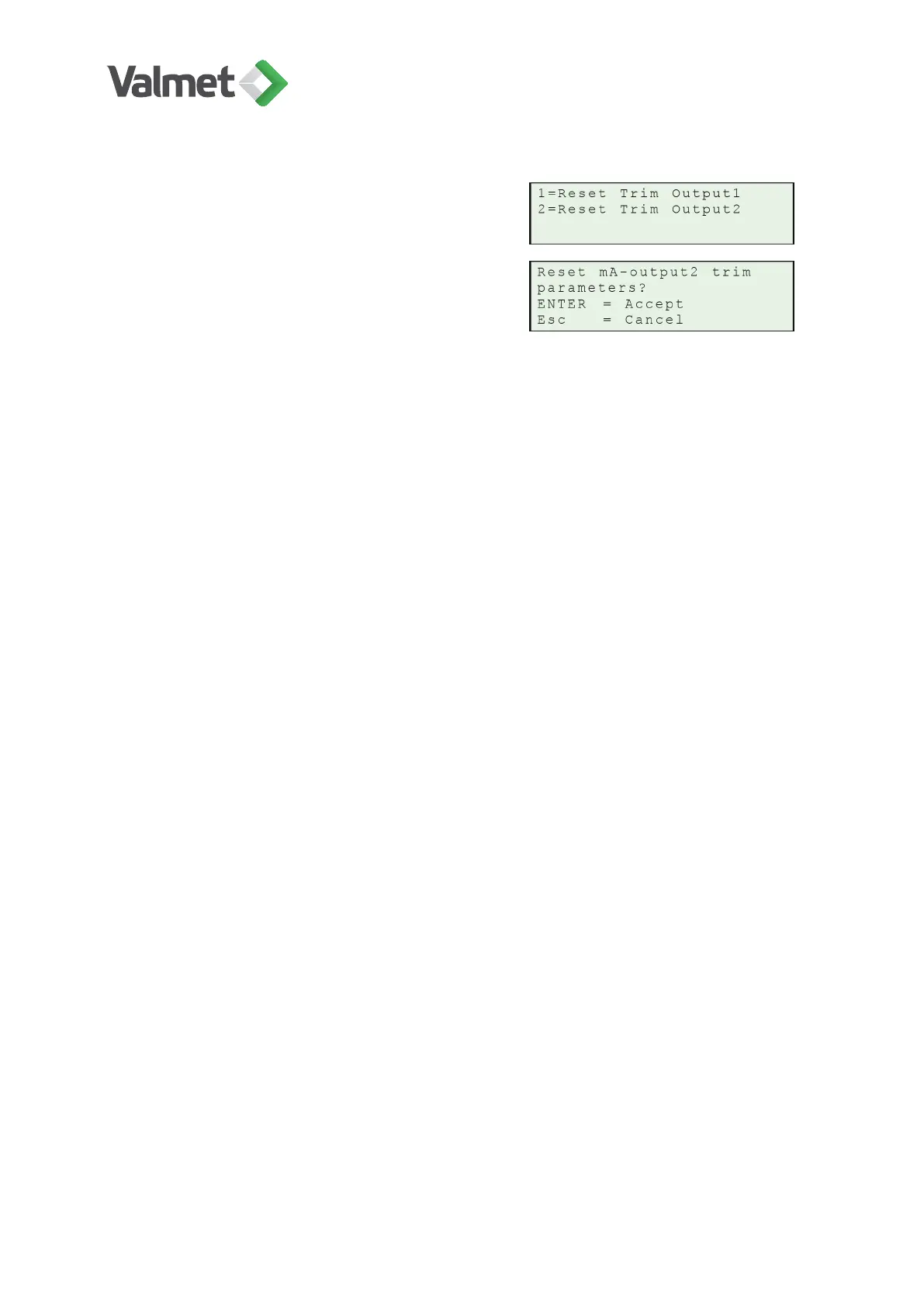
Reset trim output: 1, 2: Select "Reset trim
output1/output2".
11.6
Error messages / warnings
Errors can be categorized into different groups:
• TCU errors,
• sensor errors,
• measurement errors, and
• errors in communication between TCU and sensor.
The following status messages are used in error situations:
• WARNING: No effect to output signal. Some service action is required to correct the
problem.
• ERROR: Serious error. Output signal set to State "fail Safe". State can be set in
menu Configuration > Output signal.
• INFO: Informative message, no effect on output signal.
Error messages can be viewed on Diagnostics/ Event Log display.
ERROR messages:
• SENSOR COMMUNICATION FAIL: Serial communication Error between TCU and
sensor.
• LED CURRENT TOO HIGH: LED current is over the limit. If VComp < VRfact:
• LED broken.
• Reference detector broken.
• Sensor board failed.
If VComp > VRfact:
• Reference detector broken.
WARNING messages:
Diagnostics | 44 (48)
K20798 V1.1 EN - 1 - 12/2019



 To Next Page