Multi-point calibration can be used only if there
are at least 5 sample points available. The user
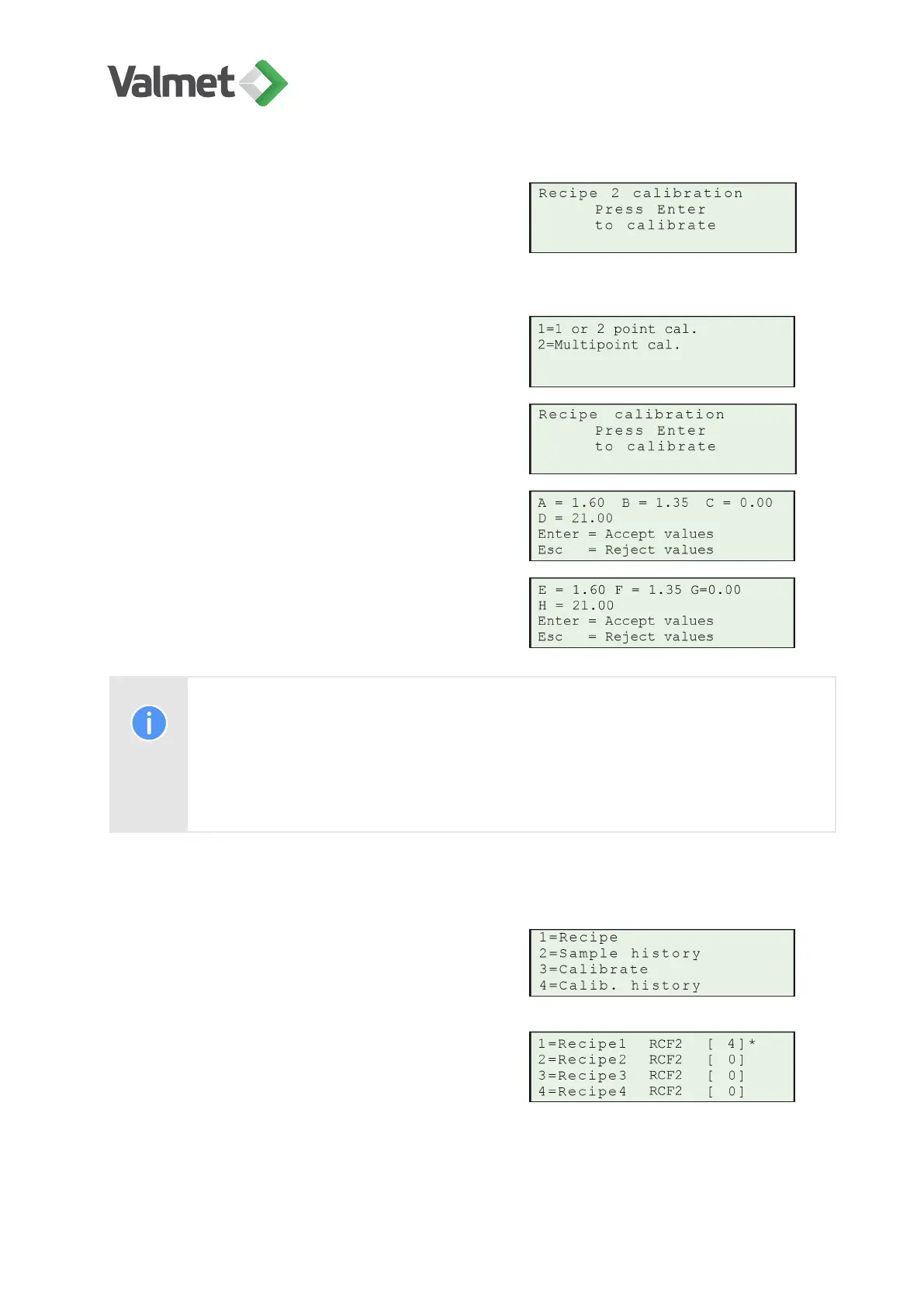
can choose between single-point, two-point or
multi-point calibration. Choose a recipe and
press Enter.
For multi-point calibration press 2=multipoint
cal
Press Enter to start calibration.
Coefficients calculated in total consistency cali-
bration:
Coefficients calculated in ash consistency cali-
bration:
Note:
If you want to exclude a sample point from the multi-point calibration
calculation, set its laboratory value to zero.
10.8
Calibration history
Press 4 Calibration history in the calibration
menu.
This display will appear:
Calibration | 39 (48)
K20798 V1.1 EN - 1 - 12/2019



 To Next Page