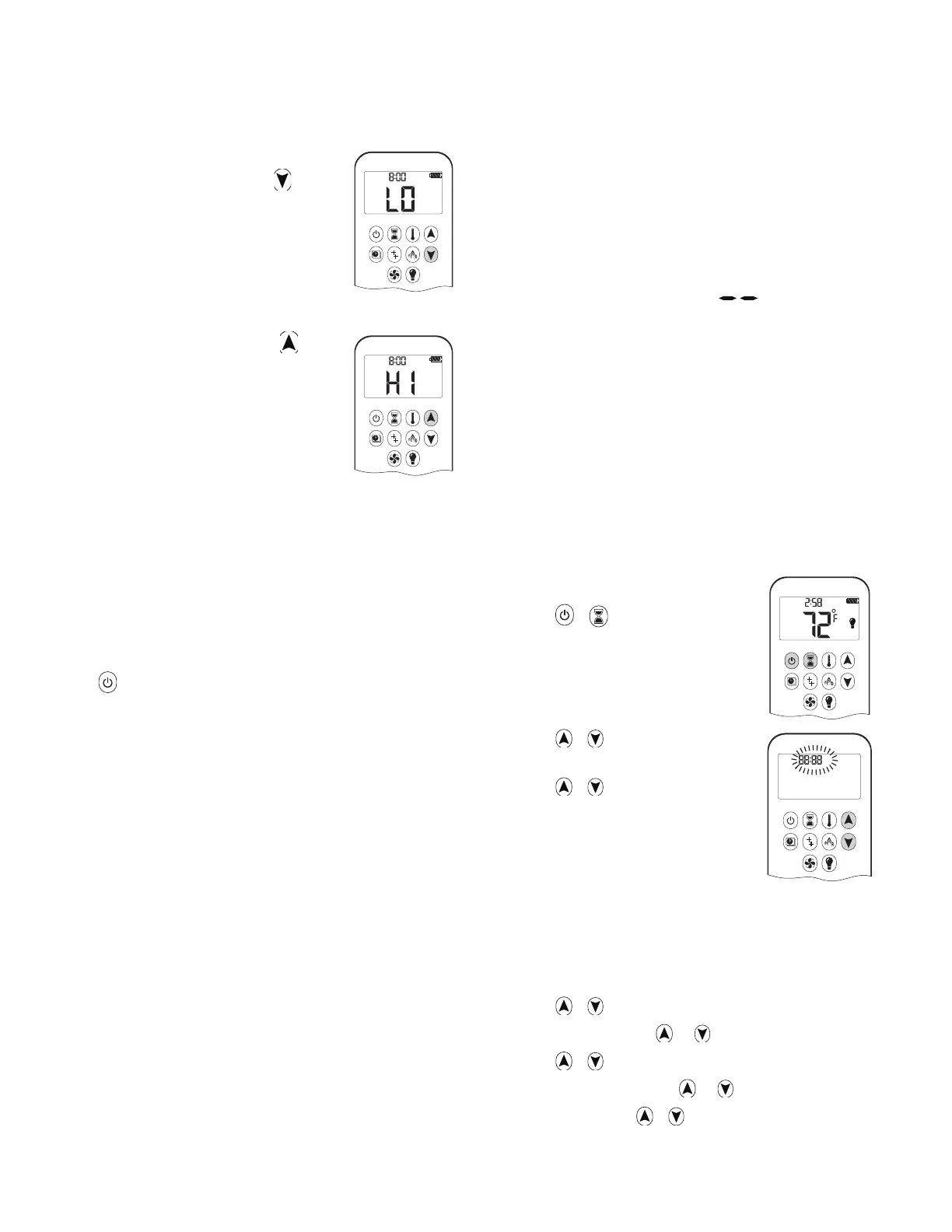
Designated Low Fire and High Fire
To go to low ȴ re, double-click . “LO”
is displayed.
Note: Flame goes to high ȴ re ȴ rst
before going to low ȴ re.
To go to high ȴ re, double-click
. “HI”
is displayed.
Choosing 1-Button or 2-Button Ignition
On the remote control handset, you can choose a
1-button or 2-button ignition. You can also choose to
activate or deactivate some of the functions. By default,
the handset is set to a 1-button ignition.
To change from 1-button to 2-button ignition, remove
the batteries, wait 10 seconds, reinsert batteries, and
immediately when the display ȵ ashes, press and hold
the
button for 10 seconds.
ON
is displayed and 1 is
ȵ ashing. When change is complete,
1 changes to 2.
To change from 2-button to 1-button ignition, proceed
the same as above.
ON
is displayed and 2 is ȵ ashing.
When change is complete,
2 changes to 1.
Deactivating or Activating Functions
These functions are active by default, but can be
deactivated at any time:
• Child Proof
• Prog
ram Mode
• Thermostatic Mode
• Eco Mode
• Circulating Fan Operation
• Countdown Timer
AM
AM
To deactivate functions:
1. Install batteries. All icons are displayed and ȵ ashing.
2. While the icons are ȵ ashing, press the relevant func-
tion button and hold for 10 seconds.
3. The function icon will ȵ ash until deactivation is com-
plete. Deactivation is complete when the function
icon and two horizontal bars (
) are displayed.
Note: If a deactivated button is pressed, there is no
function, and the two horizontal bars are displayed.
To activate functions:
1. Install batteries. All icons are displayed and ȵ ashing.
2. While the icons are ȵ ashing, press the relevant func-
tion button and hold for 10 seconds.
3. The function icon will continue to ȵ ash until activa-
tion is complete, and then turn solid. Activation is
complete when the function icon is displayed.
Setting Celsius or Fahrenheit
To change between °C and °F, press
and hold
+ simultaneously.
Note : °C = 24-hour clock
°F = 12-hour clock
Setting the Time
1. Press + simultaneously.
Day ȵ ashes.
2. Press
+ to select a number
to correspond with the day of the
week.
• 1 = Monday
•
2 = Tuesday
• 3 = Wednesday
• 4 = Thursday
• 5 = Friday
• 6 = Saturday
• 7= Sunday
3. Press
+ simultaneously. Hour ȵ ashes.
4. To select hour press
or .
5. Press
+ simultaneously. Minutes ȵ ash.
6. To select minutes press
or .
7. To conȴ rm, press
+ simultaneously or wait.
PM
PM
AM
72
Appendix B - Remote Control Operation




 To Next Page