4. Installing the X-ray Unit: Base Stand Type
Green X / X18
(Model: PHT-75CHS) Installation Manual 53
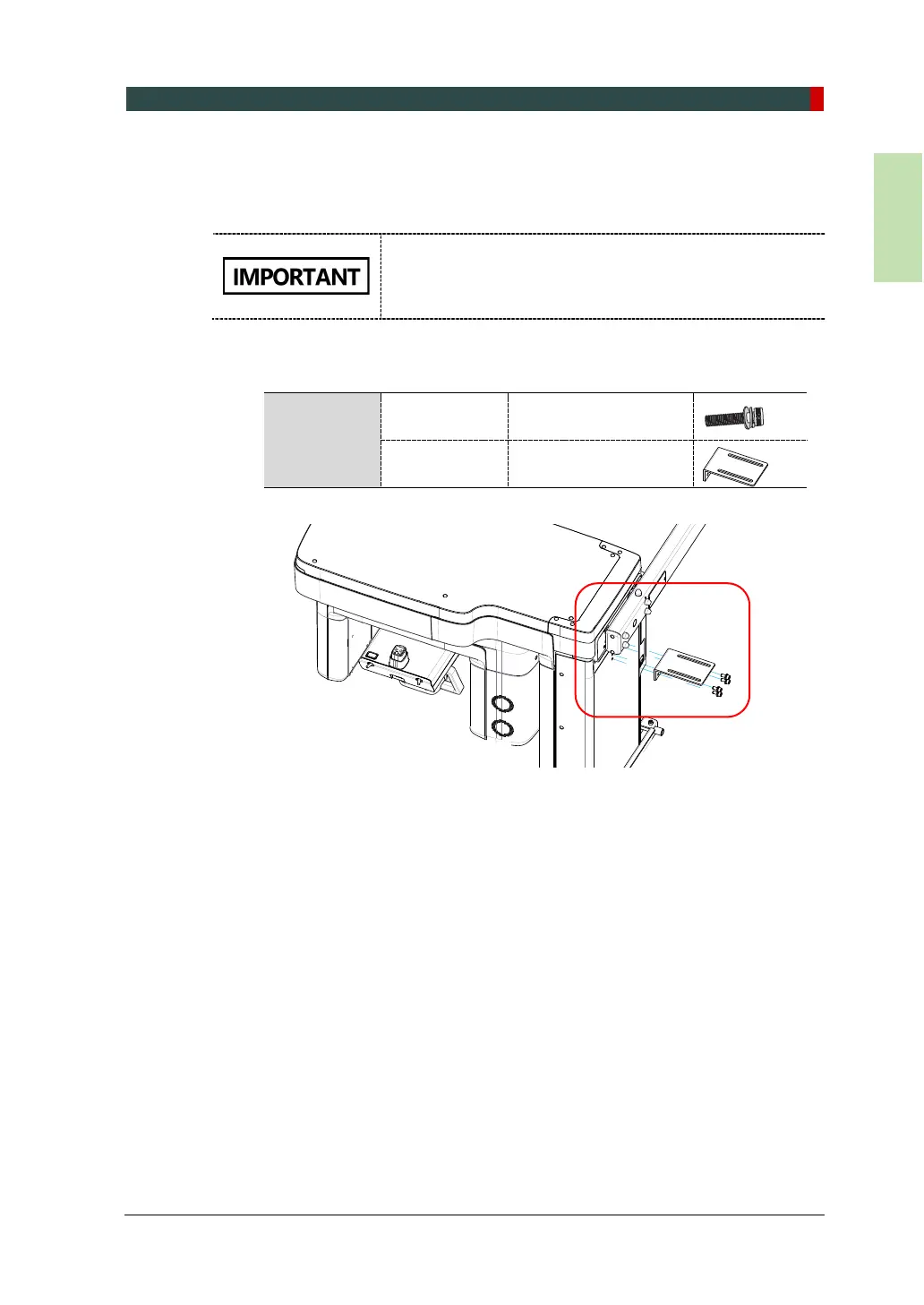
4.3.3 Installing Column Bracket and Connecting to the Wall Bracket
To connect the column and wall brackets:
Before connecting the wall and column brackets, check if
your equipment is fully leveled. If necessary, follow the
procedure in 4.7 Leveling the Equipment to level the
equipment.
1. Attach the column bracket with M8 x 15 wrench bolts. At this point, do not fully
tighten the bolts to make the bracket’s height adjustable.
Parts and
Accessory
Wrench Bolts
(2 Sems)
M8 x 15 - 4pcs
(Part No.29)
Column
(Part. No. 22)
2. Push the equipment to the wall where the wall bracket is installed.



 To Next Page