Pax-i3D Smart(PHT-30LFO) Installation Manual
97
8 Installing Software
5.
Select the equipment mode:
PaX-i3D Smart
and click
Next
.
6.
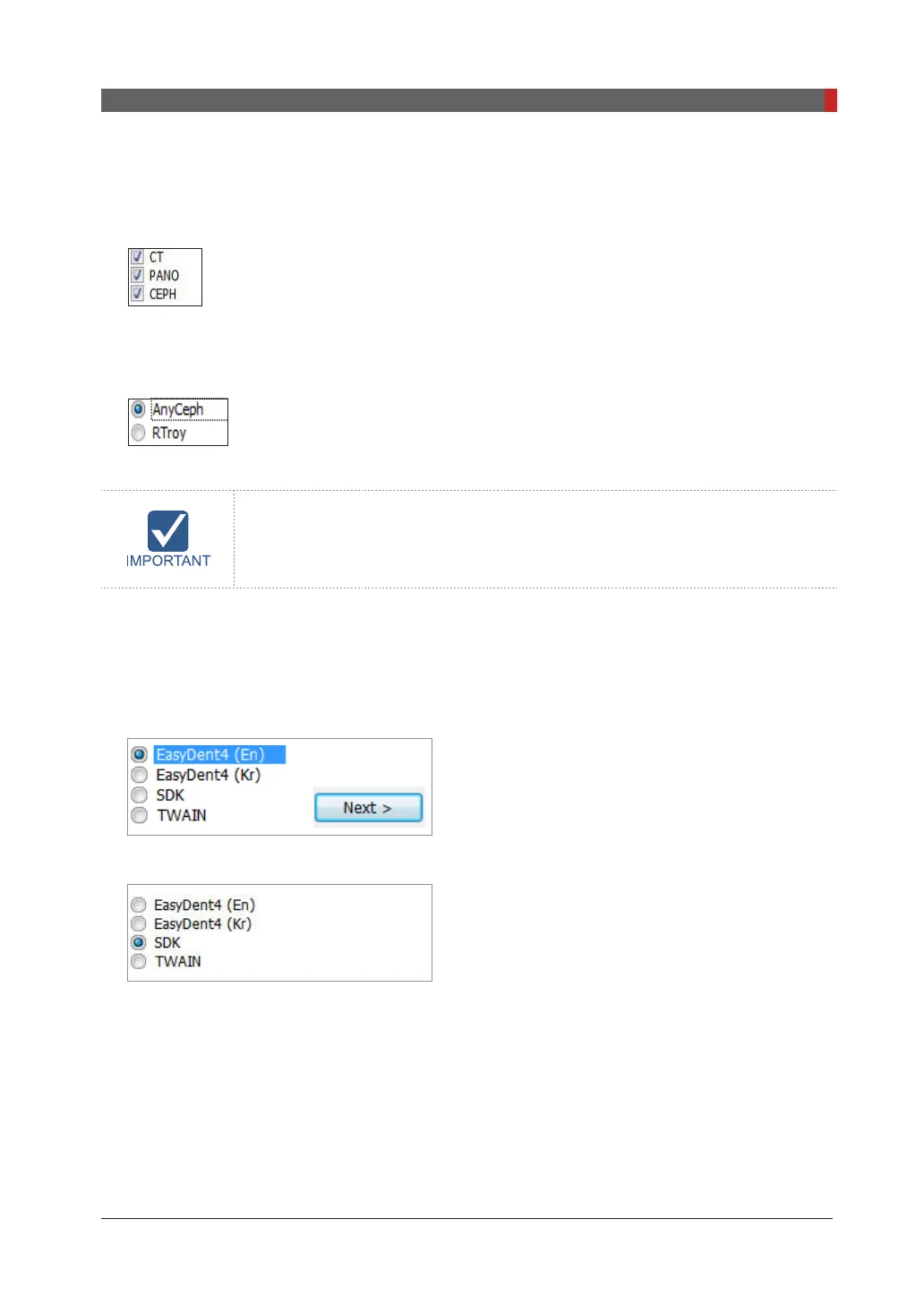
Select the modality and click
Next
. Note that if the CEPH feature comes with the equipment, also
check the
CEPH
.
7.
Select the CT sensor type:
WidePano
and click
Next
.
8.
Select the PANO sensor type:
WidePano
and click
Next
.
9.
(Optional) Select the
CEPH
sensor:
Anyceph
(Scan type) or
RTroy
(Oneshot type) and click
Next
.
10.
Select the default port number:
COM4.
Select the port No.: COM4
The same COM port No. should be used between the equipment and PC.
And click
Next
.
11.
Select the language and click
Next
.
12.
Select the third-party software in use and click
Next
.
When EasyDent4 is installed, select EasyDent4, when EzDent-i is installed, select
SDK
.
EzsyDent4
EzDent-i
Click
Next
to continue.












 To Next Page