OTDR Series e-Manual, D07-00-076P-RevC00 Page 15 of 107
5.2.3 Menu Navigation
Navigate between test applications, setup menus, tabs, or active functions using the supplied
stylus or by using up/down arrows followed by “Enter.”
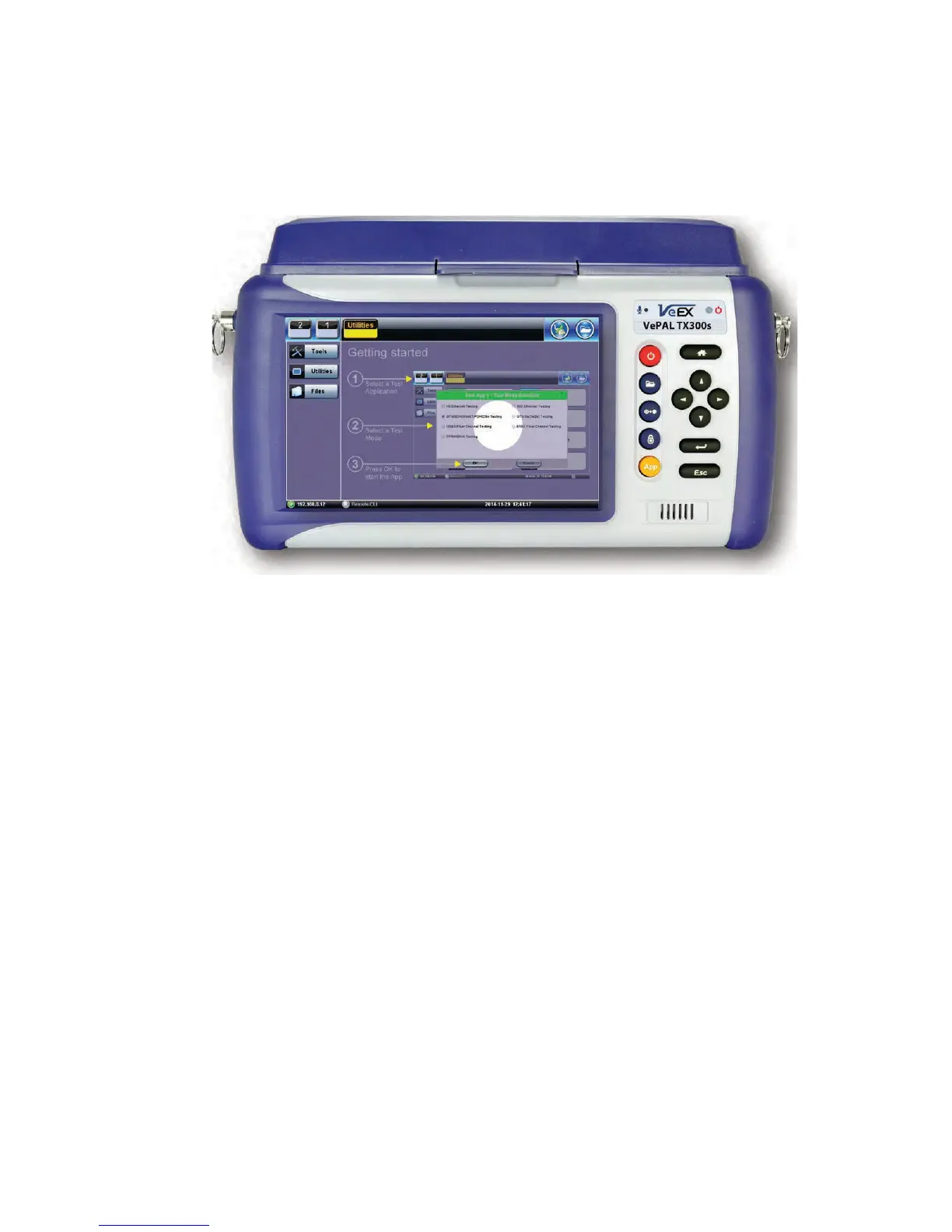
“Getting started” information is displayed after power up.
Select a Test Application
• FX150: Application #1 is loaded by default. Select OTDR, VFL, OPM, OLS by clicking
the icon on the main menu. The Fiberscope icon can be found on the Advanced Tools
screen.
• TX300s: Select Application 2, which corresponds to the optical test function blade #2,
located on the top connector panel. Select OTDR, VFL, OPM, or OLS by clicking the
icon on the main menu
• FX300/MTTplus/RXT: Select Application 1, which corresponds to the module, inserted
into the module slot. Select Fiber testing from the Test mode selection and press OK.
The OTDR, VFL, OPM, and OLS test functions will be displayed on the main menu.
Note:
Touch Screen Navigation - The unit is equipped with a state of art, full color, LCD TFT touch
screen. When used properly, the screen is designed to give years of reliable and precise
operation. Always use the stylus supplied with the unit to operate the touch screen. Never use
any sharp object such as a ballpoint pen, screwdriver, or similar item as this will damage the
screen and void the warranty.



 To Next Page