OTDR Series e-Manual, D07-00-076P-RevC00 Page 42 of 107
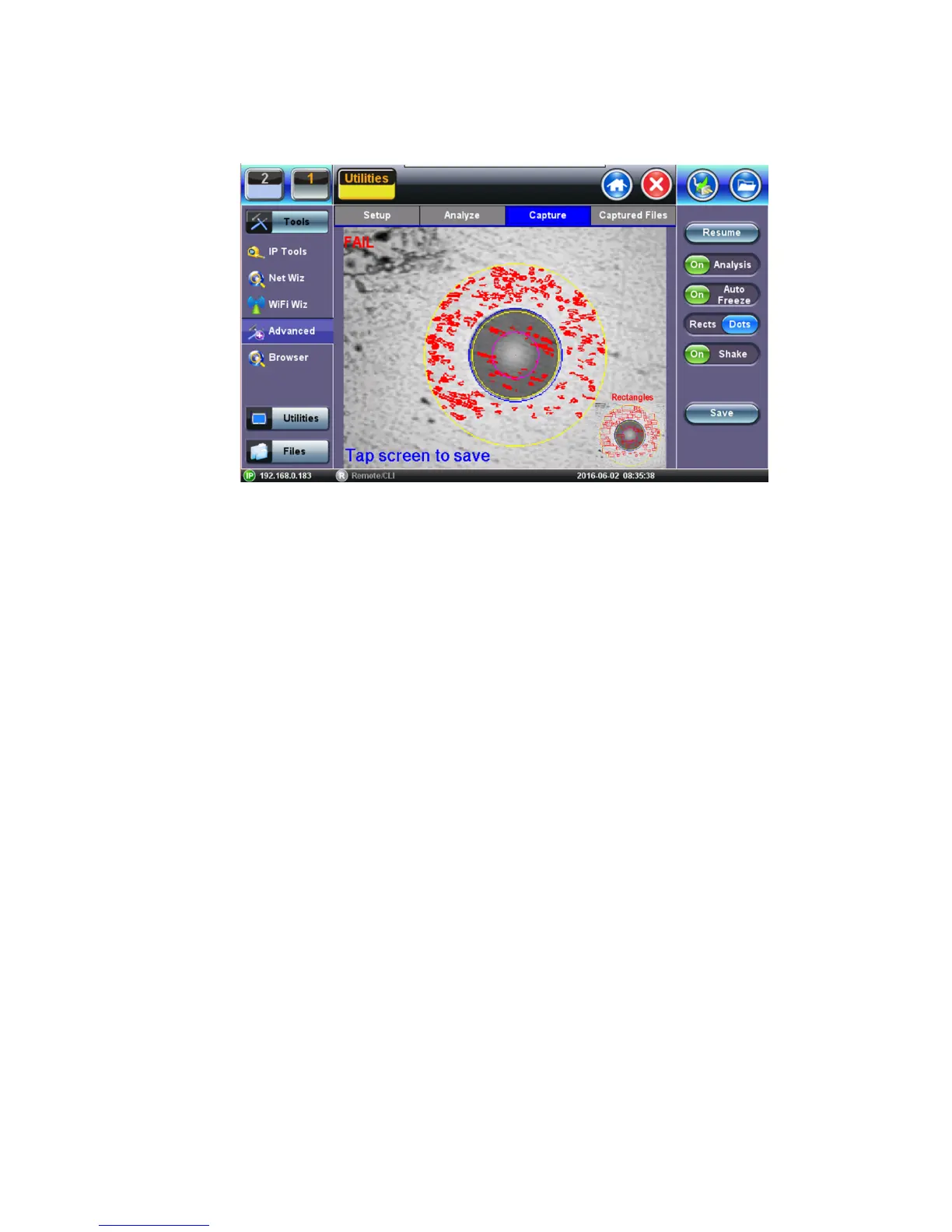
6.8.5 Capture Screen
• Freeze / Resume: Stops the real time video so users can look at the static picture.
• Analysis On / OFF: Turn the Auto Analysis ON and OFF (software option).
• Auto Freeze: Turn On and OFF the ability to freeze the image automatically, when in
Focus.
• Rectangles / Dots: Dots draw a red contour around scratches and defects. Rectangles
highlight scratches and defects without obstructing the view.
• Shake: Turn On or OFF the ability to Auto Freeze and Analyze when probe image is
unsteady.
• Save: Saves the fiber picture that is on the screen (in Freeze mode) or just Tap the
Screen.
Notes:
1. When the DI-1000 Fiber Scope is plugged into USB, a blue LED will emit. The round
FOCUS knob is on top. Turn right or left to focus.
2. When the VS-400 Fiber Scope is plugged into USB, a white light will emit. The FOCUS
adjustment is located at base of barrel.



 To Next Page