OTDR Series e-Manual, D07-00-076P-RevC00 Page 71 of 107
• Auto Zoom Trace – Auto scale viewing window at end of test.
• Front Panel Check – Report Insertion Loss and Reflectance and advise if acceptable
or not. If testing PON or MUX, use a launch fiber between the OTDR and Splitter or
MUX or disable this feature.
• Span – See the Manual mode section for more information.
• V-Scout – See the V-Scout mode (optional) section for more information.
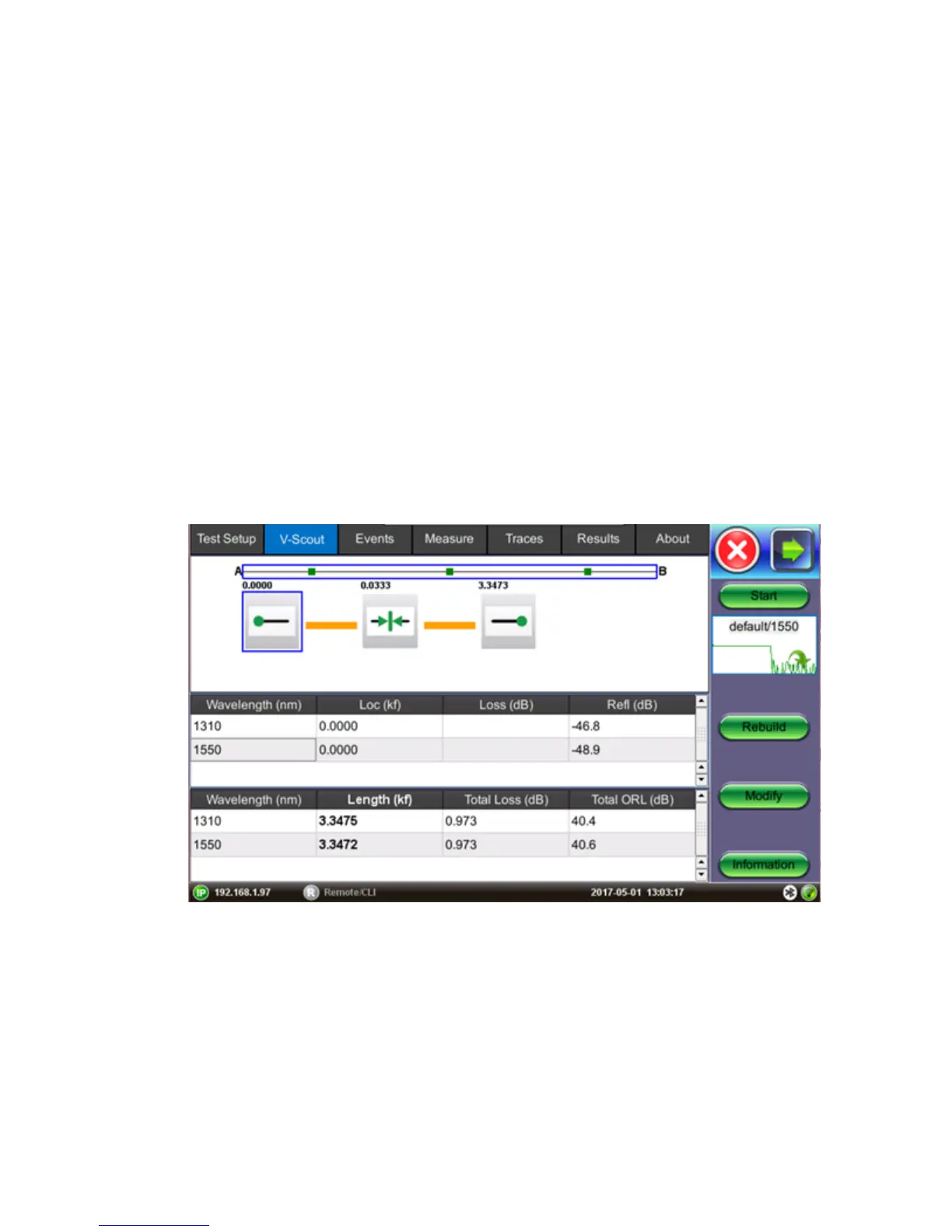
7.1.4 V-Scout mode (optional)
V-Scout is a fully automated fault location feature which evaluates separate test acquisitions
comprising of multiple wavelengths to detect anomalies. Traces are analyzed, compared, and
merged into a single symbolic link map. Multiple OTDR trace files (.sor) are saved in a single
file folder for simplified archiving and easy future analysis. Each individual acquisition can be
customized and user defined as a test profile depending on network type or application. This
optional feature eliminates event interpretation.
Any event that exceeds user-defined Pass/Fail thresholds will be displayed in RED font. The
icon box will be outlined in red.
• Start: Begins the measurement.
• Rebuild: Reanalyzes the trace. Use this option when you change the trace event
table(s) or icons want to rebuild the LinkMap to apply the changes.
• Modify: Modifies the trace.



 To Next Page