OTDR Series e-Manual, D07-00-076P-RevC00 Page 24 of 107
5.5.4 Setting up FX150 WiFi
The FX150 unit contains an optional built-in WiFi interface allowing you to easily transfer
OTDR traces and upgrade software on the unit.
5.5.4.1 Access WiFi option
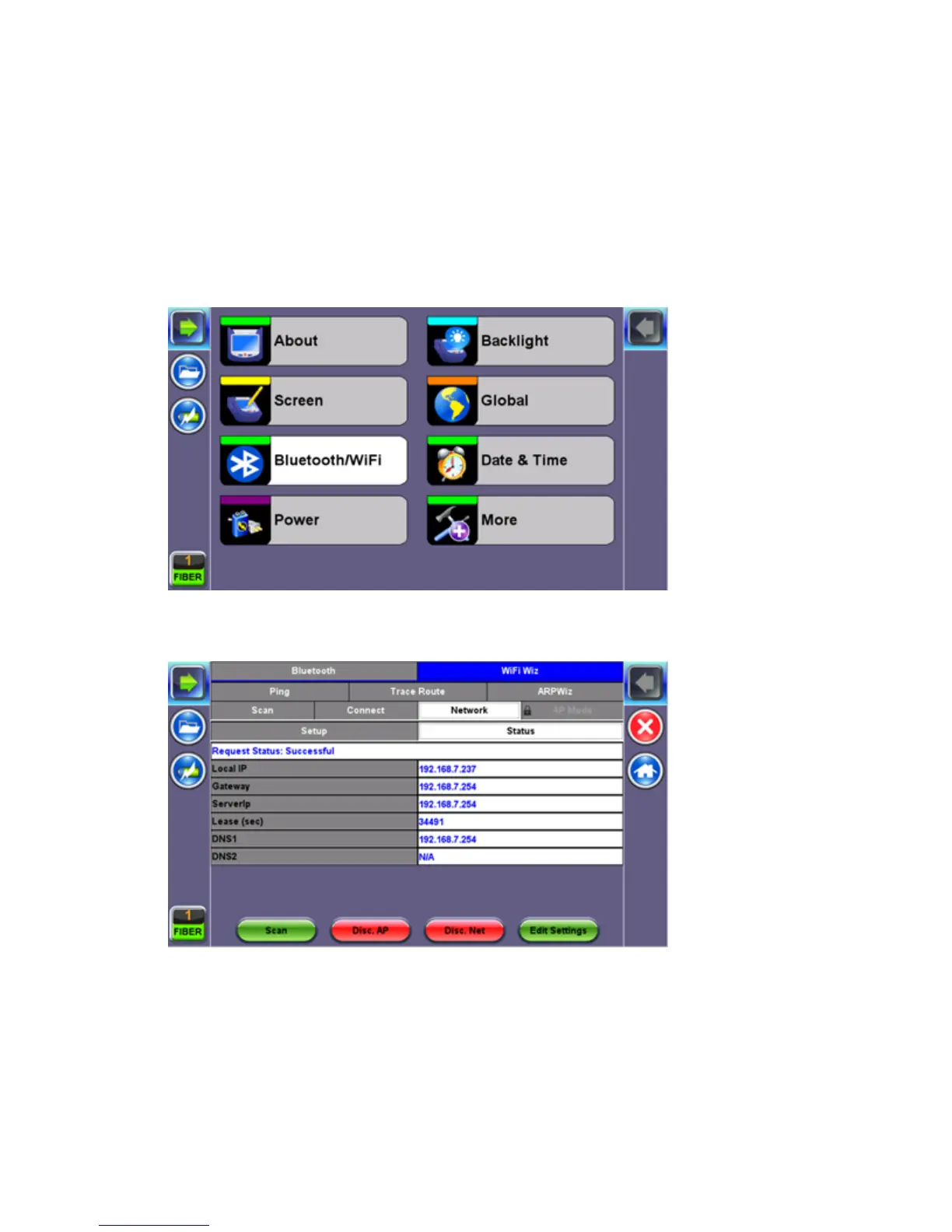
1. Press Utilities or the HOME key, and then press Bluetooth/WiFi.
2. Select the WiFi Wiz tab.



 To Next Page