OTDR Series e-Manual, D07-00-076P-RevC00 Page 44 of 107
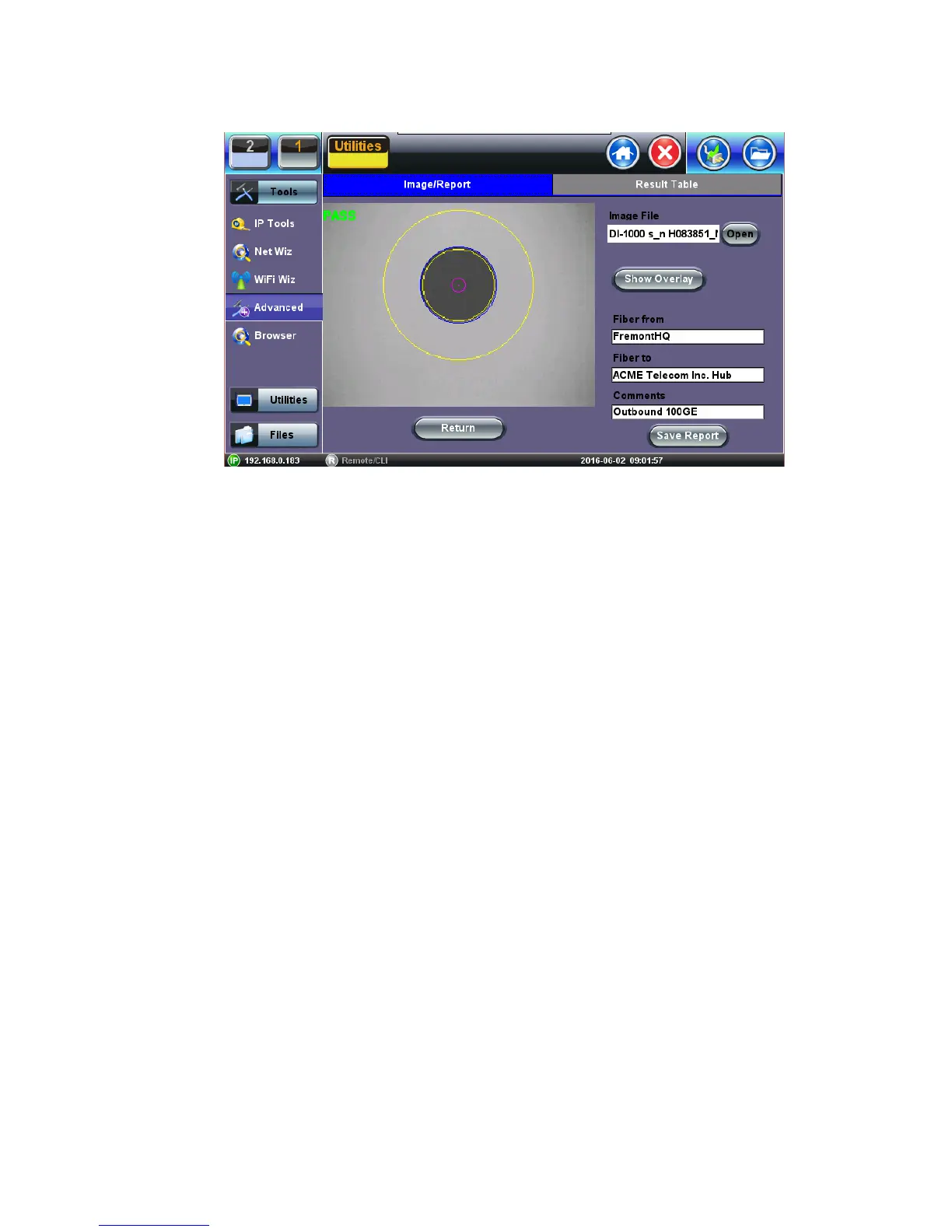
6.8.7 Connector Face Analysis
Select a file from the Captured Files screen and press the Analysis button.
• Open: Provides a visual navigation tool to select files. Use the stylus to slide left or right
until the correct file is in view, tap on the image to load it.
• Show/Hide Overlay: Enables or disables the analysis mask and defect detection.
• Comments: Add information about the fiber ends, comment about the result, status or
any other meaningful information about connector, application, or case. This information
will be included in the report.
• Save Report: Generates a test report for the selected file (html format). Test set can
convert reports to PDF and send them to USB memory sticks.
• Return: Exit and return to Captured Files Tab.



 To Next Page