OTDR Series e-Manual, D07-00-076P-RevC00 Page 62 of 107
6.11.2 Using the built-in OPM
1. Connect the fiber to the OPM port located at the top of the unit.
2. Power on the unit.
3. Select Test App 1 or Fiber to see the OTDR/VFL/OLS/OPM selection screen.
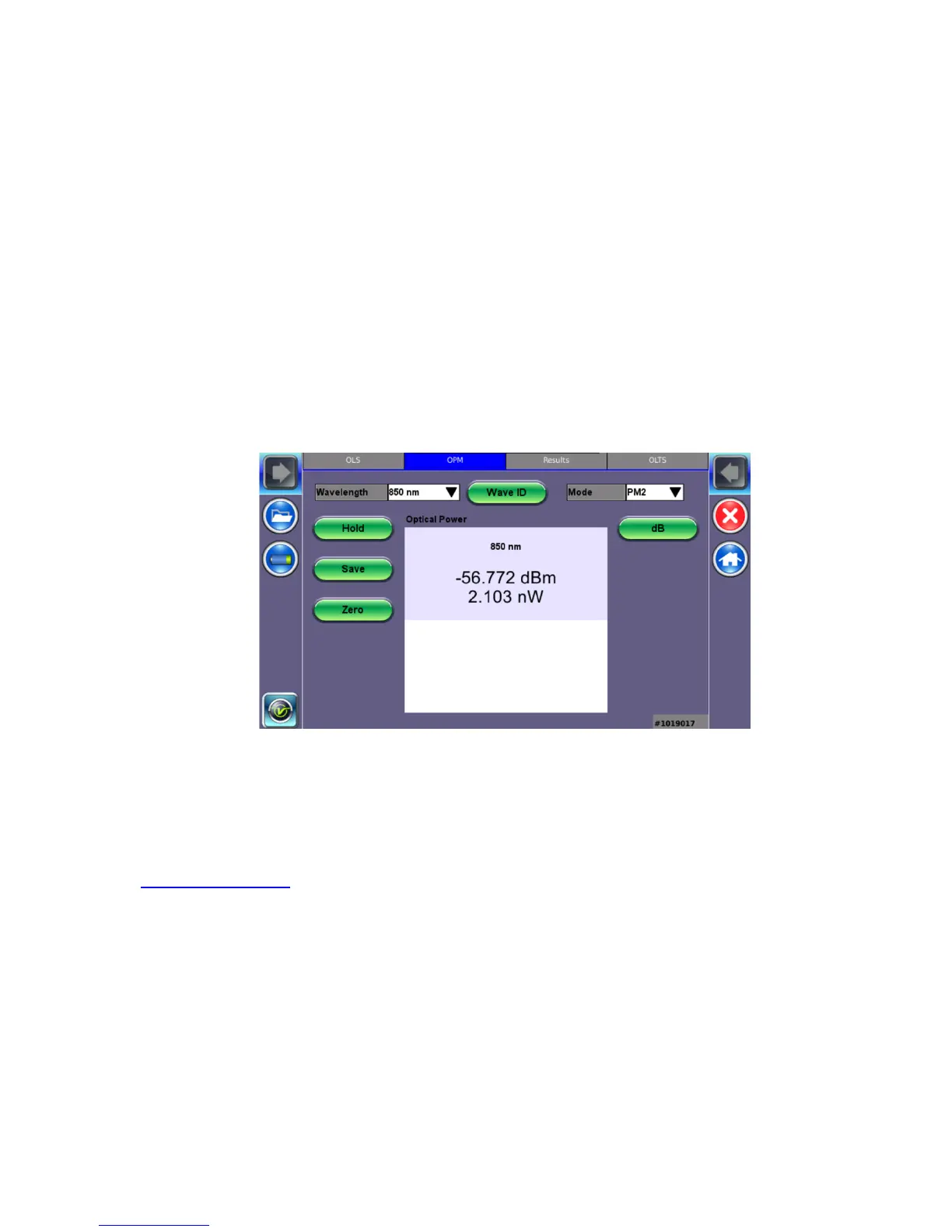
4. Tap Optical Power Meter. The OPM menu appears.
5. If the light source has a WaveID option, tap Wave ID to detect the wavelength of the
incoming signal automatically.
6. When testing is complete, tap Turn OFF to power down the OLS, and then disconnect the
cable and replace the port covers.
Use the following options to configure the OPM:
• Wavelength: Matches the calibrated wavelength to the signal being measured.
• Wave ID: Detects the incoming wavelength automatically. Use when operating the OLS
in CW mode with or without Loop enabled.
• Mode: Designates the measurement specification built-in: PM1 or PM2. For specific
information on the PM1 or PM2 specifications, see the platform’s datasheet at
www.veexinc.com.



 To Next Page