OTDR Series e-Manual, D07-00-076P-RevC00 Page 73 of 107
7.1.4.1 Setting up and Using V-Scout mode
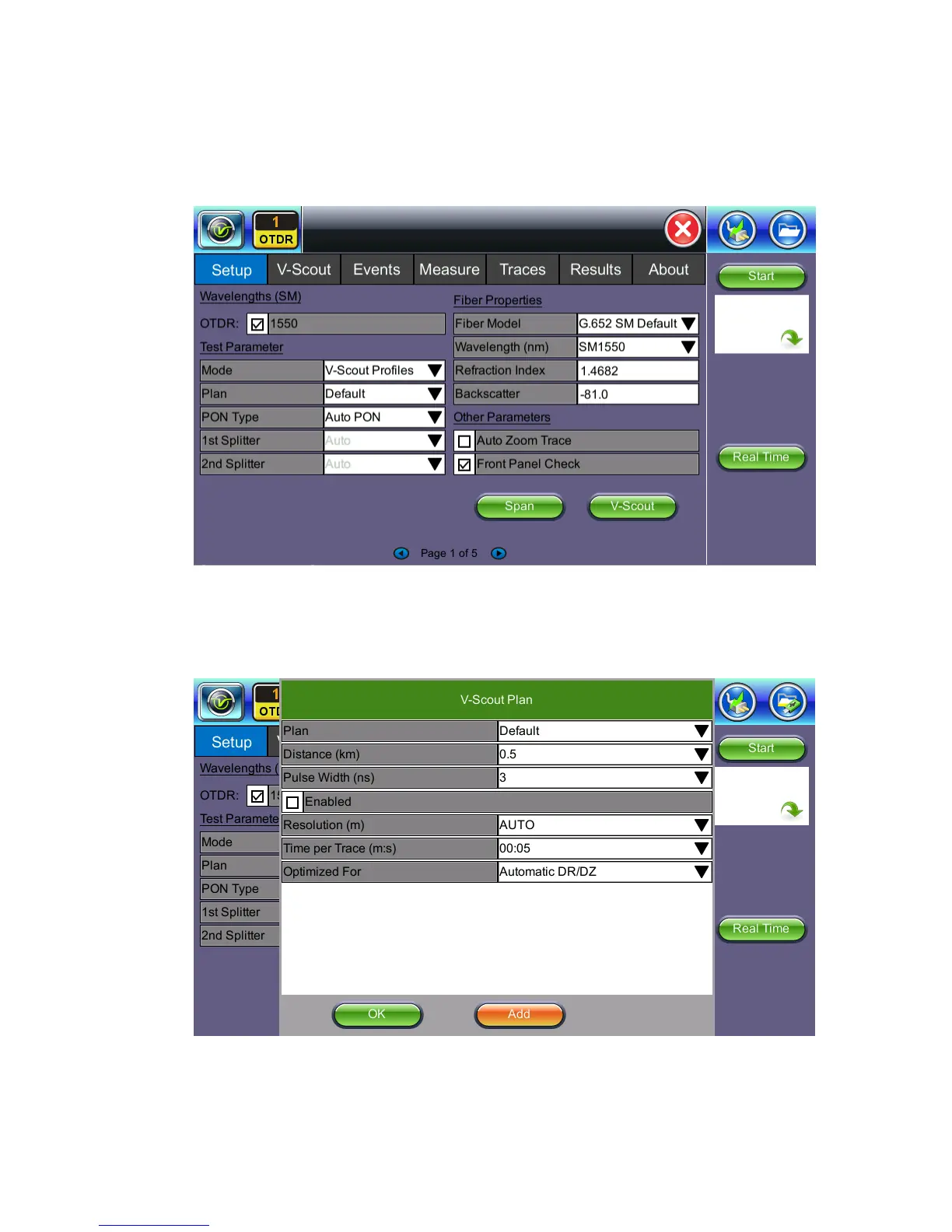
V-Scout has been improved to give the operator the ability to optimize automated testing
further by creating custom V-Scout test plans. A unique profile can be created for specific
test environments.
V-Scout Profiles give the operator the power to override and optimize test parameters for
specific test needs. Create a PON, Access Fiber, or FTTA test plan. Select V-Scout test plan
and the unit will apply your directives to test setup for every test fiber automatically.
Plan: Select default or build your own (Add) custom V-Scout plan.
Distance: Select a test range value 25-30% longer than actual length of test fiber.



 To Next Page