VX675 MERCHANT OPERATING GUIDE 39
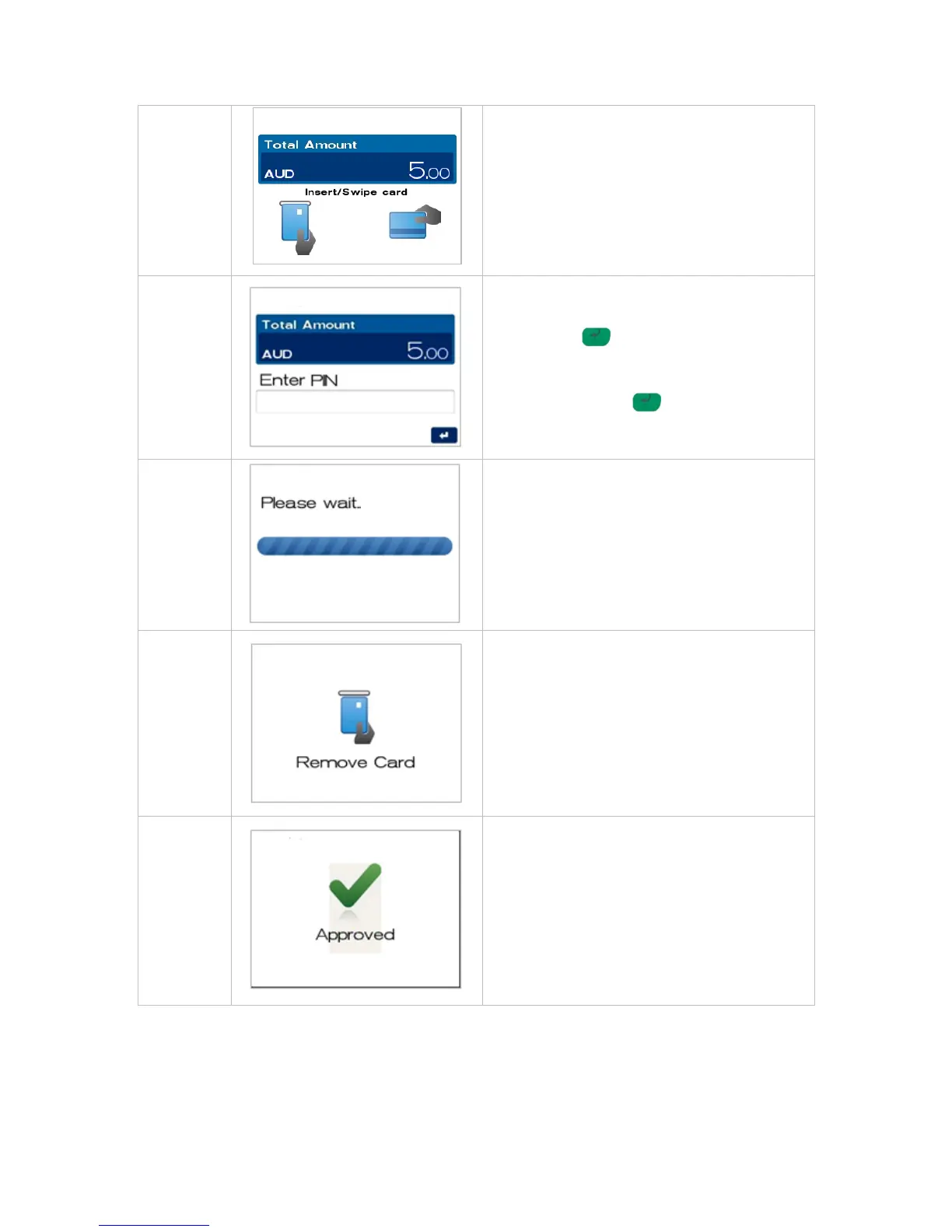
Insert, swipe or tap the customer’s card (See
Section 4 Card Presentation Procedures).
NOTE: Contactless operation is not permitted
for this type of transaction.
The screen will show PIN or ENTER.
Enter Personal Identification Number (PIN), or
Press ENTER for signature.
NOTE: PIN can be bypassed for certain card
types (i.e. International) by leaving the PIN blank
and pressing ENTER . The card type will
determine if a signature is allowed and if so the
screen will be presented.
The terminal will connect to the bank and begin
processing the Pre-Auth.
If a chip card was inserted, and is yet to be
removed, this prompt will appear. Remove the
card at this prompt. The terminal will beep as a
reminder if the card is not removed.
The terminal will now begin printing the receipt
and display the transaction result.



 To Next Page