21
UM150 User’s Manual
21
UM150 User’s Manual
This message will display each time you go to connect via a wireless dial-up
connection, until you select “Do not show this warning again.”
Wi-Fi
The first time you connect to a Wi-Fi network (with an optional WiFi adapter), you
will see the following warning:
You are about to establish a connection to a Wi-Fi network. Verizon Wireless does
not support problems associated with Wi-Fi networks.
Verizon Wireless Customer Care will not be able to assist you. Please see the Help
file for details.
In most cases connecting to a private Wi-Fi network is a simple process and you
can use VZAccess Manager instead of the Wi-Fi client you would normally use. If
you have any problems doing this try the recommendations in the section on Wi-Fi
Troubleshooting.
2.5 Using Dial Up Connections
This section is only applicable if you are using a WWAN Device that supports
dial-up connections.
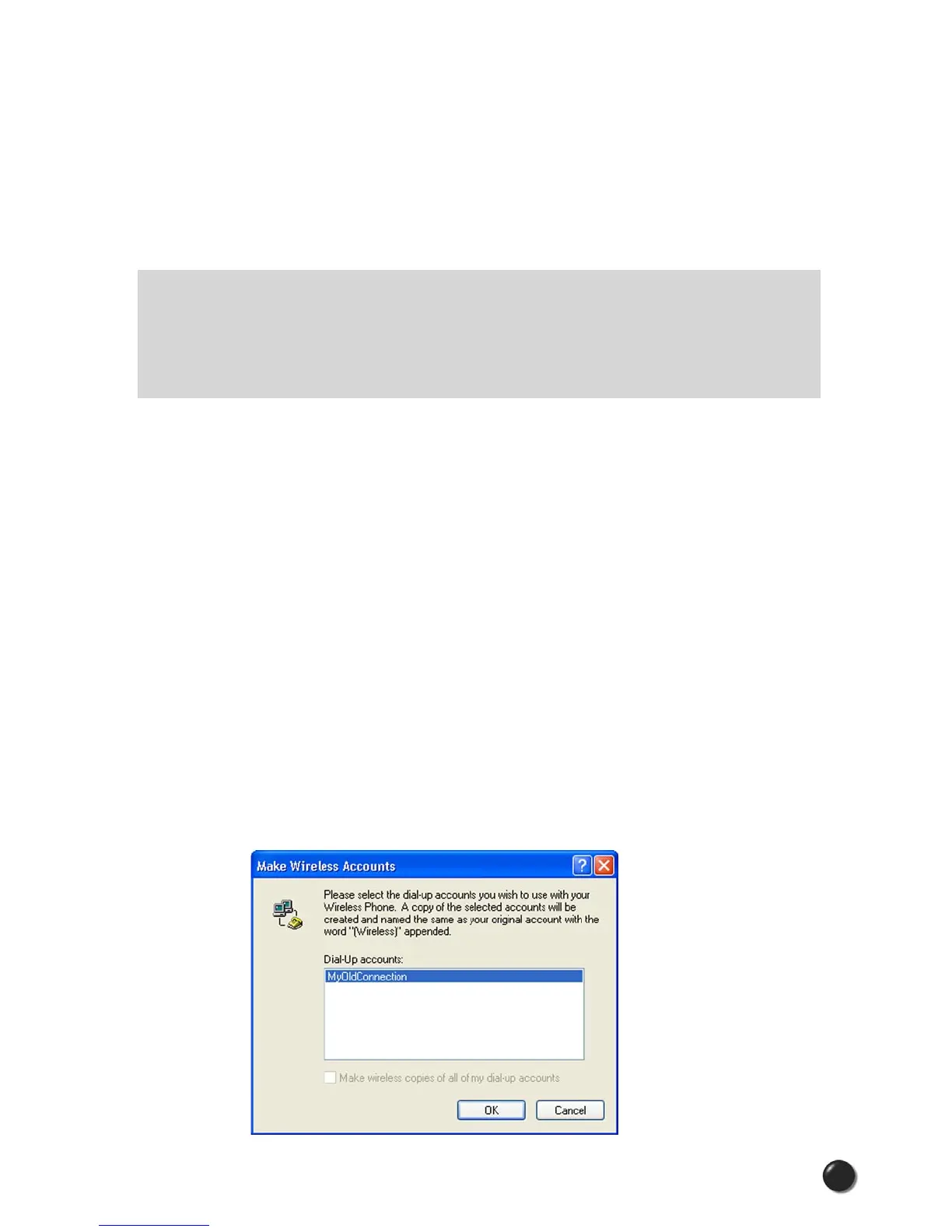
You can make wireless copies of existing dial-up accounts on your system. This will
wirelessly enable them and allow you to connect to them wirelessly.
To launch the copy utility, select “Tools,” “Dial-up Accounts” then “Copy.”
Click on the connection or connections you want to copy and click on the “OK”
button.



 To Next Page