25
UM150 User’s Manual
25
UM150 User’s Manual
3. VZACCESS MANAGER PREFERENCES
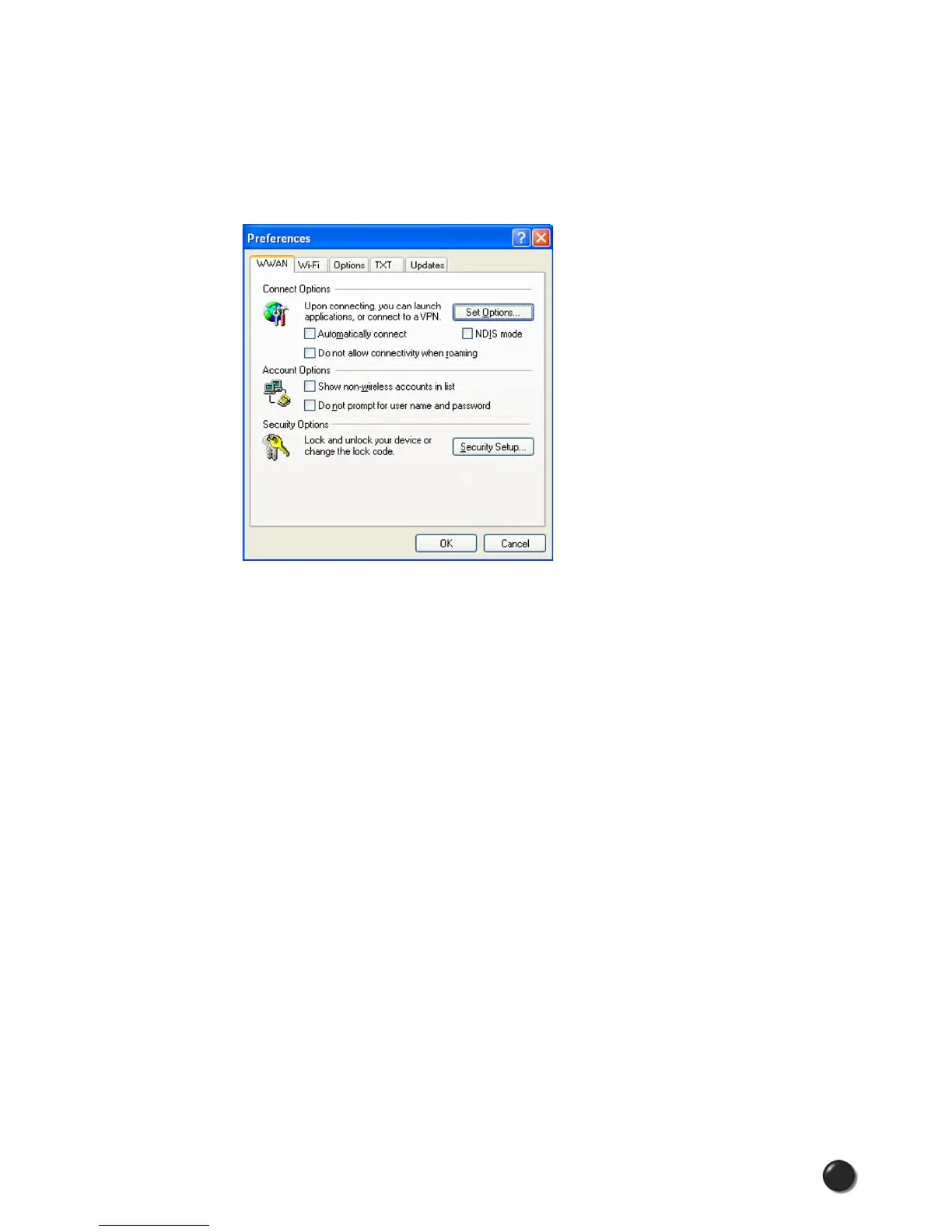
3.1 WWAN Preferences
To access the WWAN preferences, click on the “Tools” menu, then “Preferences....”
Connect Options
The “Set Options...” Button: This is used to set various connect options. See
below.
Automatically Connect: If desired, you can select to have VZAccess Manager
automatically connect at application startup.
“Do not allow connectivity when roaming:” Enabling this option will prevent
you from connecting when roaming. This option is disabled if using NDIS mode.
VZAccess Manager only supports this feature with certain devices; if not supported,
the option will not appear.
NDIS Mode: Enables/disables the NDIS feature. Please note that NDIS is
only supported by some USB devices. It also requires either Verizon Wireless
BroadbandAccess or NationalAccess coverage, and either Windows 2000 or XP
or Vista. When enabled, NDIS provides an “always on” Internet connection similar
to a standard Network Interface Card (NIC). Please note that an NDIS broadband
connection will remain active even if you exit VZAccess Manager.



 To Next Page