55
UM150 User’s Manual
55
UM150 User’s Manual
5.3 Instructions for AOL Users
AOL supports using other connections to the Internet, so it can be used
with the Verizon Wireless VZGlobal, BroadbandAccess or NationalAccess
connections.
NOTE: When using the AOL interface, Venturi (if installed) is unable to compress
your Internet traffic, however, Venturi compression will occur if you launch and use
your web browser.
Configuring AOL Version 9
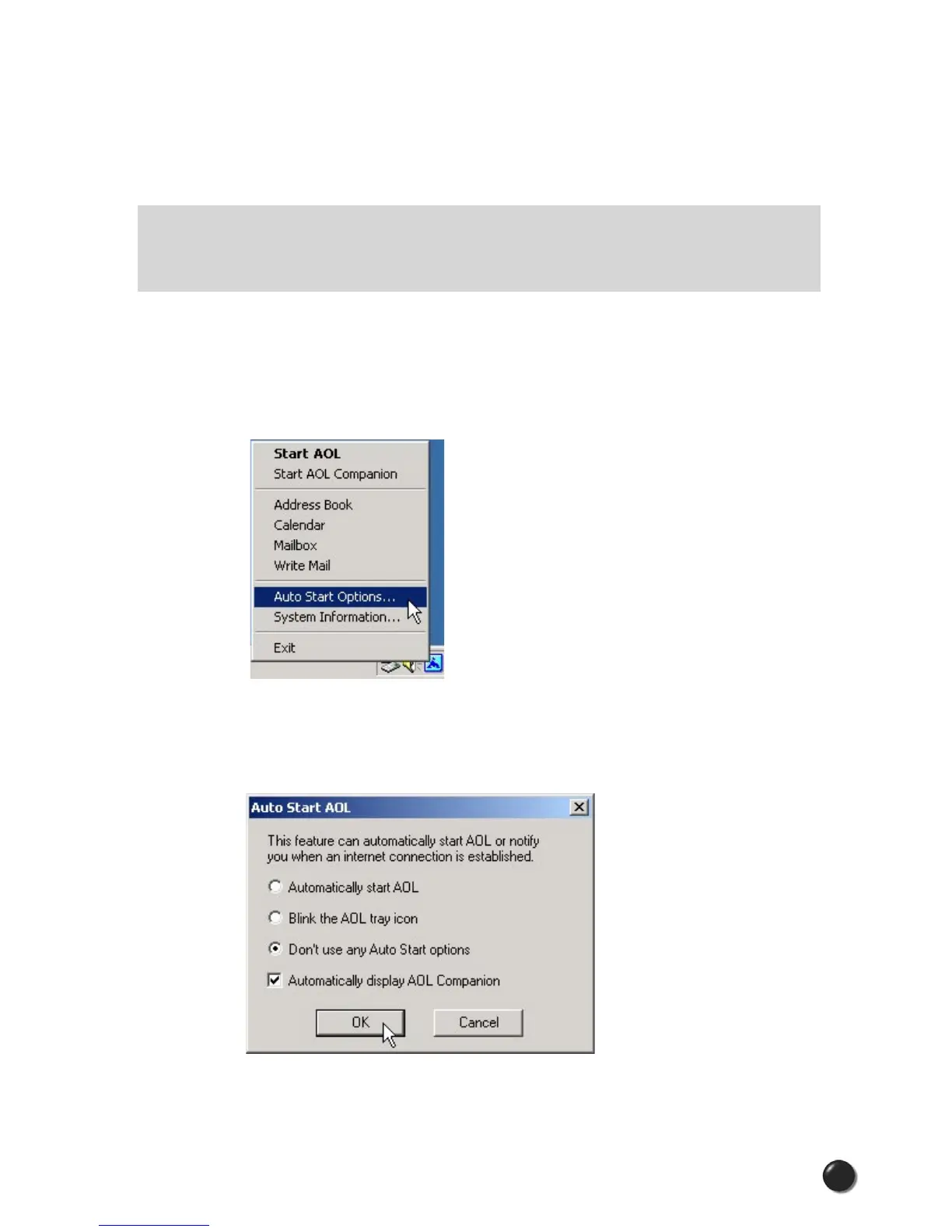
STEP 1: Right click on the AOL icon in your task tray, and then click on “Auto Start
Options...”
STEP 2: Select “Don’t use any Auto Start options,” and then click the “OK” button.
(We have found it to be more reliable to manually launch AOL, rather than to use
the Auto Start options.)



 To Next Page