54
UM150 User’s Manual
54
UM150 User’s Manual
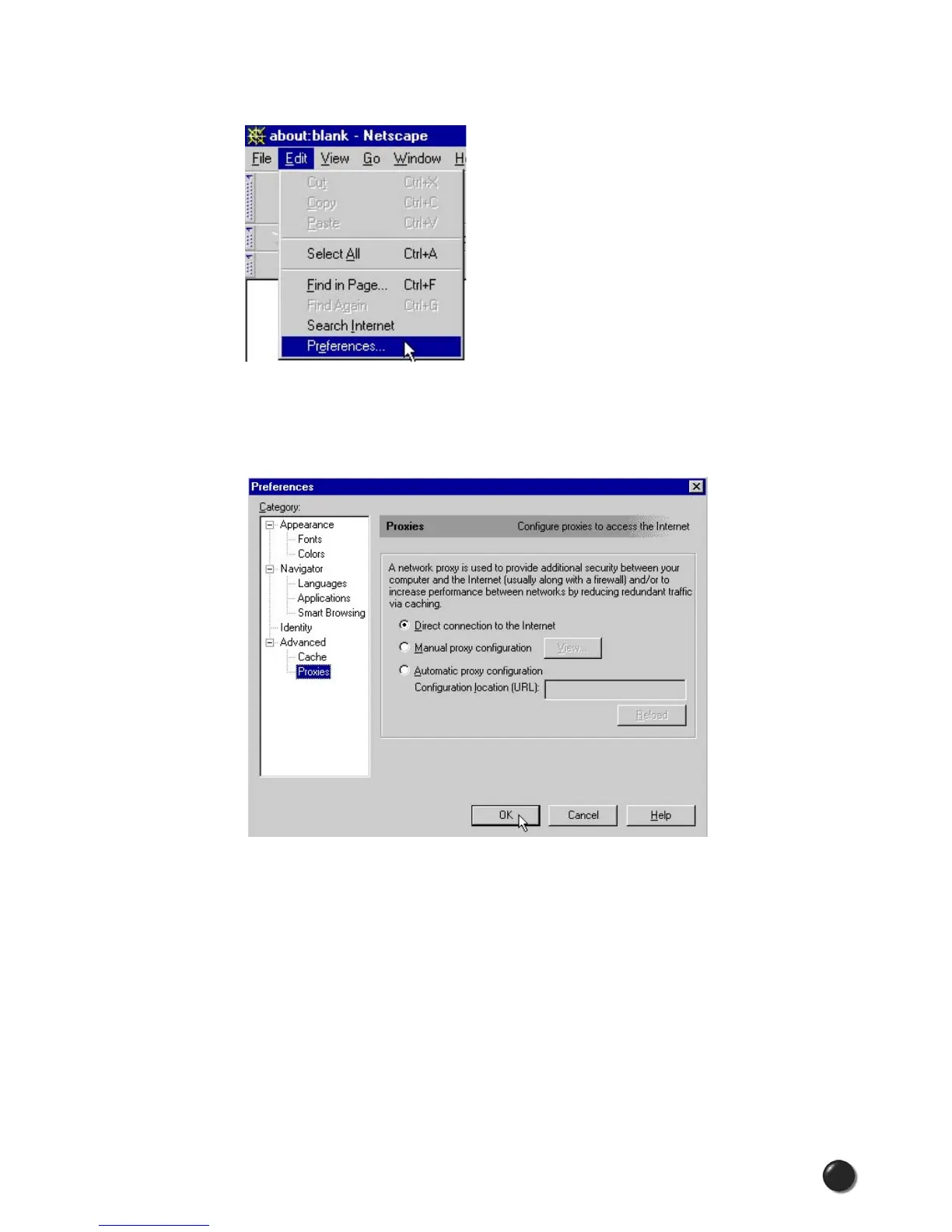
STEP 1: From within your browser, go to “Edit” then “Preferences.”
STEP 2: Click on the “+” beside “Advanced” then “Proxies.” Next select “Direct
connection to the Internet” and click “OK.” You may now access the Internet through
VZGlobal, BroadbandAccess or NationalAccess.
Reminder: When you wish to access the Internet through your corporate network
proxy server, you must repeat these steps, selecting “Manual proxy configuration”
then clicking “OK.” If your proxy setting is incorrect for the connection you are using,
you will get an error whenever you try to go to any site.



 To Next Page